c13
Friends of LSPDFR
-
Joined
Everything posted by c13
-
Because as far as I know, it's impossible to edit the animations for GTA 4.
-
-
-
I use the 870 and the MP5 from this pack and the M4 version 1 from this pack or this M4
-
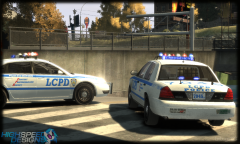 Probably a failed DDOS attempt
 -
I agree with this. Maybe an option to have it disabled by default when visiting profiles. But I'm not sure if this is possible.
-
MODERATOR NOTICE Moved to Development Tutorials and Questions
-
-
Mentioning a site when relevant to a question ("Where do I find this?") is fine. What is considered advertising is a deliberate attempt to show off your work or others work and saying where to find it (ie: creating a thread or gallery image).
-
-
http://gtapolicemods.com/downloads.php?do=file&id=460
-
If you have an image editing program, just use that, but extract the textures, open them in an image editing program and replace the "Alderney State Troopers" decals with the "Alaska State Troopers" decals.
-
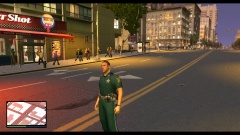 I'd definitely like to see the street crime, K-9 and SWAT unit
 -
-
One thing that could be added is valuable personal items, like laptops, iPads and cash, so that we could steal collect evidence from travelers potential terrorists.
-
MODERATOR NOTICE Moved to GTA 4 Support
-
Happy birthday, Captain Cheeseburger!
-
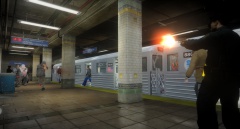 The LCPD at it's finest
 -
Do you realize the rules for carrying on a military base? Besides MP's (Military Police Officers), all weapons are supposed to be secured in an armory unless the soldier carrying it is training or going to train on that weapon (a unit exercise or at a firing range). Even in Iraq, troops who were not on security duty weren't allowed to have magazines in their weapons, and they had to keep the ammo in an armory.
-
-
Do you know why 7.1 was skipped? Because the door bug/god mode bug has plagued ELS since the beginning. 7.1 was going to add a few more patterns and dual sirens, a minor improvement. Such a major improvement deserved a new version. And get some patience. Experienced scripters don't release ANY mod without thorough testing, especially one as popular as ELS.
-
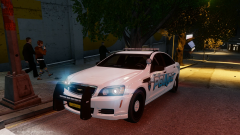 Might want to change the position of the "POLICE" decal on the trunk of the Caprice. Or another option would be to remove the chevy badge, like this:'' target='_blank'>>
 -
I really hate Time Warner. And my city is the only one in my area not to get google fiber to top it off.
-
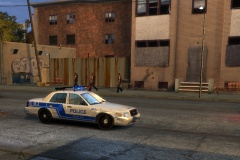 OMG! Lt. Caine is using a gallery again! It really is special!
 -
Closed at the request of the original poster, because the question was answered and going off topic.. Nothing to see here!<br /> <br /> <br />This topic has been closed by LCPDFR.com staff. <br />If you feel that this topic has been closed in error, please report this post.