




Will
Management Team
-
Joined
-
Last visited
Everything posted by Will
-
Or, you know, you could just not look at those files and not start flame wars? It's all about self control.
-
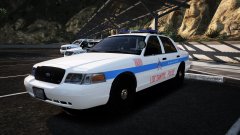 That's enough abuse for one image. Please keep things civil from here on.
 -
No. ELS really isn't that hard to install and use though.
-
-
-
You have to make sure you are using ELS 1.05 and disable it in the .ini as mentioned above. However, a bug I noticed with this, disabling the controller causes all of the controller assigned controls to use the keyboard instead. This results in many of the controls being doubled. Your topic has been moved to GTA V Support, this is not LSPDFR related. Please post in the correct location in the future.
-
The highest number will always be the latest patchday folder. Anything you put in the latest patchday folder will overwrite any older patchday folder and original files, so you can put all of your police vehicles in the latest one with a vehicles.rpf. As long you are using one of the default vehicle names (police, police2, etc), the mods will show in the police garage. If you use another name (hwaycar for example), you will need to spawn it with a trainer or command.
-
This topic has been closed by LCPDFR.com staff because it is a website, clan, or group ad. Our site isn't an advertising service - please do not use it as one. If you want to share your website, group, or clan, please keep that limited to your profile and signature. If you feel that this topic has been closed in error, please report this post.
-
This topic has been moved to the appropriate forum. Please post in the correct location in the future.
-
Your topic has been moved to GTA V Support, this is not LSPDFR related. Please post in the correct location in the future.
-
This isn't really related to LSPDFR so moved to GTA V Support. From the sounds of it, you need to turn up "Post FX" in the graphics settings. Depending on how this affects your performance, yes, you may have to wait until you get a better system.
-
https://support.rockstargames.com/hc/en-us/articles/235721567-Update-to-GTAIV-to-include-Episodes-from-Liberty-City-login-servers-
-
You can disable it in vehicles.meta by changing the diffuseTint value to "0x00FFFFFF" under whatever model you are using.
-
It looks like there was a new filter added to distinguish callout plugins from other LSPDFR plugins and standalone plugins (for example, the Computer+ plugin is an LSPDFR plugin without any callouts). That link now leads to a filter with "LSPDFR Callouts" whereas it used to lead to a filter with "Uses LSPDFR API 0.3b"
-
We are aware of the issue - You will just have to try again once Cyan gets it fixed.
-
-
Alright guys, that's enough. Let's not turn this into an unnecessary argument.
-
Moved to LSPDFR Discussion as it seems you would like this information to determine how to play LSPDFR. This topic has been moved to the appropriate forum. Please post in the correct location in the future.
-
Well, we are underground hackers operating on the black market, what can they do?
-
Your topic has been moved to GTA V Support, this is not LSPDFR related. Please post in the correct location in the future.
-
This topic has been closed because you are asking for support regarding pirated software. We are unable to provide support to pirates, or people using cracks. If you feel this topic has been closed in error, please report this post.
-
Your topic has been moved to GTA V Support, this is not LSPDFR related. Please post in the correct location in the future.
-
Cleaned up a few posts. I have no idea what that was about, but please do not bring petty drama to the site. Thanks.
-
I assume you are referring to the rule where you are only supposed to leave a review after using the mod. This rule is extremely hard to enforce, as it is impossible to know if someone actually used the mod or not. The best option is to only allow a member to leave a review after downloading the file (a technical solution, which would be up to Cyan to implement, assuming that is not already in place), then they at least have to take the extra step of downloading the mod first. If you are referring to people asking for support in the review section, just report them. It is also extremely hard to keep track of everything that is posted on the website, so reports are extremely helpful to us. I know some people might think "they'll just ignore it if I report it" but that is not how we operate.
-
Problem with that is that textures work on many different models; there usually is not just one model the texture works with. In many cases, the textures are made using the template provided with the DEV model, so they will work on any model uploaded using that DEV model.


