




Will
Management Team
-
Joined
-
Last visited
Everything posted by Will
-
This topic has been moved to the appropriate forum. Please post in the correct location in the future.
-
This topic has been moved to the appropriate forum. Please post in the correct location in the future.
-
This topic has been moved to the appropriate forum. Please post in the correct location in the future.
-
This topic has been moved to the appropriate forum. Please post in the correct location in the future.
-
Your topic has been moved to GTA V Support, this is not LSPDFR related. Please post in the correct location in the future.
-
Change your siren key in the game settings, or make sure you are moving when you activate it.
-
This topic has been moved to the appropriate forum. Please post in the correct location in the future.
-
LSPDFR does not come with a trainer, no. ScriptHook does though.
-
Disable anything relating to "IgnorePlayer" (could be "PoliceIgnorePlayer" and/or "EveryoneIgnorePlayer") in your trainer.
-
 Are we done arguing about what is and isn't constructive now? Any more comments continuing this argument will result in sanctions.
 -
 That's enough. Everyone has voiced their opinion, and if anyone continues to argue here they will be sanctioned.
 -
This topic has been moved to the appropriate forum. Please post in the correct location in the future.
-
Those people need to get their priorities straight then. As Hystery said, Windows doesn't just start the upgrade without you consenting to it at some point. So many people just click things to get them to go away and don't pay attention to what they are agreeing to (such as spamming next in an installation, then getting all the adware that you willingly agreed to get).
-
Do you have Windows installed on the same hard drive as everything else? If so, then yes, doing a clean install would suck (and it is necessary when upgrading). But, if you have Windows installed on a separate drive from any games or important files, then a clean install is a non-issue. The only things you lose would be any programs installed on the Windows drive, and files can be easily backed up to another drive. It seems like if you have that much storage you should already have more than one drive. The only time Windows installs/downloads any updates for me is when I first start the computer or when it hasn't been used for a long period of time. Again, just shutting your PC down every night, then letting Windows do its thing when you start it the next day tends to solve any issues with it wanting to install updates while you're doing things. I've never had to worry about a data cap, so I'm not sure how that works out with updates. I guess being someone who actually knows how to maintain a computer with updates, etc. makes me an outlier here.
-
It is quite annoying how obvious it is in game. I've never noticed headlights were like in IRL, although I doubt every car is like that.
-
I don't understand why you wouldn't want the updates in the first place...many of them are just security fixes, and I've never had a problem with them...ever...on any version of Windows...despite some people saying how bad they can be. You can easily disable the automatic restarting, which isn't even an issue since it will only restart when you are not using the computer. I shut my computer down every night anyway, I don't understand why anyone would want to leave it running 24/7, that just leads to terrible performance. Yes, they are trying to get everyone to use Windows 10 with the upgrade thing on Windows 7, because Windows 7 is outdated. As cyan said, 10 has many optimizations, and 7 is no longer supported. The biggest issue for most of us here is probably that some older games might not work anymore. I know Fallout 3 didn't work for me, but I'm sure there's a fix out there (I didn't bother checking).
-
Your topic has been moved to GTA V Support, this is not LSPDFR related. Please post in the correct location in the future.
-
I just can't see what they could do with WWII that hasn't already been done. Red Orchastra 2 already plays exactly like Battlefield (squad-based teams, attrition-style game mode, large maps with a lot of players, classes, vehicles, etc). I guess it would be nice to see WWII in the current Battlefield style with HD graphics, but I would probably feel like I'm playing a remastered version of some other game, especially considering they have all played almost exactly the same since 3 (at least). All I'm saying is that I'm glad they are doing something different. The 2000s was the decade of WWII shooters, 2010s have been the decade of futuristic shooters, so it's nice to see a big developer trying something unique. That being said, I probably won't buy it...I've played every Battlefield beta since 3, but never actually purchased any of them.
-
Your topic has been moved to GTA V Support, this is not LSPDFR related. Please post in the correct location in the future.
-
I'm guessing you have a VGA cable then? It's usually a blue connector. If your monitor supports DVI or HDMI, I would recommend buying one of those cables. If not, you'll need a VGA to DVI converter: http://www.amazon.com/StarTech-DVI-Cable-Adapter-DVIVGAMF/dp/B000067SOH A lot of graphics cards come with them - you should see if they sent one with the computer.
-
Make sure your monitor is plugged into the graphics card in the back of the computer (the DVI or HDMI ports for the graphics card are generally on the bottom, whereas the integrated ones are on top).
-
I merged your two topics to one and moved it to the LSPDFR Media section.
-
Choose the x86 option: https://www.microsoft.com/en-us/download/details.aspx?id=30679 Your topic has been moved to LCPDFR Support Requests. Please post in the correct location in the future.
-
This...I don't understand why everyone is saying they wanted WWII. Those games that are set in WWII are still there, you can still play them, and there's a seemingly infinite amount of them. I'm glad they decided on WWI, it's much more unique and will definitely be more interesting than another WWII game.
-
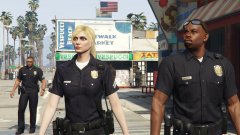 Complete the look.


