




Will
Management Team
-
Joined
-
Last visited
Everything posted by Will
-
This topic has been moved to the appropriate forum. Please post in the correct location in the future.
-
I hope you're not expecting people to be going over 70 on city streets... I like sitting up in Grapeseed and catching people doing 35-40 (or more) when the posted limit is 25. Not sure how many of those are events from Traffic Policer since I have the blips disabled, though.
-
We decided to pin it for now (along with a few other essential mods) to allow more space in the featured list for less popular feature-worthy mods, but still have the mods that just about everyone is using easily accessible.
-
If LSPDFR is loaded you may have to change the option in the interaction menu for the engine. By default it's set to "Always On."
-
This topic has been moved to the appropriate forum. Please post in the correct location in the future.
-
This topic has been moved to the appropriate forum. Please post in the correct location in the future.
-
In the future, please try to stick to one topic (http://www.lcpdfr.com/forums/topic/76982-where-is-rebuild-tool-in-open-iv/ is basically the same thing). If you feel this topic has been closed in error, please report this post.
-
Your topic has been moved to GTA V Support, this is not LSPDFR related. Please post in the correct location in the future.
-
There's no need to offer any 'reward,' this makes the request a transaction, which we do not want on our site (can't validate the validity, issues with not getting what you paid for or not paying for what you got, mods in general should be free, etc.). This topic has been moved to the appropriate forum. Please post in the correct location in the future.
-
This topic has been moved to the appropriate forum. Please post in the correct location in the future.
-
-
Applications are now closed. Thank you to all those who applied, we'll be in touch with successful applicants soon™.
-
CPU: Intel i7-6700K GPU: EVGA GeForce GTX 1070 SC RAM: 32GB Corsair Vengeance DDR4 3200 MB: ASUS Z170 Pro Gaming/AURA CPU Cooling: Corsair Hydro Series H60 High Performance Water / Liquid CPU Cooler Cooling: 2 Corsair Air Series SP120 Quiet Edition, 2 Corsair Air Series SP120 PWM High Performance Edition, 1 Rosewill RFX-120BL Storage: Samsung 850 EVO 500GB (Windows, programs, etc.), Seagate Desktop 2 TB Solid State Hybrid Drive (games), Some old HDD that's like 300GB (video recordings, some screenshots, misc backup) PSU: Something 700 watts (from original build) Case: CoolerMaster HAF912 Mid-tower (from original build) Monitors: Some LG 24" 1920x1080 (primary), some ASUS 24" 1920x1080 (secondary, solely because of 2 dead pixels, from original build) Other: Razer Blackwidow Chroma, Razer DeathAdder Chroma, Razer Kraken 7.1 Chroma, some aftermarket Xbox One controller, Logitech G27 racing wheel, a CD drive from original build, a wifi card from the original build
-
Yeah that would most likely be overscan if it's a TV. Not sure why it would suddenly be an issue after the update, though. Have you checked your TV's display settings to turn overscan off? I have an old TV that doesn't have it in the settings, and I need to go into the Nvidia control panel and adjust the desktop size for it. It basically brings up the "safe zone" type thing that games do on the first start, and you can adjust the borders. Only problem is it gets reset with every driver update.
-
Please do not involve money in requests - we cannot guarantee the validity of transactions and our site is not for you or others to make money from, outside of the donation function. You are free to donate at your own will, but it should not be in return for a product or service.
-
Your topic has been moved to GTA V Support, this is not LSPDFR related. Please post in the correct location in the future.
-
Your topic has been moved to GTA V Support, this is not LSPDFR related. Please post in the correct location in the future.
-
This topic has been moved to the appropriate forum. Please post in the correct location in the future.
-
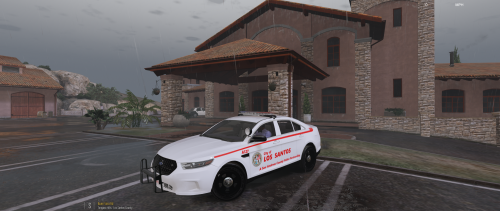 If you believe a file is in the wrong section, please report it and do not comment. I don't believe there is even a way for members to move a file to a different category, staff must do this, so your comments and reviews are completely useless.
- 2 comments
- 2 reviews
-
-

- 1
-
-
This topic has been moved to the appropriate forum. Please post in the correct location in the future.
-
Your thread has been moved to LCPDFR Support Requests as it isn't a LSPDFR Support Request.
-
This topic has been moved to the appropriate forum. Please post in the correct location in the future.
-
I assume this link should work: http://www.lcpdfr.com/attachments/
-
This topic has been moved to the appropriate forum. Please post in the correct location in the future.
-
This isn't really a discussion for the public forum. Please PM me with any concerns. If you feel this topic has been closed in error, please report this post.

