


Raggio
Members
-
Joined
-
Last visited
Everything posted by Raggio
-
Are you looking in AppData or Program Files? If you're looking in AppData, you should be able to see it. Are you using dsound.dll or xlive.dll as your ASI loader? xliveless causes the saved games to be saved somewhere else. Else, you may truely not have any saved games to begin with When you launch the game, are you loading your game from a saved game or starting a new game, first of all?
-
You treat it as any other file. Just go to the directory I indicated (back it up first to another location) and delete the entire "Savegames" folder.
-
Try backing up your save data, then deleting the saved data for the game to see if your game can run properly without loading a saved game. Your saved data should be located here if you're not using xliveless: C:UsersUSERNAMEAppDataLocalRockstar GamesGTA IVSavegames
-
Alright, the report appears clean, but doesn't have information from the .NET ScriptHook log. Usually after you run the game and it crashes, the diagnostic tool will also report what the .NET ScriptHook log also says, and it is in that log that specific crashes due to scripts are noted. You can find this log file (called ScriptHookDotNet.txt) in the root directory of your game's folder. Just for the sake of troubleshooting, when you installed the mod, where there any errors? Did you install the mod by "Running as Administrator" with the game's root folder not marked as "Read-only?" Lastly, are you using LaunchGTAIV.exe with "Run as Administrator" enabled? Usually people with clean diagnostic logs don't follow these steps. And even if they do, sometimes a reinstall of the mod and/or the game helps. I see you have tried reinstalling the game and it didn't work without any mods. This indicates that your game itself has problems. Did you completely remove everything from where the game was installed before reinstalling it? The uninstaller may have not deleted any mods that you had in the game. Also, are you loading saved games after you start the game? If so, try backing up your saved game, then deleting it to see if it will work.
-
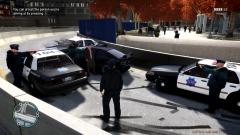 > You know what else is a weird place? That lady's car and head. LOL! Agreed! :D
 -
OK, please follow my initial directions and run the diagnostic tool, then post the report here. Just because you don't see an error message still doesn't mean you're in the clear--especially not since you say the game stops working after it progresses from the loading screen. Usually, this indicates a bad save file, but until you post more details in the nature of the problem, we have no real way of figuring out why it isn't working for you.
-
We are not sure yet, as is still a work in progress. I'm going to guess that the final product will be like which does not require LCPD:FR in order to work.
-
Please follow the stickies and post a diagnostic report. Also note the nature of the crashes (e.g. error messages, error codes, etc.). Without providing additional information and just saying the mod isn't working, we can't help you very much. We'll continue troubleshooting as soon as you update us with additional information.
-
You are absolutely welcome, my friend! Have a good time playing with the mods! And feel free to contact me whenever you have questions and/or want suggestions for mods! I'd be more than happy to help out! See you around!
-
When you use ELS, all it does is basically reload the same car model very fast but with different light textures each time, so it looks like the lights are flashing. This will cause the car to become indestructable, and you will see the doors shaking back and forth when you open and close them while using ELS. This is a normal bug of ELS, and won't be fixed since the developer has stopped working on it. We can only wait for as it doesn't require reloading the car model at high rates of speed. Other than that, the devices in the car shouldn't be shaking, because they are all part of the car's model and don't move.
-
I thank you for your interest in my mods! My mods are actually not released yet...sorry about that! The screenshots are previews for you to see my latest work in progress (WIP). I've been busy lately, and I'm still working on them to make them high quality and as close to perfect as I can get them. If and when I release them, I'll let you know! But if you would like other suggestions for mods, I'd be more than happy to help you out! Just post in the GTA IV: Content Modification section, or send me a PM! Happy modding, and have fun! :smile:
-
Thanks for the complements! Those police vehicle and ped skins you see are my latest work that's unreleased at the moment. I am making SFPD (San Francisco Police Department) skins for a few more car mods, and adding more details to the ped mods as well. I am also making CHP (California Highway Patrol) and FOXHOUND texture mods as well, as you saw in my gallery! I actually have a very long list of mods installed, lol! I am fine with telling you what mods I am using, but I think it is best if you narrow it down, because I have a myriad of mods in use right now! I have a graphics (ENB) mod installed (and it's why you see the fancy eye candy reflections and nice graphics in my screenshots), I have realistic texture mods (e.g. vegetation, roads) installed, I have car mods installed, I have weapon mods installed, I have sound mods installed, and I have script mods installed. On top of all that, I have custom skins/textures installed for the car and ped mods that I'm using as well. Is there anything specific you would like to know? Because I can type out a long list of mods, and I don't think that'll help you much. I chose all the mods I use because I like them very much, but another may not have the same feelings. If you let me know the things you want, like specific vehicles, weapons, etc., I can help you out more. Also, if you want to try searching for mods, there are tons of mods out there, and good sites to grab them from are gta4-mods.com, gtagarage.com, gtagaming.com, and many others. I specifically like gtainside.com for vehicle mods and am-team.ru for weapon mods. To enhance your experience, I recommend you install Simple Native Trainer as well. It comes in handy at times! :wink:
-
You're welcome! I'm glad the mod is now working for you! I'm sorry the troubleshooting steps didn't work, but sometimes all it takes is a reinstall of the mod, and that was something I was thinking of if it didn't work after additional troubleshooting steps. Alright, in terms of your new problem, what do you mean the "flashing" doesn't work? Do you mean that the police car lights aren't flashing? Or do you mean they aren't bright/illuminating enough? Only modified police vehicles need additional mods for them to look good; the default police vehicles are kind of crappy as far as their lights go. If you want to try that, you can feel free to do so (or did you mean you already installed it?). But I suggest manually installing the mods you want, as that will save you trouble (at the cost of time) in the end. As you can see, that installer has some things that you already have (e.g. LCPD:FR, ASI Loader), and so if you forget to uncheck those, you may end up breaking the mod again. Not to mention, this mod pack is really out of date anyways. I don't suggest installing mod packs, as it makes it harder to fix problems if they happen. (e.g. Car mods packs are classic examples--any one of the hundreds of car mods they install can cause a game to crash. But if you install each one yourself, you can test them out to make sure they are stable for your game) If you want police cars that have bright, realistic flashing lightbars, then you'll need to install ELS and ELS-enabled car mods. That will definitely enhance your experience while playing LCPD:FR, that's for sure! ( to see what I'm talking about; customization makes it all the more fun!) If you want tips, suggestions, etc., feel free to ask me. Same thing right back at you, from the US! :biggrin:
-
Hmm, this report appears fine. I was expecting a little more (and possibly some sort of error) at the end because the one in your screenshot (different report) looks like it has much more when scrolled down. But no matter, we can try some troubleshooting steps. Just to check, you are only seeing a black screen, but are not experiencing any errors/crashes? And also, have you enabled "Run as Admin" on LaunchGTAIV.exe and are using that to start the game? I'm wondering the cause behind the black screen, because the game works fine without the mod.
-
You're welcome! I just want to help you so that you can enjoy the mod as well! Yes, you can just copy/paste the text from the diagnostics tool into a post here. This is just to see if there's any problems thats occuring that's not shown in your screenshot. Since you say this is a fresh install of the game with no other mods, and the game ran without the mod, then the mod has to be the culprit, as the beginning of the diagnostics report indicates you have all the proper files and programs needed to run the mod. After posting it, I'll see if I can help you troubleshoot with other methods to get it to work if the rest of the report is clean.
-
Greetings, and welcome to the world of GTA IV modding! Let's try to sort this problem out! First off, can you post the entire message from the diagnostic tool? There is an entire section at the bottom (of your screenshot) that is cut off, and it may or may not indicate errors with the game and the mod. Right now, the portions that I can see look good, so the mod was installed successfully so far. Since you're saying you're only seeing a black screen, that can mean a problem with the graphics. Do you have any graphics mods installed at this time? Your GPU should be able to handle the game no problem. Yeah, this isn't going to help if you've installed the mod correctly. Hope we can find a solution for you to get the mod working!
-
Sure thing! Enjoy! :happy:
-
If you want more callouts and varieties of callouts, you can force them to happen by pressing ALT+F11. In terms of the settings in the FirstResponse.ini file, here is what they do: [CALLOUTS] CalloutTriggerMultiplier = 350 // Sets how frequently callouts occur. Lower number = more frequently, higher number = less frequently. MaxDelayBetweenCallouts = 180 // Time (in seconds) it takes at most for the next callout to occur. Higher number = longer maximum delay until the next callout (and vice versa). MinDelayBetweenCallouts = 30 // Time (in seconds) it takes at least for the next callout to occur. Lower number = shorter minimum delay until the next callout (and vice versa). So if you're looking for more callouts, I would just decrease the multiplier so that the chances callouts occur become more frequent. You can also lower the time it takes for you to get callouts as well if you'd like. Hope this clarifies things and helps you out! You can add in these comments (as it appears above) into the file itself to remember them, as comment lines don't interfere with the actual code.
-
-
Can't wait for this to come out! I'd rather map positions manually for the lights than to have the game consistently crash on me anyday. Since most of the players I know who mod their games will probably be using CVPIs and Chargers, we can share optimal settings with each other for different vehicles and lightbars and hopefully that will speed things up when trying to go from ELS to the Illumination mod. Hopefully, this mod, Lil-rich's Indicator Script, Sniper296's Spotlight Mod, and LCPD:FR 0.95 Final will all be compatible with the most stable version of GTA IV (patch 1.0.4.0)! I'm looking forward to these mods and this compatability because of the problems with ELS and the super unstable patch 1.0.7.0. Keep up the great work, guys!
-
Lovely! Can't wait for this mod to be out! It's an awesome mod, and would make police chases and investigations look all the more realistic, especially for videos! Keep up the great work, Sniper296! :happy:
-
I would just look for a vehicle model that contains the ELS parts on those indicated places that you want them to appear at if you really wanted them. It's not easy creating your own mods...you'd have to map the ELS parts individually on the car mod itself, which needs to be unlocked for modding in the first place. For these reasons, I suggest you just download an ELS-enabled vehicle with ELS parts on where you want them.
-
The "best" combination really depends on the eye of the beholder. For me personally, I like to use iCEnhancer 2.0 (requires GTA IV patch 1.0.4.0, LCPD:FR 0.95 Beta 1 and ScriptHook v0.4.0; I can't wait for iCEnhancer 2.1, which, besides working for GTA IV patch 1.0.7.0, will have a huge performance overhaul), the vegetation mod that it comes with, DKT70's road textures, and Lord Neophyte's realistic textures. I have also customized my visualsettings.dat file to work with iCEnhancer 2.0 and ELS, as well as other tweaks to prevent the "too bright" or "too dim" issue with the ELS lights that other users appear to be facing. Feel free to to experience a taste of what the game looks like with these mods (except I don't have Lord Neophyte's realistic textures installed yet). Hope this helps, and happy modding! It takes time to tweak the game visually to your liking, but it makes all the difference for when you're playing it! I don't see a video in your post? :confused:
-
By any chance, are you running the game with LaunchGTAIV.exe? Also, have you set it to "Run as Administrator" for every launch? If not, right-click on the program, select "Properties" from the drop-down menu, go to the "Compatibility" tab, and at the bottom, check the box next to "Run as Administrator" and apply this setting. There's a newer ScriptHookDotNet.asi file that's v1.7.1.7 BETA, which comes along with the ScriptHook.dll v0.5.1 file. I suggest you try downloading the latest ScriptHook files for your game and see if that helps.
-
Did you also try it with your directories not marked as "read-only" as I told you to? You did not state it above, so I'm just making sure.
