


Raggio
Members
-
Joined
-
Last visited
Everything posted by Raggio
-
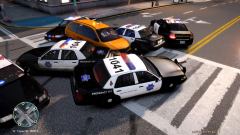 Thanks! These are my custom skins (used other skins as a basis), and I made custom officer uniforms to go along with them. The only thing I can't do at the moment is make a descent looking CHP uniform for the state troopers, because I don't want to edit the actual model to give them correctly-shaped armpatches.
 -
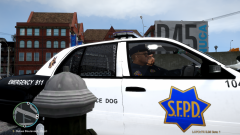
From the album: Raggio's GTA IV Mods and Gameplay Screenshots
Commander K. and Sgt. J watching traffic.© Copyright © 2012 Raggio - All Rights Reserved.
-
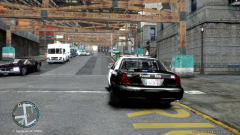
From the album: Raggio's GTA IV Mods and Gameplay Screenshots
SFPD parked and enforcing speed limit.© Copyright © 2012 Raggio - All Rights Reserved.
-
From the album: Raggio's GTA IV Mods and Gameplay Screenshots
SFPD and CHP box in a taxi resisting arrest.© Copyright © 2012 Raggio - All Rights Reserved.
-
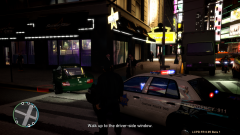
From the album: Raggio's GTA IV Mods and Gameplay Screenshots
SFPD conducting a traffic stop on a speeder.© Copyright © 2012 Raggio - All Rights Reserved.
-
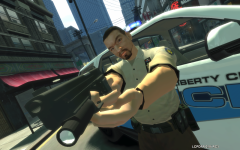 Nice shot taken at a sweet angle! Also nice to see LCPD:FR 0.95 RC3 in the works! :D
 -
Well, at the base of the statue, there is the entrance that has cops and security guards all around and inside it. If you were really looking to put a station there, I suggest maybe putting a red circle there next to the table inside? Obviously no cars will spawn there. It's just for arresting peds. Just my two cents input! :)
-
You're welcome! Enjoy the mod! :)
-
-
Hmm, that's very peculiar. I'm not sure why that never happens to me on two different computers. They always stop and move on. Never join the chase afterwards...am I missing something?
-
Just to check, did you also make all your game's folders not "read-only?" You can do this by right-clicking on the folder "Grand Theft Auto IV" and then unchecking the "Read-only" setting next to the heading "Attributes." If you do this and run the installer as an administrator (right-click on the installer and select "Run as Administrator," in addition to being logged on with an admin account) then it should work out fine, as it does for everyone else.
-
Yeah, when this happened to me for the first time, I thought of that possibility too. But, when they don't get back into the pursuit after going back into their car, that's when I know that there's a bug. But in the case of the video, LCPD:FR didn't display "Sometimes the support units...," which means that the AI did not, in fact, get out of their car yet. I find that in my game, the suspect has to be almost immobile for 10-15 seconds until the AI starts getting out of the car, so that eliminates that possibility since, in your video, the suspect's car never stopped when the backup unit was near. Good to hear that you'll check it out. If you can find a fix, let us know! :) Thanks!
-
Did you also run the installer as an administrator? By that, we mean that in addition to installing it on an administrator account, you also have to right-click on the installer and select "Run as Administrator" from the dropdown menu (assuming you are using Windows 7). It should work if you have done both steps, as it works for everyone else that way.
-
Assuming you want Police, press F3 to open the SNT menu, go to "Car Spawning," and scroll through the pages until you see the vehicle called "Police." Then simply press enter on its name and it will spawn with you in it.
-
OK, I'll go check it out. I've been playing LCPD:FR for quite some time myself now, but ever since I've installed the "Less Overtake" mod, the issue always occurs, no matter which computer and which patch I install it on. I am using the correct scripthook.dll, scripthookdotnet.asi, etc. as provided by LCPD:FR 0.95 RC2, so I'm very confused as to why this is only occuring on my game. UPDATE: Hey Harper, I think I've found what I'm talking about in one of your videos (I'll look at your other ones too when I'm free). Go to 12:40 of this video and start watching to 12:50, and you'll kind of see what I mean. It's not very clear since you moved the camera away, but you can see that since you were completely stopped, the backup unit stopped at 12:44 and did not continue to pursue the suspect with you. You can even hear the siren turn off.
-
Right-click on your Grand Theft Auto IV game folder and uncheck the box that says "Read-only" next to the section that says "Attributes."
-
Are you guys doing exactly what I'm doing to reproduce the issue? Your car has to be stopped completely, and a backup unit has to be exactly behind your vehicle (not to the sides) in order for this bug to occur. Any vehicle approaching from any direction (whether parallel or perpendicular to your vehicle) at high speeds will instantaneously stop beind your car the moment that it is exactly behind it. This is how the mod was designed to work. Police units are no exception, but the problem is that they stop pursuing the suspect after this occurs. It is not possible that I have it and you guys don't since we're talking about the same mod, same mod files needed to run mods (the ones from the LCPD:FR installer), and the same version of the game (1.0.7.0). If you guys are sure that this does not happen to you, can you please post a screenshot or video in an attempt to reproduce the issue? I am curious as to why I'm the only one experincing this bug. I've had this happen on two separate computers, so I'm pretty sure it's an actual bug with the mod. I would be very happy if you can let me know how to stop my backup units from exiting the pursuit once they are stopped by the mod behind my vehicle (if it is, indeed, just me).
-
I agree in that this mod is quite stable. However, I just want to let you know of a bug that it causes. If any police vehicle which is helping you during a chase stops behind you while you are stopped (say while you are barricading a vehicle), the police vehicle will stop to function and drive off as normal vehicle would once you start moving away or get out of your car. It kind of "resets" the vehicle so it won't be doing anything. And it won't get back into the pursuit either; instead, it will drive off into the distance.
-
Well, as long as you have it working, great! Enjoy!
-
It appears that you have no ASI loadar, no ScriptHook.dll, and no ScriptHookDotNet.asi installed. Try reinstalling LCPD:FR as an administrator and make sure that your game directories aren't read-only this time.
-
OK, here's some information to further assist you: STOP 0x3B is most likely caused by buggy video card drivers or faulty RAM modules. If you overclock, this issue may be corrected by adding more Vcore. You may want to do a clean reinstallation of your video drivers. Since you say it runs fine the first time but not during any additional runs, this may indicate that your RAM is the culprit. It may not be clearing in between sessions or allowing data to be written and read. Use a diagnostics tool like MEMTEST86 to check if it is indeed your RAM. The particular instance you mentioned, "aswSP.sys," is a system driver used by Avast. You have this antivirus and firewall software installed, right? (Otherwise, you shouldn't even have this file.) If so, try to manually allow exceptions for GTA IV. If not, I also recommend reinstalling this particular software. You're not alone; other people who use Avast seem to also have this BSOD issue.
-
Which ASI loader are you using? And if you want me to tell you a more precise estimate of what is causing the issue, let me know the BSOD code...
-
Hold off reinstalling the game and any drivers until providing us with the information I requested. The problem may be from the mod or may be from your computer. We won't know until you provide the additional information. We won't know what it is until he posts the BSOD code. Just let me know what it is so I can diagnose the problem.
-
Did you read the stickies before posting? You should have posted a diagnostics log with your issue...please download and run the diagnostics tool first. Which version of the game are you running? What are your system specs? Are you running the game as an administrator? Please provide much more information if you expect other people to help you! What is the specific BSOD code (e.g. STOP 0x124) are you receiving?
-
Yes, this is what I hope to see someday. That's why I posted these findings, to help you and your team optimize the mod for 1.0.4.0. Everything works fine with it except for arresting peds. I've played through all the missions and tested all the functions after playing for several hours. To my amazement, they all work properly, and not only that, they work much better than 0.91 and 1.0.4.0. It didn't even crash once! Whereas in 0.95 RC2 and 1.0.7.0, it would consistently crash during chases. It is just the arresting system; even the stop and search function works. If you guys can fix that or put back the arresting system that was in 0.95 Beta in the final release version, then there would be no problems at all with 0.95 RC2 and 1.0.4.0 as far as I can tell. Keep up the great work!
