


Raggio
Members
-
Joined
-
Last visited
Everything posted by Raggio
-
This problem has been reported a myriad of times on this forum. You should have read the stickies first, as you would have found an answer right away. But anyways, the solution to this problem is simple. Make sure that your game's root directory isn't marked as "read-only." To check for this, go to your game's install folder, right-click it, and look at the "Attributes" section near the bottom. Make sure that "read-only" is unchecked. After that, right-click on the installer program, click on "Properties" in the drop-down menu, go to the "Compatibility" tab, and then check "Run program as Administrator" near the bottom. Once you've done all this, the install should go smoothly and before you know it, you'll be enjoying LCPD:FR. ;) Be sure to also apply the same "Run as Admin" settings to LaunchGTAIV.exe for the mod to work. Since you are playing on patch 1.0.7.0 of GTA IV, I don't see a reason why you would want to use LCPD:FR 0.95 Beta 1, as that version is less stable and has less features as LCPD:FR 0.95 RC2, which is the current release. I only know of people (such as myself) who use the LCPD:FR 0.95 Beta 1 only because they are playing on patch 1.0.4.0. Also, if the steps above don't work out, then follow the other sticky and post a diagnostic report for further troubleshooting. This should only happen if you are attempting to install LCPD:FR 0.95 RC2, not LCPD:FR 0.95 Beta 1. And you won't have this problem for LCPD:FR 0.91 Stable because there were several new features added to LCPD:FR 0.95 RC2, such as a separate taser weapon model, that requires additional modding of the game's files, hence the need for admin privileges. Hope this helps! Report back if you have any additional problems.
-
The OP said his problem is solved, so I don't see the relevence of your post? I think we can end this topic here.
-
I know what you mean, as I've been in the same position as you are in before! After installing GTA IV patch 1.0.4.0, you don't ever want to go to any other patch ever again. This version simply has the best performance, stability/reliability, and visuals/graphics out of all the patches. I'm using a GTX 580 and can get 80+ FPS at stock and ~40 with iCEnhancer 2.0. I really do hope that G17 Media will make LCPD:FR compatible with this version, and the staff has said before that, with enough demand, this may be a reality. So we'll just have to wait and see! By the way, only LCPD:FR 0.95 Beta 1 works relatively well with patch 1.0.4.0 (see for more information), but that version is no longer available.
-
Oh, it's used alright. I have it working perfectly in 0.95 RC2 without linking my account to Crime Statistics, so I can customize the name displayed for videos. Just because the entry isn't in the file doesn't mean you still can't use it, at least that's the case for 0.95 currently anyways. ;) Try it out for yourself and see. You really don't need to do a reinstallation if you just want to change the name, unless you want to link it to Crime Statistics. If that's the case, then yes, a reinstallation is needed to validate your account.
-
Alright, so what is the error now? Is it the same one as before? If you ran it as admin by right-clicking it, going to "Properties" in the drop-down menu, then checking the box "Run as Administrator," and if your GTA IV root directory and all subdirectories are not set to be "read-only," then I don't see how the installer won't work, because it has worked for everyone else that have followed those exact steps correctly.
-
If you are talking about trying to customize the name without actually using Crime Statistics, then add the following lines to the FirstResponse.ini file: [XGWEBSERVICES] Services|Enabled = False Services|Username = DESIRED USERNAME Hope that answers your question! Have fun!
-
-
Yeah, if I recall correctly, iCEnhancer installs its own ASI loader, which is dsound.dll. Glad to hear it's working for you now! Enjoy! :)
-
That would be best--to install the mod over again cleanly. The files should all just be in the Scripts forlder. Just delete them and try running the installer again, this time with the appropriate admin privileges and with the game's directories not marked as "read-only."
-
The OP's report appears clean, so I agree with Asuna and also think that there may be an issue with the save data. Why the things Asuna said causes the game to crash is because the game saves the model's data (i.e. your ped and vehicles currently in use) into the save file. So if you have save with modded cars in the reserved parking spots or while on duty, the game will look for them when loading the save data, and if they no longer exist (due to replacing the mods), then the game crashes due to requesting to bring up something that ceases to exist. Since when you start the game you spawn as Niko, the game will automatically crash if you save on duty. That's why it is recommended not to save while on duty or to save with modded cars in the reserved spots. I'm not saying that the OP has done so, since he did not reply back yet, but this will be why if it is true. Note that since you were using xliveless, if you do switch to dsound, then saved games will be loaded from and saved to in the game's default directory for them, as xliveless changes the directory to which they are saved, and you will no longer be able to access saved data that originated from another computer/Windows Live account. So I suggest backing up your save data, if any, before you do this switch. Hope this helps! Let us know if any of these troubleshooting steps are helping.
-
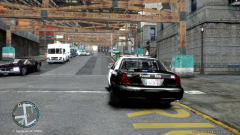 > People,its just the magic of ENB that makes you feel-'This CVPI is the best ever'. Whats the difference between and the one above? Nothing much.You won't have even noticed this CVPI if the ENB were not there.So,you should really ask,"Whats this ENB?" and not,"Whats this CVPI". Yes, ENB makes all the difference and brings out the best in the game! I agree with Dhruv here, I think most people will just think this CVPI as any other if they didn't see it through the magic of an ENB. However, one thing's for certain: if you like interiors (check out my other screenshots if you haven't already with a first person view inside), this particular one has great interiors, in my opinion. But heck, you wouldn't even know that looking from this POV! You'll just notice the Code 3 2100 lightbar up on top! ;)
 -
> Wow! This is a great car!..can you tell me where you download it? and the graphics it's really great! Thanks for the compliments! Sorry to disappoint you, but this particular CVPI by BxBugs123 is no longer available to download, as it is not in his downloads list on GPM anymore. The skin is a modified SFPD skin by me, which has not been released yet.
-
I'm quoting on specific parts that you're talking about then giving examples as to why it does or does not bottleneck. I know you said should, and indeed I replied with either a confirmation or a disagreement, as well as reasons why. I'm not ignoring anything, as I've quoted you part by part and tried answering with examples. I just don't have an answer for why your Sandy Bridge processor gives you less performance than your Wolfdale processor other than GTA IV being a poorly coded game and needing settings to be changed, which I've read that you've done. As long as you have it running the way you like it, great! I'm just also letting you and other people here who are interested know what OCing can do, since not everyone are OCers or experienced computer gurus like us. ;) Interesting. I've read a few articles, including this one here, where using two cores instead of four on a quad core actually decreases performance, but that doesn't involve setting any core affinities to force the program to use certain cores only. Those that I've read mainly dealt with hyper threading, so there you go. As long as it's working for ya! :) LOL! Are you using any vehicle and/or ped mods by any chance? I've only seen this happen to the dog ped mod that I've installed (his lower body and tail protrudes out of under the car, LOL).
-
It's not the technological aspects of the two CPUs that are bottlenecking the game per se; rather, it is the poorly written state of the game that is causing the bottlenecks. Generally, the better the technology, the more room for OCing and less occurance of problems, so that's why gamers recommend OCing the i5 2500K to atleast 4.00GHz. Even though the Core i5 Sandy Bridge processor is a quad core and doesn't compare up to the Core 2 Duo Wolfdale, there will still be bottlenecks if the game was ported poorly. I'm not an electrical engineer and haven't looked at and compared their designs, but as a computer and OC guru, I can say that OCing the Core i5 2500K to the same speed as your Core 2 Duo's speed should bring their performance up to par with each other. Additional frequency increase up to and past 4.00GHz should bring about major improvements. Since every computer and its hardware are different, I cannot say for certian by how much it will increase. But I can definitely assure that you'll see an increase in performance. As many OCers will tell you, high-end GPUs are always bottlenecked by CPUs that are not clocked to 4.00GHz or higher, and will recommend 4.20GHz for the i5 2500K. I have seen an increase in performance of my GPU simply by OCing my CPU, so I can attest to that. However, I am unable to explain the principles behind why the design matters, as I've already said. Hopefully, someone else can explain that. And I never said you said that either. I'm stating that that's the common misconception that most people appear to have, so that others who are also reading this thread have an idea what's causing bottlenecks to their system and think about what to actually look for. You also have the misunderstanding that more VRAM and a 32-bit OS system is bottlenecking GTA IV. This is still not the case. As I've already stated, GTA IV is a poor console port, and therefore does not fully utilize hardware. In addition, most PC games don't use more than 2GB of RAM anyways. What GTA IV does use instead is VRAM, which my GTX 580 only has 1.5GB of, and it currently uses 1.2GB of that at max. I've tried allowing all 1.5GB to be used via tweaking the game's settings, but no dice. It appears that I'll have to get a GPU with more VRAM for it to have more actual RAM to use, since it does not use any, if at all, of the other 16GB of DRAM. Furthermore, no game that I know of at the moment is written entirely for a 64-bit OS. I only have programs like Photoshop that specifically have 64-bit versions that actually utilize over 3.5GB of the available DRAM. Therefore, all other programs that are written for a 32-bit OS will not even use near 4GB of DRAM, simply because they cannot. Therefore, what's left to blame is most likely the CPU and any software/BIOS settings that's related to it. This then will explain why your GPU faces more of a performance drop that it does with your new rig that supposedly has less room for bottlenecks than your former rig. In theory, it should surpass it, and it may also do so for some of your other software. However, not every software is written in such a way that it fully utilizes new hardware that comes out. In some instances that I've seen, programs may be able to run better on dated OS and hardware than they do on newer systems, depending on what they were written for and when. Yes, the hardware is better, but don't assume that it can outperform everything that the former ran. That's where the trouble with deciding whether or not to buy new parts comes in, and where OCing becomes fun. Hope you find all this information helpful. Building computers, troubleshooting and fixing problems with computers, and OCing are my hobbies, in addition to making mods for GTA.
-
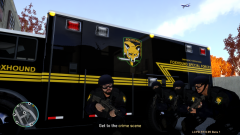 > Awesome. It looks cool with the different colored leaves and plane in the background. LOL, thanks! I...meant to do that in this shot! It wasn't accidental at all! ;D > Amazing...er...Raggio ;D Thanks, Dhruv! Yes, that's my modder's name! :)
 -
Your current CPU is the bottleneck in your entire rig, next to the GPU. GTA IV was a poor console port, and so does not fully utilize all the hardware capabilities of additonal GPUs (SLI/Crossfire) and additional VRAM (only DRAM). Thus, the performance of the game is dependent primarily on your CPU, and then your GPU. If you want to see a high increase in performance quickly without having to buy a new GPU, I suggest you OC your CPU from the stock 3.30GHz to at least 4.00GHz, if not 4.50GHz. The K-series chips are meant for OCing, so they'll take some upping of frequencies and voltages without a hitch. You should see some major improvements once your CPU is at least up to speed. That is the misconception that most people have with this game--that a better GPU leads to better performance. That's wrong, and in most cases, it can be addressed by improving the performance of the CPU through various manipulations. Lastly, performance also depends on the version of GTA IV you have installed. 1.0.4.0 will give you great performance with great graphics, while 1.0.7.0 will give you crappy performance with "ilovepoop" (quoted from another user) graphics. This is what I've come to find after doing a myriad of performance tests with games and several of my different rigs. I get 80 FPS while playing on 1.0.4.0. With iCEnhancer, I get only 40 FPS. It decreases performance, but I think it's worth it. Also wothy of noting, 1.0.7.0 only does 40 FPS at best...1.0.4.0 does 80 FPS all the time...that alone tells you why 1.0.4.0 is better. However, having fancy eye-candy is not why I use 1.0.4.0; I can do without iCEnhancer. 1.0.4.0 is simply the best patch in terms of performance and stability. 1.0.7.0 crashes all the time and is not recommended. I just installed it since I was trying out 1.0.4.0 versus 1.0.7.0...never want to go back to 1.0.7.0 again. For your reference, here is what I have in my current rig: Core i5 2500-K @ 4.5GHz 1.336v EVGA GTX 580 SC 16GB Corsair Vengeance DDR3 RAM 9-9-9-24 1.5v ASUS P8P67 Pro
-
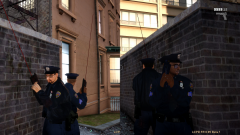 > Those Red Dots photoshopped or part of the model? They look really nice with the picture. No, the red lines for the "laser" are part of the model itself. > Really nice picture. The lasers looks kind of weird, but that is just my opinion. Great picture though =) Thanks! Yeah, I agree. I don't like the lasers very much either. Unfortunately, this is the best Mk23 SOCOM mod I can find though, so I'll just have to make do with that.
 -
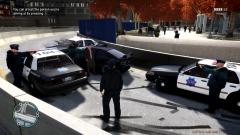 > Liberty City is a weird place xD Agreed! :D
 -
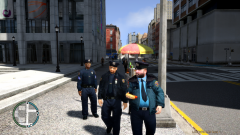 > Looks good... Thanks! Still working some things out with them.
 -
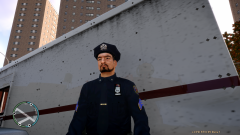 > Great uniform Raggio, is it available for d/l somewhere? Not at this time, as Dhruv has already said. Although it may be in the future. > Not as of yet.But we can hope he does put them up for download soon.Cuz I'm dying to get it.Real High Def skins,man! You're a pro,Raggio Thanks, Dhruv! I'm still working on them actually. I'm thinking of changing the police badge to also match that of SFPD, but that means I have to do all new normal and specular maps again. But I think it may be worth it. ;) Only problem is, I can't find all the SFPD police badges that correspond to the ranks I used... :( > Stickin with Beta Version I see haha. nice uniforms also Thanks! Well, LCPD:FR 0.95 Beta 1 is the only one that works almost flawlessly with 1.0.4.0 of the game, which is the ONLY patch to play GTA IV on.
 -
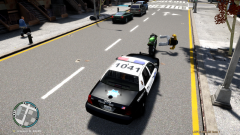 > like the pic, car looks nice, hes falling :p call ems! Thanks! This is my custom SFPD skin (modded from another skin and with the template). The car is actually no longer available to download. If you look at my other screenshot, you can see it also has a nice, detailed interior unlike other CVPIs. And no, they (there are two peds there, not one) are not falling. They are actually floating in midair. I can drive around them and past them and still they are in the air. ;)
 -
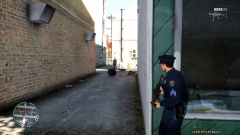 > nice :D i love the ump and the mp5a4 i wish they had a good model out :/ i have a model but its from the grim pack and looks bad and the colors are wrong and everythin :/ where u download ur ump? it would be an upgradee to my crappy lookin mp5a4 lol sry mp5 </3 I downloaded the UMP45 mod here. As you can see clearly in the preview image, there is no window to see the bullets in the magazine. If you look again closely in my sceenshot, that issue has been addressed by me. ;) I'm also looking for a good UMP45, especially one with a suppressor. I would like someone to make a UMP45 with a suppressor, but sadly no one feels up to the challenge...I would make it myself if I know how to do 3D modeling! :(
 -
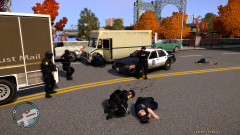 > nice pic Thanks!
 -
> ump FTW YESSS! :D I freaking LOVE the UMP! Best SMG ever made IMO! That's why I even modded the textures of it just to improve it to the way I like it. ;)
-
From the album: Raggio's GTA IV Mods and Gameplay Screenshots
Seriously?!!? An old lady is speeding down the highway in a sports car?!!? You've got to be kidding me! :D© Copyright © 2012 Raggio - All Rights Reserved.

