Steele1925
Members
-
Joined
-
Last visited
Everything posted by Steele1925
-
Absolutely. I have almost every callout mod out.
-
You can tweak this in the config/ini file. I have all notifications/blips for it turned off, so I don't know where they are, or when it generates. Makes me keep an eye out for them.
-
One more thing. It's a personal preference of mine but... With PlayerLocationDisplay, I have my map completely turned off. This allows me to learn not only the street names, but also how to navigate without a map. Also makes pursuits MUCH more interesting, like a hardcore mode. Again, just my preference.
-
I LOVE CalloutsV, but it hasn't been updated in a while. I can't guarantee that everything works, but I haven't had any issues with it so far. If you'd like to try it out, then I'd recommend it, sure. Just remember that it hasn't been updated in quite a long time, and RagePluginHook has gone through several changes since. So give it a shot and if something isn't working for you, then simply delete it. Also, I forgot to add HeroCop. This adds callouts, and the option to have a partner/K9. I'll gladly link it for you if you wish, but last I checked it's on the front page of the "Scripts" section.
-
Assorted Callouts http://www.lcpdfr.com/files/file/9689-assorted-callouts-0032-petrolgas-theft-pacific-bank-heist-traffic-stop-backup-required/ Traffic Policer http://www.lcpdfr.com/files/file/8303-traffic-policer-52023-drugalyzer-new-ambient-events-~traffic-offences~-anpr-callouts-road-management-parking-tickets-new-traffic-stop-assist-mimickmemore/ Arrest Manager http://www.lcpdfr.com/files/file/8107-arrest-manager-42120-more-jail-points-prisoner-transport-arrest-peace-vehicle-manager-towinginsurance-releasedetain-autodoorshut/ Police Radio http://www.lcpdfr.com/files/file/9302-police-radio-plate-checker-coroner-tow-truck-tackle-suspect-request-pit-barriers-request-additional-traffic-unit-request-k9/ Easy Repair (Page Up Repairs, Page Down Cleans. Super fast and simple) http://www.lcpdfr.com/files/file/8216-v002-easyrepair/ Player Location Display http://www.lcpdfr.com/files/file/7706-player-location-display/ Speed Radar (You can hide the red circle on screen by pressing NumPad3 twice) http://www.lcpdfr.com/files/file/7789-speed-radar/ I'd like to add other callouts to this list, however many of them are either broken entirely, or some of the calls are broken within. Most of the callouts I have work, but I can't guarantee it will be the same for someone else, so I chose not to list them. What I have listed works 100%.
-
https://youtu.be/3u7xm4eFyls?t=2m27s Here's a tutorial on how to do vehicle mods.
-
.thumb.jpg.4066677156985e22489bfecddc2f6c45.jpg) Oh Bugsy... You make me smile. Thank you for an amazing Christmas gift, I wish you well. EDIT: Also, nice touch with the Air Freshener
Oh Bugsy... You make me smile. Thank you for an amazing Christmas gift, I wish you well. EDIT: Also, nice touch with the Air Freshener- 376 comments
- 81 reviews
-
-

- 1
-
-
-
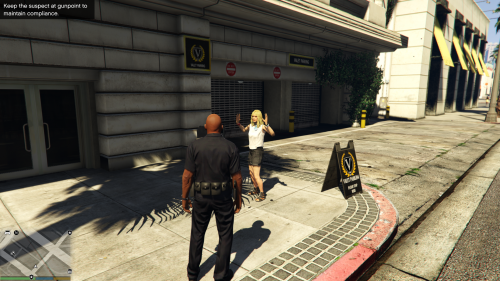 How? How Albo? How you do make me smile every time you release something? You, as a mod dev, really do keep me on the edge of my seat. 5/5, would fall out of my chair again.
- 54 comments
- 22 reviews
-
Make sure you double and triple check the "ReadMe.txt" that comes with each mod. Some, like "Police" and "Police4" only have to be replaced via x64e/Levels/GTA5/Vehicles.rpf However, some, like "Sheriff", I replace twice. Both in x64e, AND in Patchday3. EDIT: Just check around all of the Patchday folders, and see which vehicles are where. Some are in day 2, and some may be in other places. Personally, I've only ever had to use x64e and Patchday3.
-
Police = Stainer (CVPI) / Patrols City / Responds to Backup Requests (Local) Police2 = Buffalo (Charger) / Responds to Backup Requests (Local) Police3 = Interceptor (Taurus) / Patrols City Police4 = Stainer (Undercover/Slicktop CVPI) / Responds to Backup Requests (State) FIB = Buffalo (Undercover/Slicktop Charger) FIB2 = Granger (Undercover/Slicktop Tahoe/Suburban) / Responds to Backup Requests (Noose) Sheriff = Stainer (CVPI) / Patrols County / Responds to Backup Requests (Local) Sheriff2 = Granger (Tahoe/Suburban) / Responds to Backup Requests (Noose) Let me know if you need more ;)
-
 https://youtu.be/gCAuilz1nbs?t=38m15s Jeff will help you
 -
-
 Agreed. The first version opened up just fine, however the updated version (with WinRar) says "Archive is either Damaged or Invalid". Not just you
- 54 comments
- 12 reviews
-
-
- 1
-
-
I'd still like a "Welfare Check" call. I was called racist for this once (not joking) so I'll explain just in case. This means a friend or family member has dialed 911 or called the "Non Emergency Number" for their local department, and has requested that an Officer go and check on their family member to see if they're okay. This usually happens when someone can't get in contact with their elderly parent, or possibly a neighbor, and fears they may have died.
-
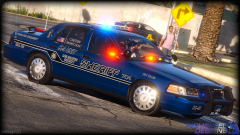 Instructions unclear. Sent message to Sam.
 -
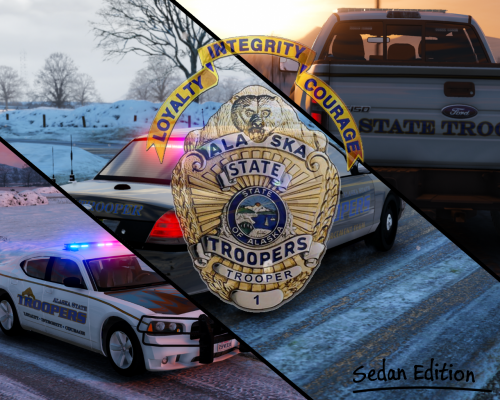
Wow, I mean WOW!!! I've been waiting for something like this for a long time. The attention to detail is astounding. I used the Undercover CVPI pack, and was amazed at how the skin fits just about any CVPI out there. The "Old School" is my favorite, can't imagine why the AST switched to the new variation. 5/5
- 54 comments
- 12 reviews
-
-
- 1
-
-
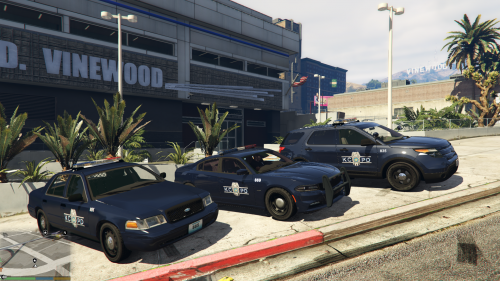 As in, changing KCPD to LSPD, but keeping everything else the same.
 -
-
-
-
-
-
-

.thumb.jpg.4066677156985e22489bfecddc2f6c45.jpg)