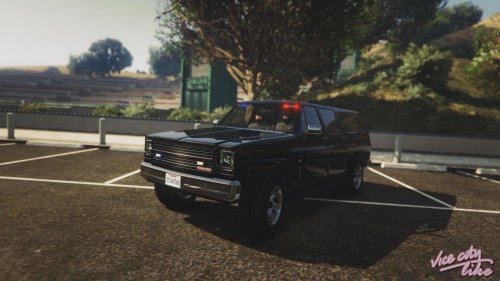
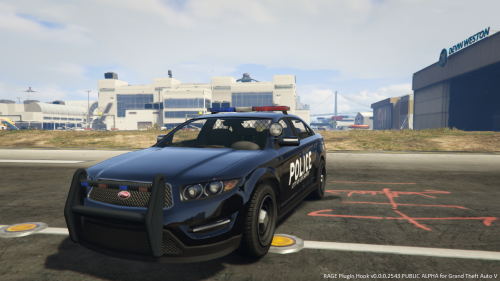
Steele1925
Members
-
Joined
-
Last visited
Everything posted by Steele1925
-
I sent you a private message about how to do it in LCPDFR. Check your inbox
-
Oops, had a "Brain Fart" for a second there. Completely misread LCPDFR for LSPDFR. My mistake
-
Here's what I do... When I am trying to replace "Sheriff" with a crown vic, I open the modded vehicle file, in which it now has three files (Police.yft Police.ytd Police_Hi.yft). I then right click on the files and rename them "Sheriff.yft Sheriff.ytd Sheriff_Hi.yft". Then, I replace those files in Open IV. Never had a need to replace the handling files personally. I hope this helps, let me know if you need further assistance. EDIT: Some of the vehicles need to be replaced in several places. For example, "Sheriff" files need to be replaced in x64e AND Patchday3ng or you'll still see the default one. Police does not, and I don't remember if Police2 does, but I'll check if you need me to.
-
This is the wrong section to post this in, however I'll go ahead and help you. If LSPDFR is already loaded "It should be", then jump in the air and press F9 If that doesn't work, then hit F4 and type LoadPlugin (hit TAB) then type LSPDFR, then hit ENTER. Then while jumping press F9
-
 Looks FANTASTIC
 -
 So now that I've used it, I'll review it. Great sound quality and volume!!! Only wish it would chime immediately after the door opens, rather than having to leave it open. But that's GTA for you. 5/5, great mod, great quality, great volume.
- 10 comments
- 2 reviews
-
-

- 2
-
-
So... After about 5 hours and every effort exhausted, all it kept doing was muting my vehicle sounds (my old age probably has something to do with it). But as luck would have it, I actually like the siren that it came with LOL. So that having been said thanks for the Ajar mod and the siren mod
- 10 comments
- 2 reviews
-
-
- 1
-
-
-
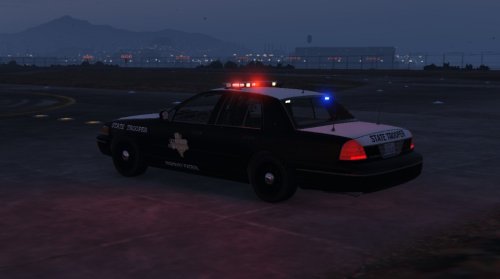 LOVE IT!!! Very nice texture, great work. One suggestion though, the top of the trunk in the real world models is also white, not just the roof and hood.
 -
-
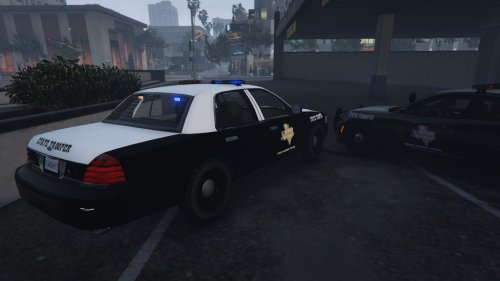 No problem, I understand... Any chance of the 1999 Vic though? There's now a model just released with a Whelen lightbar
- 5 comments
- 2 reviews
-
This looks GREAT!!! Question... Will you be doing "Lore Friendly" versions of these skins? (HPD, HCSO, TST to LSPD, BCSO, SAST) Also perhaps for the 1999 Crown Vic? From one Texan to another, great job!
- 5 comments
- 2 reviews
-
-
 Tiny bugs, working model. Still 5/5 for me! Now maybe others will stop this whole "I MAID THA MODLZ MAN, NEEDZ MA CREDITZ, WONT RELEES!!!"
- 95 comments
- 38 reviews
-
-
- 1
-
-
-
http://www.lcpdfr.com/files/file/8216-v002-easyrepair/ I use this mod right here. Page Up Repairs the vehicle, Page Down Cleans the vehicle. Otherwise, you can hit F4 to open the console while in game, and type the word Repair and then hit Enter but this will pause your game every time so I suggest the mod I linked to
-
Ha ha yeah.... Well I was on patrol and got a call I wanted to respond to before I did so I never got to. But, I've since pressed E and I smiled
-
So uh...... As I was playing LSPDFR, I walked up to the FIB building and was prompted "Press E to enter Steve Haines Mode"......... What exactly is that?
-
-
 Quick question... I don't know how coding this all works so correct me if this cannot be done but... For us controller users, is it possible to have the spotlight be a weapon from the vehicle? For example : Pull up to scene, hit X (on controller) to cycle vehicle weapons until the spotlight is selected. Hold LB to aim, hit RB to turn it on/off, and while holding LB aim until satisfied. It would work much like firing a pistol from the vehicle. Is this possible?
- 477 comments
- 73 reviews
-
-
- 1
-
-
Thanks for the info ;)
-
Of course, but this isn't an International border................. THAT'S the problem people are having with them. If I'm coming back to the States from another Country, I understand searches. But not if I'm driving to another State, from another State.
-
Agreed. I cannot deny that they have an invasive infestation problem in California, but they need to find other means to help solve the problem. That's what I'm getting at.
-
Am I the only man on the planet with a functional brain stem? Honestly you folks should be supporting this guy. I know it's a silly concept, and he seems rude, but damn it read your Constitution and Bill of Rights. When these things go, so will your freedoms. The word "Constitution" has become the new "N" word that people dare not say. When the government comes knocking, you people flail on the floor screaming like frightened children. Stand up for yourselves, and others. Regardless of what you say, these checkpoints ARE illegal. People cannot stop you and search you without probable cause... PERIOD. You cannot make a law that goes against the Constitution, or goes against another law. But I'm informed so I'll be made out to be the bad guy here and somehow racist. You young people today don't know a damn thing!
-
I have the biggest smile right about now