


Leaderboard
-

-

-

Getinmybelly
MembersPoints1,091Posts -





Popular Content
Showing content with the highest reputation since 06/23/2010 in all areas
-
LSPD First Response
Expired and 1270 others reacted to G17 Media for a file
1271 points If you are installing LSPDFR 0.4 for the first time, we strongly recommend that you do so on a clean copy of Grand Theft Auto V without any other mods or plugins. LSPDFR 0.4 brings sweeping changes which have been implemented over a number of years and is the latest major version of LSPDFR, released in December 2018. LSPDFR turns the world of GTA V upside down, giving you the power to enforce the law as you see fit. Please see the following resources for more information about LSPDFR and its features: LSPDFR 0.4 Page: https://www.lcpdfr.com/lspdfr LSPDFR 0.4 Wiki: https://www.lcpdfr.com/wiki/lspdfr/04 LSPDFR 0.4 Getting Started: https://www.lcpdfr.com/wiki/lspdfr/04/getting-started/ Installation Guides: https://www.lcpdfr.com/lspdfr/how-to-install/ Part of the First Response Mods family.1271 points
 -
Emergency Lighting System
JeffreyK23 and 466 others reacted to Lt.Caine for a file
467 points Emergency Lighting System V brings one of the most popular modifications ever created for a GTA title (ELS-IV) to Grand Theft Auto V. ELS-V will add a whole new dimension to your patrols. With a fresh look and many more features than its predecessor, it's also sure to brighten up your game and satisfy the emergency lighting enthusiast in anyone. DESCRIPTION − ELS provides an alternate and incredibly in-depth way of controlling emergency vehicle lights and sounds. − ELS requires vehicle models specifically designed to make use of its features. − ELS includes over 200 unique lighting patterns scattered across 4 light groups and lighting formats. NOTES − Please consult the ELS USER GUIDE and other provided documentation prior to using ELS. − As of V1.00 ELS is not compatible with any form of multiplayer. − A visual enhancement mod is recommended to improve the appearance of ELS lights in game. BASIC INSTALLATION − A GTAV ScriptHook must be installed for any .asi modification to work. The original may be found HERE. − Using script modifications in GTA Online can result in a temporary or permanent ban from the service. − 1. Place ELS.asi, ELS.ini, the ELS folder, and AdvancedHookV.dll inside your main GTA V game directory. − 2. Download and install (a) pro-ELS vehicle model(s). − 3. Start your game. CREDITS − ELS is coded by Lt.Caine. − AdvancedHookV and vehicle damage feature coded by LMS. − ELS-V testing team (alphabetical order): Albo1125, BxBugs123, GravelRoadCop, PoliceWag, and Prophet.467 points
 -
Emergency uniforms pack - Law & Order
Trendsetter.D and 361 others reacted to Alex_Ashfold for a file
362 points EUP is an all-in-one modification that gives us the free range to create your own law enforcement officer as you patrol the streets and roads of San Andreas. U mad Ronson? This time, play different - be different. Adapt your style to the situation. Get your gear on - use a High-Vis vest to direct traffic, a waterproof jacket on a rainy day or a tactical outfit when the situation gets hot. Choose from various lore-friendly departments base of real life. Customize various components of your outfits. The mod that started as a holster and a vest retexture, now so expansive, most Australians finish downloading it right when an update comes out. Emergency Uniforms Pack Law & Order 8.2 offers an unrivaled catalog of lore-friendly California-inspired law enforcement uniforms for both male and female multiplayer characters. From tasteful evolutions of the classic LSPD outfits, you see AI cops wearing, to dozens of uniforms for entirely new lore-friendly law enforcement departments based on real-world California departments. Emergency Uniforms Pack has it all, and when tied with partner mods such as EUP Serve and Rescue, EUP Menu, and EUP LSPDFR Configs, you can totally transform your LSPDFR experience. This work is licensed under a Creative Commons Attribution-NonCommercial-ShareAlike 4.0 International License. If you were you were looking for the latest version of EUP and wish to support our work click the button down below: This mod is a free mod, the beta versions of EUP accessible only through our patreon page, is a tool for us to support the development of the mod and create a platform to interact with the community, 5 years later this mod became my main ''job'' and source of income, thanks to all the fans and supporters. Which means more quality and enhancements, since I can allow all my time to it and invest money into assets and programs. The public version is still important to us and will receive updates, which is only made possible through our membership system. For General discussions, beta registration, support, images contest and more follow join our Discord Server: Add-Ons In order to select and customize outfits, you NEED to get the menu here: Need help? Something went wrong? Not sure how to proceed? Leave the comments and reviews alone, we don't really monitor them. Follow the link to EUP Discord for help or comments362 points
 -
SuperCallouts
Ghost376 and 341 others reacted to SuperPyroManiac for a file
342 points Any Issues, suggestions, or want to chat? Join my Discord server! Click Me! SuperCallouts is a plugin for LSPDFR to add more callouts. Currently adds 36 new callouts! With SuperCallouts I aim to add more unique callouts to LSPDFR with a uniform feel. I add both realistic and crazy new calls that will be played randomly. You are also able to disable and enable any features you choose. I recommend pairing this plugin with my other plugins DeadlyWeapons and SuperEvents to completely change how the game feels. *SWAT Related Callouts* (Dangerous!) FIB Reports known armed mafia members spotted at the casino. FIB Reports known armed mafia members spotted in Sandy Shores. FIB Raid mafia drug smugglers found at the harbor. Police Reports mafia planted large bomb in Los Santos. FIB Raid, wanted gang members spotted involved in a police officer murder. Sheriff under attack by a biker gang. *Realistic Callouts* Traffic report, stolen super car spotted. Traffic report, vehicle belonging to a possible kidnapper spotted. 911 call of someone being held at gunpoint. 911 call of a car accident. 911 call of someone being attacked by an animal. 911 call of a hit and run. 911 call of an alien sighting. 911 call of a suspicious car. 911 call of a vehicle fire. 911 call of a police impersonator. 911 call of someone walking around with a gun. 911 call of a car blocking traffic! 911 call of an illegally parked car! 911 call of a knife attack at the subway! 911 call of a drunk driver. 911 call of someone not breathing. 911 call hang-up with no details. 911 call of someone trespassing. 911 call of a stolen construction vehicle. 911 call of someone vandalizing property. 911 call of someone wandering outside naked. 911 call of a fight in the street. Correction Department Backup, multiple prisoners escaping. Correction Department Backup, prisoner escaping transport. Police Backup, officer under fire. Police Backup, manhunt for a fugitive. Police Backup, medical supplies theft. Police Backup, stolen police vehicle. Police Backup, officer not responding. EMS requests police escort. Many of the callouts have multiple outcomes! I try to make sure they are not too repetitive! Any Issues, suggestions, or want to chat? Join my Discord server! Click Me! Policing Redefined is recommended for this plugin! Superior StopThePed and UltimateBackup replacement. Some callouts or features may be disabled without it.342 points
 -
LSPDFR 0.4 - Coming February, 2019
Detective Dennis and 243 others reacted to Sam for a post in a topic
244 pointsSo, it's been a while since we've provided an update on LSPDFR 0.4. As you might've guessed from the title, though, there's a good reason for this... It has taken us a lot of work to get to this point, and in the last couple of months alone we've made hundreds and hundreds of changes. Anyway, here we are - who knows how many months late - but we're here. No riddles, no treasure hunts, no @MSA (at least I'm pretty sure they're not here), but straight to the point! We can now confirm that we'll be releasing LSPDFR 0.4 in February, 2019. Anyway... with the scary part out of the way, I wanted to take the opportunity to explain ourselves a little. No, @LMS wasn't renditioned to an IAA black site, no I didn't fall victim to the Orbital Cannon, and no... the ghost of @ineseri didn't drive a train into us. Perfectly plausible scenarios given our silence about 0.4 as of late, but we're actually still alive. Instead, we've been pretty busy rushing to the finish line as far as 0.4 is concerned, and to complement the big news above, we thought we'd throw in a couple of sweeteners below to show just how much 0.4 is going to change things. We've talked a lot about our Character system in LSPDFR 0.4. It's one of the biggest changes to the mod, but we also think it represents an entirely new direction in general. I say this because, not only does it allow us to have a bunch of really cool stuff natively integrated into the mod, like customizing a character, but it also lets us have a bunch of other really cool stuff natively integrated into the mod! Having your own character dials up the immersion quite substantially, but we wanted to take things to another level. We thought, for example, wouldn't it be cool if instead of spawning as Franklin in Franklin's house, you could instead, say, I don't know? Actually spawn as your own character, in their house. Or maybe, instead of switching to Trevor and your camera panning down to him being pursued by the LSPD, you could switch to one of your other characters, and "Google Earth" down to them being the LSPD. LSPDFR 0.4 introduces a fully functional GTA Online Apartment to single-player, complete with transition sequences, working interactions and more Steve Haines than you can handle. It's not just that, though, we really wanted to dial it up. Having your own character, them having an apartment, switching, customizing, it's all cool, right? But you might be thinking, what's the point? These are "multiplayer features". And sure, LSPDFR is and most likely always will be a single-player mod, but that doesn't mean we can't think outside of the box every once in a while. Recently, @Cyan, in addition to all of her work on the website, has also been developing an all new framework called LSPDFR Sync. LSPDFR Sync lets you connect up to your LSPDFR.com account in-game, and you can then synchronize your LSPDFR characters with your LSPDFR.com profile. To top it off, we've brought back statistics too. Ever wanted to know how many shots your character has fired? It's as simple as taking a look at your character's profile on the site - which, we should add, you can actually edit. LSPDFR Sync provides all-new, seamless connectivity with your LSPDFR.com profile. And frankly, it doesn't even end there. When I said before that we wanted to dial the immersion up to the max, I guess I lied. What I actually meant to say was that we'd just ripped the dial clean off the controls, strapped it to a rocket, and sent the damn thing up to the moon. Not only can you now create a character, customize them, share them, spawn as them... You can actually do things as them too! Like, actual game things. Ever wanted to run the triathalon as your LSPDFR Character? Now you can. Or, how about practicing with your sidearm down at the range? Yep, got that too. Simply want a can of sprunk from a vending machine? No problem. With the introduction of a new innovative system by @LMS, it's now possible to do many of the single-player minigames while playing as your LSPDFR Character. Of course, with the Character system, and all of the features that come with it, being such a huge part of LSPDFR 0.4 it'd be easy to forget that this is a police mod. Indeed, I think we almost did given the grotesquely gargantuan amount of work that has gone into it. Fear not, though, as we have also been working on some incredible new gameplay features too, including massive improvements to interaction with suspects and people that you arrest. LSPDFR 0.4 introduces, in a game-changing way, the ability to take hold of and drag arrested suspects. Yes, we know that there's some great API mods which have held the fort, and we're grateful for that, but this is something we wanted to get absolutely right, and indeed, we think the result is simply stunning. The possibilities are pretty far-reaching too and encompass just about everything from shoving suspects up against cruisers, to personally escorting them into their cells. No, these aren't cutscenes. No, they're not edited screenshots. With 0.4, this is real.244 points -
GrammarPolice
RougePOV and 223 others reacted to opus49 for a file
224 points Welcome to Grammar Police! This plugin began as a replacement for VocalDispatch but has grown into much more! Speech Recognition Issue commands to the dispatcher using your microphone Includes a "hold to talk" feature that simulates a real radio Supports StopThePed and UltimateBackup out of the box Contains multiple sets of "10 codes" or customize yourself Request backup, run plate checks, accept callouts and more! Non-Verbal Interactions Use an on-screen radio to interact with the dispatcher Also includes a Officer Plugin Status style menu system Both systems are fully customizable! Language Support English French German Spanish Technical Support Discord Server: https://discord.gg/AuJCUag Unofficial LSPDFR Support Server: https://discord.gg/mJMKAd5 Tutorial Videos Installation and Configuration: https://www.youtube.com/watch?v=dogzftjB3ZE Creating/Modifying XML Files: https://www.youtube.com/watch?v=H1_wwvzK9hc224 points
 -
LSPDFR 0.4 - Announcement + First Preview
eBakedPotato and 211 others reacted to Sam for a post in a topic
212 pointsBeen a while, huh? You know, when we first started making LSPDFR, the whole process was pretty much one big roller-coaster that didn't have any brakes: there were the obvious highs when we'd finally add in something cool, but the low points were pretty hard as well - the amount of work that went into simply researching how things worked really took its toll as well. And, of course, while this was all going on there just simply wasn't any stopping, we were a couple of (somewhat) real people who essentially lived in Los Santos for just about all of 2015, spending month after month pushing forward and trying to come up with things that everyone here would like to see. So, of course, the grind and the pace of everything simply just wasn't sustainable and after 0.3, it's no secret that while the numbers and everything for our site are still on the up, month after month, things did slow down quite substantially for the actual mod itself. But, we can tell you, this wasn't all bad news - it's afforded us the opportunity to take a step back and really look at the mod and figure out where we want to go next with it. While our approach before was all about cramming as much new stuff as we could into a couple of months of development, we've now been able to look back at many of the original ideas and concepts that we had for LSPDFR and build on them. Of course, with that being said, there's still a lot of new stuff crammed into 0.4! With 0.4, we've taken the time to fix a couple of those "how the hell didn't they add this yet" moments :) Aside from the cool little additions like this, though, the major theme of 0.4 is Character. Ever since seeing the character system for GTA Online, it was always our goal to implement something similar in LSPDFR. There's just something that much more personal and immersive about playing a game with your own character, and the possibilities that it offers are staggering too. And yes, while mods like EUP are fantastic (and awesomely compatible with 0.4!), they still feel somewhat separate or distant. With 0.4, this separation is gone. No, these shots aren't taken from GTA Online. This is our own, fully-featured, LSPDFR Character Creator. Of course, we'll talk more about the new Character features in LSPDFR 0.4 later. The Character Creator menu shown above is obviously only one part of what's new in this regard, although hopefully it emphasizes the effort that we've gone to. Thanks to some of the new additions like this, much of 0.4 actually looks and feels like an entirely new mod altogether. Officer Ronson and his clones obviously couldn't make it to the flashlight party. Stay tuned! We'll be sharing more about 0.4 soon.212 points -
Traffic Policer (Breathalyzer, Traffic Offences, Speed Detection & more)
Michael21107 and 208 others reacted to Albo1125 for a file
209 points https://www.youtube.com/albo1125 DISCONTINUED & UNSUPPORTED - COMPATIBLE WITH OLDER LSPDFR VERSIONS ONLY - FEEL FREE TO HELP UPDATE THE CODE Traffic Policer is now open source. https://github.com/Albo1125/Traffic-Policer Welcome to Traffic Policer! This script modification for LSPDFR greatly enhances not only traffic policing, but policing in general. It sports various major features that will make your shift as a police officer much more realistic, and, above all, fun! Requirements - some of these are included (credits go to their appropriate authors): LSPDFR 0.4.2 (not included) Albo1125.Common 6.6.3.0 or higher (included) RAGENativeUI 1.6.3.0 or higher (included) RAGEPluginHook 0.51 or higher (not included) A legal copy of GTA V (versions 1.0.1011.1-1.0.1604.1). Installation Instructions are provided in the ReadMe & Documentation files. Traffic Policer's Features are explained in the Documentation files & video. Support - what to do if you encounter a bug or have problems: Watch the installation video for my modifications here. Use this tool: http://www.lcpdfr.com/files/file/9755-lspdfr-troubleshooter-by-albo1125/ Read the documentation file if you're having trouble getting a specific feature to work. Suggestions can be made here. If all else fails: Please leave a comment (not a review). Include your RAGEPluginHook.log file, located in your Grand Theft Auto V folder. Also, please provide an accurate description of what happened. This allows me to help you as fast as possible. Redistribution is prohibited. https://www.youtube.com/albo1125209 points
 -
2017 California Highway Patrol Mega Pack - ELS
Skydrohz and 184 others reacted to Thehurk for a file
185 points Welcome to something that has been in the making since I've gotten my hands on ELS, something that has taken more hours then you guys could understand. I've pulled out all the stops for this pack. I've taken all your guys' feedback on my screenshots, and I've done my best to destroy it in the realistic/quality/immersion department. I've done my best to simplify the installation of this file. For those of you who are looking for an add-on version of this pack, you're going to have to wait a little longer, as I've got barely any time to even upload this. So without further adieu, I present to you my pride and joy, the 2017 California Highway Patrol ELS mega pack, or whatever you want to call it. I've updated the pack to include updates to the majority of cars, an add-on version of the pack(.oiv format), and the templates that everyone has requested! PACK OVERVIEW ================================= - NAME: 2017 CHP mega pack ELS - VERSION: V1.0 - EXTRA PARTS: CHP - OPTIMIZED FOR: Anything ELS USE IN GAME ================================= When in game, the lights will work as i've designed for them to. When you exit the vehicle, the entire front of the vehicle will steady burn as it will mimic the CHP Traffic Stop pattern. I can't stop this from happening. When you are using any of the vehicles in this pack, and you preform a traffic stop, I HIGHLY recommend hitting alt-j to go to light stage two and hitting L to turn on the front of the vehicle. This; A, enhances realism and B, makes the car look really pretty. There are multiple other features that I will leave for you guys to find out with the CHP settings. IMPORTANT NOTES ================================= I am always accepting donations! Any amount is appreciated more then you guys will ever know! Unfortunately I've had to split this pack into two separate parts (will be 3 when .oiv is included), PLEASE BE SURE TO DOWNLOAD ALL PARTS! PLEASE PLEASE PLEASE READ THE READ ME BEFORE YOU ACTUALLY INSTALL THIS PACK!!!!!!!!!!!!!!!!!!!! There are some things I have been unable to do with this pack and there are some things i've been able to do. There is no way for me to turn off the park mode steadyburn for when you get out of the vehicle. If you want to "reset" the pattern for the vehicle if some reason it becomes out of sync, simply press alt-J and then j again. A incredible thank you to @Problematic , @TaylorSwift and a few more for their help and assistance throughout this entire production of this pack. INSTALLATION INSTRUCTIONS ================================= -To install any of these vehicles, Navigate to the latest patch day that you install vehicles to, I've found success with patchday10, and drag all vehicle files into the patch day Location: Grand Theft Auto V\mods\update\x64\dlcpacks\patchday10ng\dlc.rpf\x64\levels\gta5\vehicles.rpf -To install any VCFs with the pack Location: Grand Theft Auto V\ELS\pack_default -To install any included vehicle metas files Location: Grand Theft Auto V\mods\update\update.rpf\common\data\levels\gta5 COMMON QUESTIONS ================================= Q: Why aren't my lights bright? A: You do not have light-enhancing mods installed. Download RadianceV and/or, other mods that increase emergency lighting brightness. Q: Where is _____(insert any vehicle here)? A: I've made the main vehicles of the CHP fleet as I've seen. At this point I am Content with the 16 Vehicles. Q: Will you please help me ins-- A: Did you read the readme? No? The installation is simple. Q: I don't have Patchday10/anything else? A: Then put the car in your latest patch day, or copy patchday10/anything else over from your base game into your mods folder. Q: Why does my game crash after I install the car/meta/carcol? A: Make sure you have no spaces when you copied the line, make sure you're installing it in the right location and back all your shit up. Q: Will you send me ______? A: No. Q: Can I make skins for this Pack? A: By all means, go ahead, just dont re-upload the vehicle model itself. Q: Can I have the templates for this pack? A: In the next update, hopefully I remember to add them. PACK NOTES ================================= Before i get started, please, please PLEASE don't ask me where this vehicle is, or why i didn't make this vehicle. There are 14 in this pack, please be happy with what i've made so far. - All vehicles do have working takedowns with working spotlights - All vehicles feature the same CHP setup as in real life - All vehicles have accurate interior equipment - All vehicles feature accurate antenna setups - K9 vehicles have a spawnable dog in the rear of the vehicle, for those of you who do or don't use a k9 mod - If I haven't included a version for add-on vehicles that is in an .oiv format, then i will include one at a later date. - There is approx 14 vehicles in this current phase of the pack, phase 2 will have a few more vehicles, that are the more abstract vehicles in the CHP fleet. - A huge thanks to officer27 for the CHP and SAHP skins. - With the large amount of vehicles in this pack, there are bound to be some issues with vehicles. Please let me know of any bugs you find and i'll do my best to fix them I'm going to be doing my best to update this pack with as many cars as I can make, and fixing any bugs i come across in the midst of it. Please consider following the file to make sure you receive all updates for the file! Flawless video by @mroxplay, also you need to start making music mixes, the transition between songs was fantastic! Disclaimer=================================-You are not to attempt to modify or rip this pack in any way shape or form.-I (Thehurk) am not responsible for any damages done to your game. Please make a backup of any edited files!-Do not attempt to make a profit off this pack in any way shape or form.-Do not re-upload this pack, please make a link!!!!!-Do not upload this file to any other site, claiming it as your own. -If you want to use this file in a clan, PLEASE ask me before doing so!!! I greatly appreciate this and almost always say yes! Thank you everyone if you've gotten to this point in reading, you are truly a saint and I appreciate you not just skipping it saying what is this bullshit.185 points
 -
[ELS] BlueGhost's Unmarked Pack
Noah M.1k27 and 174 others reacted to BlueGhost for a file
175 points This pack contains a myriad of unmarked vehicles for your enjoyment. Ranging from a run-of-the-mill Crown Victoria to an unassuming Subaru WRX STI, there are no shortages of vehicles for you to get to know. Features: Uniform lighting packages Single and Three stage lighting, dependent upon vehicle type Enhanced engine audio Unique selection of vehicles, from pickup trucks, sedans, coupes, SUVs Templates for you to use in livery creation Optional OIV Installer Best of all, it's an Add-On archive! No need to replace your existing vehicles! Join my Patreon to get early access to public base models, and access to exclusive private base models! https://www.patreon.com/blueghostmods In order to ensure that your game can handle a pack of this size, you must install the following items! REQUIRED FILES: https://www.gta5-mods.com/tools/packfile-limit-adjuster https://www.gta5-mods.com/misc/gta-5-gameconfig-300-cars https://www.gta5-mods.com/tools/heap-limit-adjuster-600-mb-of-heap -----FAQ----- Q: FiveM version? A: No, but you may use this on your server, with credits to me, and the authors that created the resources that I've used. Q: Non-ELS? A: No, I will not make a Non-ELS version. Q: Replacement? A: No, I will not make a replacement version. Q: Can you change the lighting? It's so boring. A: No, what's done is done. I like uniformity in my designs. There are 48 unmarked vehicles in this pack. -----UPGRADING----- If you're updating to a new version of this pack, all you need to do is replace the dlc.rpf and VCFs (If you installed manually) If you're installing this pack for the first time, you must follow the steps below. -----Manual Installation----- 1. Navigate to your dlpacks folder, located at mods\update\x64\dlcpacks 2. Enable Edit Mode 3. Drag and drop the "blueghostpack" folder inside the dlcpacks folder 4. Navigate to your data folder, located at mods\update\update.rpf\common\data 5. Locate your dlclist.xml, then right click and click "Edit" 6. Directly after the latest entry in the XML, you must put the following line: <Item>dlcpacks:/blueghostpack/</Item> 7. Click Save 8. Drag and drop the VCF.XML files to pack_default folder located at Grand Theft Auto V\ELS\pack_default 9. Start GTA V. -----OIV Installation----- 1. Click on the Package Installer button, below the "Favorites" drop-down menu 2. Locate the OIV archive, double click it to select it 3. Click "Install" 4. Click "Mods Folder" to install the archive into your mods folder 5. Confirm the installation, and wait for the process to complete. 6. Start GTA V. Terms of Use: You may use this pack in FiveM, with credit in place. You may not reverse engineer, rip, extract, alter, or otherwise modify the models in this pack. You may upload liveries using the provided templates. Do not reupload this pack ANYWHERE for ANY REASON. Do not sell this pack for ANY REASON. Discord: https://discord.gg/3np9Me3175 points
 -
EUP Menu
JeffreyK23 and 173 others reacted to PieRGud for a file
174 points EUP Menu is a carefully-built menu for the popular Emergency Uniforms Pack modification. EUP Menu allows you to easily apply EUP clothing to your MP peds. It also includes a character creator exactly like GTA Online's character creation system. You can edit, save and even share your favourite characters. Making your own awesome police officer has never been easier. Don't like the predefined clothing options? The wardrobe feature has got your back. You can create and save your own outfits with ease. Sunny day? Why not put on some shades. Hate your face? A mask solves everything. Sarge not giving you that promotion? Screw the system. Stick that patch on and promote yourself. Want to relive Die Hard? Throw on a vest and a helmet. It's time to kill some terrorists. What happened to the Accessories menu?: As EUP grew, the Accessories menu became more and more outdated, and wasn't able to fully encapsulate all EUP has to offer. It will be completely revamped and brought back in a future menu update. Requirements: 1) RAGE Plugin Hook 0.37+ 2) RAGENativeUI 1.8.1+ 3) EUP Law & Order 8.3 4) (Optional but highly recommended) EUP Serve & Rescue 1.5 Installation: 1) Place RAGENativeUI.dll into your root GTAV folder (if you don't already have it). 2) Extract the contents of Plugins in the archive into your GTAV Plugins folder. 3) Open the RPH console in-game (default F4) and type "LoadPlugin EUPMenu.dll" (without quotations). Note: If you are upgrading from a previous version of EUP, please make sure to delete presetoutfits.ini in the Plugins/EUP folder before running the menu. This will allow it to generate the latest presetoutfits.ini file. Your custom outfits may need some adjusting for EUP 8.3, but your saved characters will work fine. Credits: - @AlexBraun for the EUP character creation system - @alexguirre for RAGENativeUI and contributing code related to fetching all loaded RPF archives Want to see the full FAQ? Have a question? Need help? https://discord.gg/aTQfepT Join our EUP Discord above and take a look at #faq channel. If it doesn't have the answer you're looking for, you can ask for help in the #eup-support channel.174 points
 -
UnitedCallouts
Officer Here and 170 others reacted to sEbi3 for a file
171 points UnitedCallouts is a plugin for LSPDFR that adds over 20 new varied and realistic callouts, featuring a wide range of scenarios, locations, and possible outcomes to significantly expand the core LSPDFR experience. UnitedCallouts is fully open source, providing transparent access to the codebase for those interested in learning, developing, or contributing. Developers are encouraged to explore the project, submit improvements, and help shape future updates through community collaboration. ⚙️ InstallationFollow one of the methods below to install UnitedCallouts: Manual Installation Copy the contents of the "plugins\LSPDFR" folder into: "GTA V directory\plugins\LSPDFR". Copy the contents of the "lspdfr\audio\scanner" folder into: "GTA V directory\lspdfr\audio\scanner". Alternative Installation Drag and drop the "lspdfr" and "plugins" folders into your main directory of GTAV. 📦 Requirements LSPD First Response 0.4.9 (or higher) Download here RAGE Plugin Hook 1.95 (or higher) Download here Enable All Interiors (optional) Download here Callouts that require interior access are disabled by default. To enable these callouts, Enable All Interiors must be installed and the corresponding options must be enabled in the configuration file. Note: Alternatively, any other third-party plugin that allows the player to enter interiors can also be used. A legal copy of Grand Theft Auto V (Supported platforms include Retail, Epic Games, and Steam versions.) ✨ Features of UnitedCallouts 🎮 VariationThis plugin introduces a wide range of unique and dynamic callouts with multiple dialogue options to enable meaningful interaction with suspects and involved parties. Every callout is designed with multiple possible outcomes and endings, significantly increasing replayability and overall realism. The current release includes 25 varied and realistic callouts for the LSPDFR modification, with a strong focus on authenticity and scenario diversity. Many callouts feature scenario-specific vehicles and weapons, ensuring that each situation feels distinct and context-appropriate within gameplay. All callouts support multiple potential locations to prevent repetition and enhance immersion. Certain scenarios are restricted to logical, real-world locations to maintain realism. For example, an apartment burglary will only occur at residential buildings, while altercations between individuals will not take place at police stations. A built-in location selection system dynamically chooses callout locations near the player, ensuring seamless integration into patrol gameplay. 📝 CustomizationThis plugin includes configurable hotkeys for dialogue interaction and for manually ending the active callout: "Y" Initiates dialogue with a suspect or involved person. (A notification will appear when dialogue interaction is available.) "END" Forces the current callout to conclude. (Useful in situations where manual intervention is required.) All hotkeys can be fully customized through the configuration file to match individual preferences. Players can enable or disable specific callouts via configuration settings. This allows for a tailored gameplay experience and the exclusion of scenarios the player prefers not to encounter. Option to enable/disable AI backup responding to a callout with the player. This system ensures realistic unit deployment based on the situation. For example, local patrol units will not respond to large-scale gang conflicts, while pursuits may trigger local support units and air assistance instead of specialized teams. For performance optimization, this feature can be disabled on lower-end systems by setting the option to false in the configuration file. 🔔 Stay up to DateUnitedCallouts includes an integrated version control system that notifies players when a new update is available. While older versions may remain playable, using outdated builds is done at the player’s own risk. Updating to the latest available version is always strongly recommended for stability and compatibility. UnitedCallouts may have issues when LSPDFR gets an update that changes parts of its API. Compatibility updates will be addressed as required to ensure continued functionality. 👉 List of included Callouts List of included Callouts 🛠️ General Solutions / TroubleshootingGeneral Solutions / Troubleshooting171 points
 -
Arrest Manager (Grab Peds, More Jail Points, Prisoner Transport & more)
Maurice...... and 160 others reacted to Albo1125 for a file
161 points https://www.youtube.com/albo1125 DISCONTINUED & UNSUPPORTED - COMPATIBLE WITH OLDER LSPDFR VERSIONS ONLY - FEEL FREE TO HELP UPDATE THE CODE Arrest Manager is now open source. https://github.com/Albo1125/Arrest-Manager Welcome to Arrest Manager! This script modification for LSPDFR greatly enhances the way you can deal with your suspects and their vehicles. Are you tired of driving all the way to a jail to deal with a suspect? Would you like to be able to call for reliable prisoner transport units at any time? Arrest Manager provides this, and more. In short, a complete overhaul to the way you can deal with your prisoners! Requirements - some of these are included (credits go to their appropriate authors): LSPDFR 0.4.2 (not included) Albo1125.Common 6.6.3.0 or higher (included) RAGENativeUI 1.6.3.0 or higher (included) RAGEPluginHook 0.51 or higher (not included) A legal copy of GTA V (versions 1.0.1011.1 or higher1). Installation instructions and further feature documentation are included with the download. Support - what to do if you encounter a bug or have problems: Watch the installation video for my modifications here. Use this tool: http://www.lcpdfr.com/files/file/9755-lspdfr-troubleshooter-by-albo1125/ Read the documentation file if you're having trouble getting a specific feature to work. Suggestions can be made here. If all else fails: Please leave a comment (not a review). Include your RAGEPluginHook.log file, located in your Grand Theft Auto V folder. Also, please provide an accurate description of what happened. This allows me to help you as fast as possible.161 points
 -
686 Callouts
JeffreyK23 and 153 others reacted to Charlie686 for a file
154 points 11/01/26 - 686 Callouts has updated to introduce Custom Pursuits! You can now create your own pursuit callouts (customising pursuit speeds, vehicles, weapons & more). Read the Custom Pursuit section of the file description for more information. 686 Callouts v2.1.2.0 Designed with stability, replayability, and configurability in mind. 686 Callouts is compatible with Stop The Ped, Callout Interface & ExternalPoliceComputer. Join 10,000+ people in LSPDFR-TS, the home of 686 Callouts. Receive support, provide suggestions & use our automatic log reader. 686 Callouts with AI Voices & 8 exclusive callouts (including SWAT RAID) is now available on Ko-Fi for £2.99! Standout Features 23 Callouts. Offensive Weapon Reported | You are given a precise description of the suspect, and you need to track them down. Photography of a Police Station | Inspired by the videos online. Large Vehicle Pursuit | For those who prefer pursuits that don't exceed 100 MPH. Stolen Pedal Bike | A stolen bike has been spotted, and you need to apprehend the rider. Vehicle on Sidewalk | You need to get the sidewalk cleared, but maybe this isn't just an innocent mistake. Disorientated Individual | Camera operators have raised concerns over an individual. Suspected Stalker | First, establish the situation with the victim, then speak to the suspect. Stolen Item | After conversing with the victim, you'll be given access to a GPS tracker to track down the suspect. Fare Dodger | Station staff have contacted you about a fare dodger, you need to question them. Vehicle Fire | You've received a call from an informant, and need to prevent someone innocent coming in harms way. Kidnapping | A taxi slant at a Kidnapping call. With 4 outcomes, it will keep you on your toes. Solicitation | Inspired by Assorted Callouts, there are 5 outcomes where you might need to go incognito. Subway Disturbance | A witness reports some concerning information, keep the subway violence-free! Car Bomb | Defuse the bomb & hope that it doesn't attempt an explosive getaway. Protest | Face off an angry crowd of both protestors & members of the public. Aircraft In Distress | An aircraft needs to make an emergency landing - meet it at the runway. With 8 outcomes, who knows why? Alleyway Robbery | Inspired by More Robberies, this is a simple callout taking advantage of hidden locations across Los Santos. High Risk Escort | Inspired by Protection Squad, lead a convoy between Mission Row and Bolingbroke Penitentiary. Attempted Break-In | A difficult callout - locate the suspicious items around a property to see if you can crack the case. Terrorist Attack | Experience a shootout like never before! Can you stop the danger to the public before they're all dead? Lane Closure | Close a lane of traffic to allow the mechanic to attempt repairing a vehicle. VIP Evacuation | Attackers have taken a VIP hostage! Infiltrate the area and lead an extraction. Area Surveillance | Head to an area and provide a police presence. Keep an eye on your surroundings! Translation System. 686 Callouts features the most in-depth and advanced translation system found in any callout pack, ever. Play 686 Callouts in any of the included 17 languages, to experience callouts in the most immersive way for you. Everything can be translated - even the notifications when a call becomes available. Languages include 🇬🇧 🇯🇵🇷🇺🇵🇱🇪🇸🇩🇪🇹🇷🇨🇿🇸🇰🇨🇳 and more! Outcomes. 686 Callouts tries to achieve a level of replayability not found elsewhere. Most callouts don't just feature 1/2 outcomes, but 5 or 6. There's a real sense that no callout is the same, and you have to approach each call with a level of uncertainty. Career Statistics. Featuring an in-built statistics system, 686 Callouts will hold you accountable with an accurate reflection of your actions as an officer. Naturally, configurability for this can be found in your included .ini file. Custom Pursuits V2 (NEW) Within 686 Callouts, you can create your own pursuit callout and create an unlimited number of pursuits, with the ability to share your pursuit files with your friends and customise them with options such as: Minimum & maximum speeds Pursuit difficulty Vehicle & Ped models Weapon probabilities & models And so much more.... Get started at Plugins/LSPDFR/686Callouts/Data/Pursuits. Crash Prevention. 686 Callouts includes extensive crash prevention. Inevitably, you may run into a problem. To provide the stability needed for a smooth patrol, there are several systems in place to ensure 686 Callouts runs without causing any issues. What to expect in the future I am actively working on the early access version of 686 Callouts, which brings new callouts, new mechanisms & AI Voices for my members. It is available here. FAQ & more details How do I install 686 Callouts? Drag & drop the 'Plugins' folder, the 'lspdfr' folder and the 'CalloutInterfaceAPI' file into your GTAV folder. Someone told me to remove 686 Callouts, should I? No. Do not fall victim to poor advice. Get in touch with me directly. What configurability is offered? A lot. Just check the .ini file! Can I translate your plugin? Yes - please contribute via the GitHub repository. 686 Callouts is great, but don't take my word for it -- take theirs! Officer Benzo. Double Doppler. Geoffery_Gamer. SSTGaming. SteveTheGamer55. unitedOrange66. ___ © 2021 Charlie686. 686 Callouts is copyrighted; you may not modify or redistribute it in any capacity without my express approval.154 points
 -
Assorted Callouts (Bank Heist, Store Robbery & More)
Michael21107 and 137 others reacted to Albo1125 for a file
138 points https://www.youtube.com/albo1125 DISCONTINUED & UNSUPPORTED - COMPATIBLE WITH OLDER LSPDFR VERSIONS ONLY - FEEL FREE TO HELP UPDATE THE CODE Assorted Callouts is now open source. https://github.com/Albo1125/Assorted-Callouts Thank you @55charlie for the awesome images! With Assorted Callouts, my aim is to provide a varying experience, adding a range of differently-styled callouts for you to experience. They all have one thing in common, though, and that is a fun and sufficiently realistic atmosphere! Current Callouts (full explanation in documentation): Petrol/Gas Theft Pacific Bank Heist Traffic Stop Backup Required Stolen Police Vehicle Person with a Knife Solicitation Organised Street Race Illegal Immigrants in Truck Store Robberies Store Shoplifting Prisoner Transport Required Hot Pursuit More to come! For suggestions and development updates, check this thread. To get early access to new versions, participate in the Loyalty Rewards Programme. Installation instructions are provided in the ReadMe. Lots of settings, such as keybindings, callout frequencies etc. can be modified through the INI file. Starting from Computer+ 1.3.0.0, Assorted Callouts offers support for its callout display system. For a more realistic experience, I recommend downloading Computer+ here. Support - what to do if you encounter a bug or have problems: Watch the installation video for my modifications here. Use this tool: http://www.lcpdfr.com/files/file/9755-lspdfr-troubleshooter-by-albo1125/ Read the documentation file if you're having trouble getting a specific feature to work. Suggestions can be made here. If all else fails: Please leave a comment (not a review). Include your RAGEPluginHook.log file, located in your Grand Theft Auto V folder. Also, please provide an accurate description of what happened. This allows me to help you as fast as possible. https://www.youtube.com/albo1125138 points
 -
Prowler Radar
JeffreyK23 and 134 others reacted to opus49 for a file
135 points Discord: https://discord.gg/AuJCUag Features: A realistic radar system based on the real-world Stalker Dual DSR Four different modes including stationary and moving A "fast" tracker to differentiate between strongest and fastest signal An "auto lock" feature that allows you to set a maximum speed Prowler-Dual-DSR.pdf135 points
 -
[ELS] Los Santos PD Mega-Pack (LAPD)
ShotActiveOnKick and 133 others reacted to Tactical Donut for a file
134 points [ELS] Los Santos PD Mega-Pack (LAPD) Build 210901-134E4a(MD) This is the 2024 remaster of my most popular pack, including 21 vehicles based on the Los Angeles Police Department in California. I've tried my best to make the pack as accurate as possible, with the resources I have available. Unfortunately, there are still some things I couldn't get quite right, including interior setup, certain aspects of lighting patterns, and various equipment. The vehicles included in this pack are listed below. Vehicles included: fbi: 2018 Dodge Charger PPV, unmarked fbi2: 2014 Dodge Charger PPV, unmarked police: 2011 Ford Crown Victoria PI, traffic division 24 police1: 2011 Ford Crown Victoria PI, slicktop police12: 2011 Ford Crown Victoria PI, K-9 unit police2: 2014 Dodge Charger PPV police21: 2018 Dodge Charger PPV, fictional police22: 2010 Dodge Charger PPV, slicktop police23: 2010 Dodge Charger PPV police3: 2016 Ford PI Sedan police31: 2016 Ford PI Sedan, slicktop police4: 2011 Ford Crown Victoria PI, Standard Appearance Package, detective unit police41: 2002 Ford Crown Victoria PI, slicktop, all-white "polar bear" livery, fictional lapdpolice5: 2016 Ford PI Utility police51: 2014 Ford PI Utility police52: 2020 Ford PI Utility police6: 2014 Chevrolet Tahoe PPV police61: 2020 Chevrolet Tahoe PPV police7: 2016 Chevrolet Impala LPV police8: 2013 Ford Expedition SSV, fictional police9: 2020 Ford Police Responder Hybrid Sedan, fictional134 points
 -
Callout Interface
bravo six seven and 131 others reacted to opus49 for a file
132 points Callout Interface A new way to interact with callouts. Features: RAGENativeUI menu front-end to start a callout Force a random callout via keybind Advanced MDT with multiple status buttons and tabs Callouts can be sent to the MDT while you're on another callout A fully functioning ALPR system with advanced camera layouts External license plate display Support: Discord Server | https://discord.gg/AuJCUag Developer API | https://github.com/Immersive-Plugins-Team/CalloutInterfaceAPI Recommended Callout Packs: 686 Callouts | link Chaos Callouts | link Super Callouts | link New in Version 1.4.1132 points
 -
LSPDFR+ (Better Traffic Stops, Court System)
bravo six seven and 130 others reacted to Albo1125 for a file
131 points https://www.youtube.com/albo1125 DISCONTINUED & UNSUPPORTED - COMPATIBLE WITH OLDER LSPDFR VERSIONS ONLY - FEEL FREE TO HELP UPDATE THE CODE LSPDFR+ is now open source. https://github.com/Albo1125/LSPDFRPlus Welcome to LSPDFR+! This script modification for LSPDFR greatly enhances your experience as a police officer by enhancing the base LSPDFR modification - LSPDFR+'s was designed to improve upon some of LSPDFR's features, hence its name. With improved pursuit AI, better Traffic Stops and even a fully fledged court system amongst the main features, there's bound to be something you'll love! Requirements - some of these are included (credits go to their appropriate authors): LSPDFR 0.4.2 (not included) Albo1125.Common 6.6.4.0 or higher (included) RAGENativeUI 1.6.3.0 or higher (included) RAGEPluginHook 0.51 or higher (not included) A legal copy of GTA V (version 1.0.1011.1 or higher). Overview of LSPDFR+'s Features: Included in LSPDFR+'s documentation and the updated feature video above. Support - what to do if you encounter a bug or have problems: Watch the installation video for my modifications here. Use this tool: http://www.lcpdfr.com/files/file/9755-lspdfr-troubleshooter-by-albo1125/ Read the documentation PDF file if you're having trouble getting a specific feature to work. Suggestions can be made here. If all else fails: Please leave a comment (not a review). Include your RAGEPluginHook.log file, located in your Grand Theft Auto V folder. Also, please provide an accurate description of what happened. This allows me to help you as fast as possible. Please do not reupload or redistribute this without my explicit permission. Thank you. https://www.youtube.com/albo1125131 points
 -
LSPDFR 0.4 - Ambience
Charles Charmichael and 130 others reacted to Sam for a post in a topic
131 pointsThis is the fifth and final part of our LSPDFR 0.4 Preview Series. Not caught up yet? Check out the rest of this series here: https://www.lcpdfr.com/forums/forum/880-news-updates/ One of the things we like most about developing new versions of LSPDFR is that with each version we have the opportunity not only to work on major new features, but also the smaller details that our mods have come to be known for over the years. Of course, 0.4 is no different in this regard and a lot has obviously changed since the early days of LSPDFR, offering us with a bunch of new ways to focus our attention to detail. More Realism Getting straight to the point, a significant change that we're making in 0.4 relates to how the player is perceived within the game's world. Now, while this obviously isn't a sexy, new, video-worthy showstopper of a feature, it is nonetheless an important development behind-the-scenes - one that we think, despite its subtlety, will have a positive impact on your gameplay. In 0.4, you'll notice that while on duty, other characters within the world will treat and react to you differently. As GTA V was never a game about being a cop, it's easily understandable that when you quite simplistically do become a cop - while keeping the underlying theme of the game - there's going to be things that don't feel quite right. You might notice, for example, that other characters within the world are overly aggressive towards you, itching for a fight at the slightest confrontation, or sometimes in the absence of any confrontation at all. Conversely, the opposite is often true where the most banal or routine encounter can send people hurrying away in abject panic. Both of these reactions are problematic as people generally don't just spontaneously approach a cop and proceed to cuss them out, nor do they begin hysterically fleeing at the sight of a stun gun. Stun gun hysteria and stampedes no longer, LSPDFR 0.4 introduces more 'contemporary' reactions, like everyone summoning their inner videographer. These adjustments to the game's core apply in a number of other cases too, of course. We thought it was pretty unlikely that the typical reaction to a police officer standing in front of someone's car would be for the driver to flip them off, and then - as if that wasn't enough - to then run them over for good measure. Likewise, it was always pretty ridiculous that you can't enter another police officer's car as a passenger without them freaking out and thinking that you're trying to steal it. All of these behaviors have been adjusted, and we think that you'll feel far more like an actual cop within the world - rather than just a retired bank robber dressing up with a badge. And yes, while there are a number of mods out there that can help to mitigate many of the scenarios I've described above, they don't really offer a comprehensive and consistent solution simply due to technical restraints. Our changes are at a much lower level and offer us a higher degree of control on a per-character basis. This is great for flexibility and performance, and we think you'll really notice the difference when out and about on patrols. New Interaction Menu Sticking with the topic of small detail, increasing the level of interaction in LSPDFR is something that's very important to us - especially with the new focus on character in LSPDFR 0.4. Indeed, we previously showed off a number of new interaction options that will be available during vehicle pursuits, but we've also taken the time to make big improvements to the more general Interaction Menu, offering you most of the features currently available in GTA Online, but with an LSPDFR twist. Among the changes to the Interaction Menu are "quality of life" improvements like being able to quickly waypoint the nearest police station, as well as additions like new dialogue, actions and the ability to set your character's mood. Similarly, you can now also change the way that your character walks, but it doesn't quite stop there as in keeping with the general idea we outlined above of making the game feel more suited towards being a cop, there's a special "Cop" walk style that not only makes your character walk around like an officer, but also completely replaces their generic "idle" animations - subtle movements that your character makes while stationary - with more appropriate police styled ones. The more feature-complete Interaction Menu in LSPDFR 0.4 enhances your control, allowing for greater immersion. Additionally, we've carried over this level of detail to the Police Radio options too, replacing the static animation that currently plays in this menu with a number of different options that can be cycled between instead, including a nifty new LAPD style handheld radio (as well as the option to play no animation at all). Again, this is a small detail, but we hope that the enhanced level of immersion will be welcomed - especially if playing as an FIB Agent and communicating via an earpiece instead of a shoulder mic, for example. New technology in LSPDFR 0.4 produces incredibly lifelike scenes - you can freely move while using the police radio without any animation issues like arms being locked in place, etc. Finally, still on the topic of detail, we've topped things off by adding a proper police flashlight to LSPDFR 0.4. Yes, we know that there's a bunch of ways to use a flashlight currently whether it be the vanilla one that looks like it's straight out of a horror movie, or through other mods which suffer from animation problems, but ours is a little different. Already alluded to in the first preview we gave of LSPDFR 0.4, our flashlight is properly held above the head and can be used both by the player and other NPC officers. It doesn't affect player movement, and you can freely walk, run, sprint, etc. while still holding the light. If enabled, equipping it is a seamless process too - simply select the flashlight from the weapon wheel and LSPDFR will take care of the rest. The new flashlight in LSPDFR 0.4 tops off our efforts to bring more immersion and realism to the mod. Ambient Crime In our previous post detailing some of the technology behind LSPDFR 0.4, we mentioned that we had added Scenarios to 0.4 - scripted events that could take place during pursuits and traffic stops. Similarly, we also noted that 0.4 introduces a new Crime System, capable of actually recognizing crimes that take place in the game world and providing functionality for the player to get involved by reporting these. Expanding upon this idea, we wanted to make sure that we fully realised the ambient world that Grand Theft Auto V provides, and to do this we've manipulated a couple of lesser-used features within the original game. In the normal game, the player will sometimes be confronted by other characters within the world as a result of the agitation system built into the game which allows NPCs to insult or shove the player, for example. In LSPDFR 0.4, as a result of some research by @LMS, we've now been able to implement the same system, but for NPCs instead. This means that NPCs can become agitated with each other, begin trading insults, get into angry shouting matches, or eventually, physical confrontations. Plus, as these are actually 'legitimate' game events, other characters nearby will react appropriately, which also ties in really nicely with the Crime System and provides the player with something other to do than respond to dispatches or pull over vehicles - there's now hopefully much more actually happening within the world and consequently, more things for the player to notice while on patrol. Manipulating the game's agitation system results in a much richer world - seen here are two NPCs engaging in a spontaneous confrontation. Note that screenshots show LSPDFR player and non-player-characters wearing some outfits from EUP - which is entirely optional - special thanks to @Alex_Ashfold for his collaboration with us and for providing a development copy of EUP 8.0. Thanks for reading the preview. We appreciate your patience as we put the finishing touches on LSPDFR 0.4 and hope to have more news soon.131 points -
LSPDFR 0.4 - Now Available
Mega9 and 129 others reacted to Sam for a post in a topic
130 pointsFirst time playing 0.4? Check out our new getting started guide for LSPDFR 0.4: https://www.lcpdfr.com/wiki/lspdfr/04/getting-started/ About a year ago, we announced the development of LSPDFR 0.4. We said it was big, and we said it was different, but I honestly don't think any of us quite imagined just how big and different it would turn out to be, nor how much of a challenge it would be to take the concepts and ideas that we had and turn them into reality. Still, here we are. Thousands of changes later, we're here. Everyone on the team is delighted to announce the first public release of LSPDFR 0.4, available now. LSPDFR 0.4 brings sweeping changes which have been implemented over a number of years, so much so that we're not able to provide full release notes. Instead, we've put together a number of resources, new to LSPDFR 0.4, including a 'wiki' and a collection of more in-depth guides. Note as well that because of this - the sheer number of things that have changed - there will be issues. We've put over two months into testing 0.4, and we've made hundreds of fixes in this time. Still, there's undoubtedly going to be things that we've missed, or things that simply can't be tested in a controlled environment. This is a big release, and we wanted to do right by all of you by getting it out as soon as we can. With that being said, I'll shut up now and let the mod speak for itself. LSPDFR 0.4 Page: https://www.lcpdfr.com/lspdfr LSPDFR 0.4 Wiki: https://www.lcpdfr.com/wiki/lspdfr/04 Note that we strongly recommend installing LSPDFR 0.4 for the first time on a clean copy of Grand Theft Auto V with no other mods or plugins.130 points -
Deadly Weapons
Mr.KobraX and 127 others reacted to SuperPyroManiac for a file
128 points Any Issues, suggestions, or want to chat? Join my Discord server! Click Me! Deadly Weapons is a plugin for LSPDFR to add a more dangerous feel to guns. GTA makes people sponges for gameplay, but LSPDFR aims for a more realistic approach. With deadly weapons I increase damage taken by weapons for both the player and AI. Damage varies between limbs and whether the ped is wearing armor or not. It also introduces new auto panic button behavior for when the player fires their weapons. Reduce AI's aimbot with this mod: DamageTrackingFramework by @Vari Any Issues, suggestions, or want to chat? Join my Discord server! Click Me!128 points
 -
LSPDFR Computer+
Michael21107 and 125 others reacted to PieRGud for a file
126 points Ever miss the LCPDFR computer? The one with the user-friendly realistic interface? LSPDFR Computer+ aims to bring that back. LSPDFR Computer+ is open-source! Check out the git. Looking for the Ped and Vehicle Images? Click Download, select Additional_ComputerPlusImageAssets.zip and extract the contents to your root folder Features Ability to search for persons and vehicles without keys conflicting with other mods. Ability to request backup using a nice looking interface. Uses the LSPDFR API to get ped and vehicle information. Also includes info left out of the regular LSPDFR police computer, like times stopped, number of citations, and a vehicle's stolen status. Uses the Traffic Policer API (if it is installed) to also show a vehicle's insurance information. Search fields are automatically filled out with the subject's information during a traffic stop, so all you have to do is press a button! Dynamic backgrounds! Depending on which police vehicle you're in, you'll get a specialized department background. Comes with RDE support. Looks practically identical to the LCPDFR computer (in terms of the layout). Active Calls screen, which shows all callouts sent by Dispatch, even the ones that AI units respond to! (Must have participating callout plugins installed for this to work) Computer+ has its own API, for callout developers to use!! Computer+ will automatically add LSPDFR+ court case when you create an arrest report. (LSPDFR+ by @Albo1125 is required). Computer+ now have ability to create citation for stopped ped on foot. After stopping a ped (by holding E key) or using "Stop The Ped", you may open Computer+ and create a citation for the ped. Make sure you have the latest "CitationDefinitions.xml" in place which has a public citation category. After it's created, return to the ped and give the citation to the ped (default key: LControlKey + PgUp). You may open Computer+ as a tablet while on foot. (default key: LControlKey + NumPad0) Installation Place ComputerPlus.dll, ComputerPlus.ini and the ComputerPlus folder in Plugins\LSPDFR\. LSPDFR will automatically load Computer+ when you go on duty. Usage While in a stationary police vehicle, hold E or the Right D-Pad button to bring up Computer+. Configuration If you open the ComputerPlus.ini file, you will notice a few things. You can change the username and/or password that is displayed on the login screen to anything you want. You can also adjust which backgrounds are shown for which vehicles. To give an additional police vehicle a background, simply add another entry in the format vehiclename:bgfile.jpg ENSURE THAT THE VEHICLE YOU'RE ADDING IS A POLICE VEHICLE AND THE BACKGROUND FILE IS IN .JPG FORMAT. Developers Keep an eye on the Computer+ Developers Wiki, over at -- https://github.com/PieRGud/ComputerPlus/wiki If callout developers need any help integrating their plugins, you can contact @BejoIjo, @ainesophaur or @PieRGud on the LSPDFR Developers Discord server (link is in the API forums) Additional Info Computer+ does not replace the default LSPDFR computer. So, if you don't always want to use Computer+ during your patrols, then you need not worry - the default computer is still there. Known Issues Your cursor is frozen in the middle or does not move Pause GTA (if you cannot, unload LSPDFR) Go to Settings Keyboard / Mouse Mouse Input Method Set to "Raw Input" Your cursor does not appear ... make sure the display resolution in game matches your windows display resolution. If the resolutions do not match, you will not see a mouse cursor If you have multiple monitors, make sure GTA's Graphic Settings have the same "Output Monitor" set as the same monitor set as your windows primary monitor. Example, if you have three monitors and your left monitor is your primary windows monitor, make sure GTA's Output Monitor is set to the left monitor -- if GTA isn't set to the same primary monitor as windows, you will not see a mouse GTA5 freezes / drops to 1fps while computer+ is open.. ...after you alt+tabbed out of the game.. If you plan to alt tab out of the game, play in windows boardless Try to untick the option to draw the background before leaving the game screen. Until there is a way to detect if the game has focus, this seems to be the only solution ...after you opened the Rage console Don't do that.. seems to be an issue with Rage's handling of form events and the console key presses ....after you pressed the escape key Don't do that... Rage forms do not like the escape key pressed multiple times Support If you experience a bug, crash, or you just have a question/concern, please post in the Computer+ topic. Contributions If you would like to contribute to the project, feel free to fork the repo and open a Pull Requests. We work through feature branching and prefer to keep commits as scoped as possible (ie, not one large commit). If you have any questions, please contact @ainesophaur Many thanks to contributions from the following members: @BejoIjo, @Stealth22 and @Fiskey111 !!!!! VERY IMPORTANT NOTES !!!!! If your game is crashing when opening ped or vehicle information window, please be informed that GTA V has very limited memory allocation for plugins which tends to crash your game when you have too many plugins installed. To prevent crashing, please try the followings: Download and install a good "gameconfig.xml" which might increase memory space for plugins. We recommend the one created by "dilapidated" Reduce your mods and plugins by disabling them one by one until your game is stable => !!!! Especially reduce a few "RagePluginHook" plugins in "GTA V\Plugins\" folder !!!! If your game is still crashing, try to disable Computer+ components: Disable ped image by setting the flag in the .ini file (set DisplayPedImage=false) Disable vehicle image by setting the flag in the .ini file (set DisplayVehicleImage=false) Disable random history report generator in the .ini file (set RandomHistoryReport=false)126 points
 -
Police Menu (Computer, Speedcam, Parkingticket and more)
zulenxd and 122 others reacted to RicyVasco for a file
123 points Welcome to Police Menu! A modern and quick access HUD to enhace your gameplay! Are you tired of jumping through several menus, bashing your arrow keys to find that one setting you want to change? Are you a fan of realistic looking Police Computers and want to switch from the GTA5 looking menus? This mod will help you achieve this. Police Menu offers quick access to a handful of every-shift use utilities. You can quick-equip gloves when you have to jump in and stop a fight, open the Police Computer for all kinds of information, write parking tickets for vehicles and many more! Police Menu is compatible with Ultimate Backup, Policing Redefined and vanilla LSPDFR. Spoiler I would love if you might consider supporting me via PayPal. You can find the respective link under the Download button. I’d also love to hear your thoughts - feel free to leave a review or comment, it helps me improve and make my plugins even better! If you like my work, feel free to check out my other plugins For support, questions or discussions, feel free to visit my Discord server: https://discord.gg/AjGyy4cN6G Every key used by this pack can be changed in the PoliceMenu.ini settings. By default the following keys are used: DialogKey=Y InteractionKey=X MenuKey=N ModifierMenuKey=ControlKey By default the Interactive Menu is opened by pressing N + Control at the same time. Set ModifierMenuKey to "None" if you want to open it without pressing two keys at the same time. Spoiler Notice: If your game is crashing while loading If your game is crashing during the loadingscreen after installing Police Menu, you need to install the following files: Custom Gameconfig mods/update/update.rpf/common/data Heap Adjuster main GTAV folder Packfile Adjuster main GTAV folder Copy the plugins folder into your main Grand Theft Auto directory (ex: .../steamapps/common/Grand Theft Auto V/) If installed correctly it should look like this: Grand Theft Auto V/plugins/LSPDFR/PoliceMenu.dll Copy all files from the OPENIV folder into Open IV in the following path: mods -> update -> update.rpf -> x64 -> data -> cdimages -> scaleform_generic.rpf That's it 😊 Have fun playing! The ingame menu offers a modern HUD with the following options available: Open Police Computer ->Callout Details ->Ped Database ->Ped Information ->Ped History ->Write Ped Citation ->Write Arrest Report -> Vehicle Database -> Vehicle Information -> Notepad Place Speedcamera Perform Drug Swab test Perform Breathalyzer test Request ambulance for Blood Test Request Coroner Request roadblock (after chase) Write Parking Ticket Take Pictures Equip/unequip Sunglasses Equip/unequip Hat Equip/unequip Gloves Equip/unequip Vest Equip/unequip Mask Safe and equip outfits Court System: Both Citations and Arrest Reports will sooner or later go to the San Andreas Court. You'll receive a phonecall when a case is available at court (unless disabled in the .ini). Here you'll be able to follow the proceedings and watch the outcome your citation / arrest has. This is purely optional and will not impact your gameplay in any way. Spoiler123 points
 -
LSPDFR 0.3 Announcement + First Preview
JohnBart and 122 others reacted to Sam for a post in a topic
123 pointsAfter a short break from the non-stop development of the first couple of versions of LSPDFR, we're really excited to officially announce the next installment in the series - LSPDFR 0.3. As you might have come to expect, LSPDFR 0.3 takes strongly after its predecessors, introducing a big bunch of groundbreaking new features and gameplay. With actually only a few weeks of development, it is amazing how far this next version of LSPDFR has come, and the extent of fresh, new content and possibilities that it offers. You asked, we listened. Arresting suspects has been drastically improved, especially with the brand new addition of interactive cuffing - no guns required! With 0.3, we've taken the time to rebuild some of the core mechanics of the modification, particularly as it comes to arresting suspects. With a brand new interactive system, you can now easily and seamlessly place stopped suspects in handcuffs. The animations for this are incredibly fluid, as is the way in which the process works, with interactivity being a key component. In 0.3, when you arrest someone, there's a very tangible feeling of control - a massive improvement from earlier versions where, due to a reliance on normal playback, it could often feel as though you had been taken out of the game as you waited for an animation to finish. The Vapid Police Interceptor makes its LSPDFR debut in 0.3. Well, with our entirely new and seriously powerful XML based backup unit customization, so does every other vehicle (and ped) in your game too! We'll be sharing more about the features and changes in LSPDFR 0.3 over the next week or so, as we take a more in-depth look at what 0.3 brings to the table, including the full Downtown Police Station interior, amazingly improved interaction with suspects, and much more!123 points -
Emergency uniforms pack - Serve & Rescue
JeffreyK23 and 117 others reacted to Alex_Ashfold for a file
118 points EUP - Serve & Rescue is an addition to the regular EUP apparel that contains a plethora of outfits for the various non-LEO agencies of San Andreas. Extinguish fires with your turnout gear, save lives with an EMT uniform, or do some contract work with a construction outfit. You don't have to fight crime to be a hero. REQUIREMENTS If you were you were looking for the latest version of EUP S&R (2.2) and wish to support our work click the button down below: This mod is a free mod, the beta versions of EUP accessible only through our patreon page, is a tool for us to support the development of the mod and create a platform to interact with the community, 5 years later this mod became my main ''job'' and source of income, thanks to all the fans and supporters. Which means more quality and enhancements, since I can allow all my time to it and invest money into assets and programs. The public version is still important to us and will receive updates, which is made possible by our membership system, during beta stages of EUP For General discussions, beta registration, support, images contest and more follow join our Discord Server: Need help? Is something went wrong? Not sure how to proceed? Leave the comments and reviews alone, we don't really monitor them. Follow the link to EUP Discord for help or comments118 points
 -
Policing Redefined
Lepoisson and 110 others reacted to MarcelWRLD for a file
111 points The new era of LSPDFR is here. After two years of development, it's here. Policing Redefined is a LSPDFR plugin similar to popular plugins such as Stop The Ped, Ultimate Backup by Bejoijo, LSPDFR+, or Arrest-Manager by Albo1125. It aims to provide an even more feature-rich and immersive experience to your LSPDFR Patrol, advancing ped and traffic stops as well as adding additional vehicle stops and on-foot traffic stops. And that is just a small portion of what PR (Policing Redefined) has to offer! Installation: Extract the contents of the downloaded Policing Redefined v[VERSION].zip archive. Drag-and-drop the contents of the "GTAV MAIN DIRECTORY" folder into your GTA 5 root directory. Read the "Get Started" guide on our site After installing your Settings/ folder will be empty, which is normal! Go on duty at least once: PR will generate them then. If you don't already have them, download and install these Requirements: RageNativeUI Damage Tracker Framework: For Developers: If you are a developer, you can read about PR and it's APIs here. Features: Policing Redefined has a ton of features which all cannot be listed here. However here is a rundown of the biggest: Ped Interaction: Custom questioning menu, field sobriety tests, Front/Back cuffing, citations, and more. Inventory Management: Store and bag evidence, test substances, replenish ammo, and more. Backup: Call police, fire, and EMS with a full RTS style management menu to assign tasks to each unit. Disclaimer, Please Read. First, this will be completely incompatible with Stop The Ped, Ultimate Backup, and Compulite, it is recommended you remove them for the smoothest experience. Second! This is a BETA. This means that you may encounter bugs, crashes, weird behaviors, etc. The mod itself works as intended. Any major breakages (e.g. the mod crashing on load), are likely due to user error. PR has been rigorously tested for the past year by various testers and content creators, with no major issues that have yet to be patched. Should you encounter any issues: Join our Discord, where we can help you solve any problems. Support will NOT be given via the comments. Showcases:111 points
 -
Player Location Display
7567CaptainRex and 109 others reacted to Lt.Caine for a file
110 points PLD–Player Location Display is a script modification that displays the player's current location (including street name or intersection, area name, and region) at the bottom-left corner of the user's screen. DESCRIPTION − PLD displays the player’s current in-game location on the screen. − Location includes street name or intersection, district name, and region. − PLD also displays the current in-game time. − PLD allows the user to toggle the size of the radar and provides some informative multiplayer** features. NOTES − Consult the FEATURE INFO file to learn more about PLD and its features. − It is recommended that you disable subtitles (PAUSE > SETTINGS > DISPLAY > SUBTITLES) when using PLD to prevent overlap. − **Multiplayer is understood to be a 3rd party multiplayer mod, such as FiveReborn. INSTALLATION − A GTAV ScriptHook must be installed for any .asi modification to work. The original may be found HERE. − Using script modifications in GTA Online can result in a temporary or permanent ban from the service. − 1. Place the .asi and .ini files provided in the download inside your main GTAV game directory. − 2. Modify the .ini file as you see fit. − 3. Start your game. CREDITS − PLD is coded by Lt.Caine. − Thank you to Alexander Blade without whose work scripting for GTAV would not be possible.110 points
 -
LAPD Ford Police Interceptor Utility (2014) [ELS/NON ELS]
Virzza and 108 others reacted to Desmond98 for a file
109 points Los Angeles Police Department Ford Police Interceptor Utility Project is WIP and EXCLUSIVE FOR LCPDFR.COM! DON'T UPLOAD IT ANYWHERE! Please report bugs to forum topic MODEL AVAILABLE FOR BOTH ELS AND NON ELS USERS Model features: HQ Interior Real scale Breaking glass Dirt and burn map Real reflection in the mirrors Working spotlights Working dials Extras (NON ELS VERSION) 1 - Spotlights 2 - Factory Stereo Antenn 3,4 - Mirror Lights 5 - Folded Spotlights 10 - Push bumper 12 - Side Antennas109 points
 -
Open-Sourcing Albo1125's Mods & 'Retirement'
Michael21107 and 108 others reacted to Albo1125 for a post in a topic
109 pointsDear all, As many of you will have noticed, my activity in the LSPDFR scene has decreased significantly over the past few months. There are many reasons for this, the details of which I won't bore you with. It mostly comes down to being busy with other things in my life, as well as LSPDFR becoming less interesting for me having played it for so long and the introduction of frameworks allowing modded GTA5 multiplayer environments. How times have changed since when I joined the community in 2015, from me taking an interest in learning to code in C# to having multiple plugins released on the site. It's been one heck of a journey here. I recall well the first 'mod' I uploaded for the LSPDFR community, which was called 'More Jail Points' at the time. This was first published for RAGEPluginHook 0.20. This later evolved into 'More Jail Points & Prisoner Transporter' and is now known as the all-so-familiar Arrest Manager. When I was contacted by @dbock1989, who was so enthusiastic about my More Jail Points & Prisoner Transporter plugin at the time, I couldn't quite believe it. He had been so kind as to create a variety of images related to the plugin (see below)! It frankly couldn't have been a more exciting moment at the time and, alongside other overwhelmingly positive and welcoming feedback, served as a major motivation factor for me to continue learning to code and create plugins. Following this, I was looking to give more purpose to the LSPDFR traffic stop system. And so, Traffic Policer was born - a plugin originally intended to add a few ambient events related to traffic offences. This has now grown into one of my most feature-packed plugins to date. By this time, some YouTubers started using my plugins in their videos. Not only was this a great way for me to obtain feedback on my mods' user experience, I also watched @Zachary Houseknecht with great pleasure while my ANPR Hit AI lit many of his police vehicles on fire... An absolute howler: https://youtu.be/4D8HshZzWMQ?t=606 Some weeks on and Assorted Callouts was next in line. This was originally created out of a callout idea by @CaptainSugarFree and turned into what is now known as the Pacific Bank Heist. This took about 4 weeks of intensive development to fully complete (and am I shocked at the code quality looking back at it now... works though). As the first of its kind, the callout featured voice-overs and an intense, detailed SWAT based LSPDFR callout. I was incredibly proud for this to be featured on @Jeff Favignano's channel and I see now that the video in question has amassed over 1.9 million views... breathtaking. https://www.youtube.com/watch?v=eIXKvUyzylA Moving on again. At this point, @FinKone had managed to get me into YouTube. After having released British Policing Script, longing for an LSPDFR experience closer to home for me, many longed a version of the plugin for international and American users to incorporate the traffic stop improvements and a court system. With that, I released LSPDFR+ by doing my first ever YouTube live stream, which was quite the experience. After this, I released Siren Mastery, PoliceSmartRadio and a variety of other tools and smaller plugins. Many hours of coding, effort, stress, giving support and obtaining feedback had been put in by this point. I was absolutely chuffed to then achieve one million downloads on my published files... This figure has since risen to over five million. Following some negative coverage of LSPDFR in some of the Australian media, I'm also very happy that Wired UK decided to publish an overwhelmingly positive article on the whole GTA5 police modding scene: https://www.wired.co.uk/article/gta-5-mods-lsdpfr-british-police?utm_content=buffer9ca53 After PoliceSmartRadio's release - with the infamous April FoolsRadio download giving four thousand people a perhaps frustratingly good laugh - I placed the whole modding scene lower in my priority list. As mentioned previously, this has since been pushed far further down. Some thoughts on the community's development over time I would describe the LSPDFR community as healthy. @Sam @LMS and all the other contributors have created something very special for all the right reasons and this is largely reflected in the attitudes of the staff & moderation team and community members. With publishing mods on a popular website like this, unfortunately, comes some drama and negativity - and while I have not always agreed with the way and speed the moderation team dealt with my reports relating to me and my work, they have done a good job overall. The few issues that I experienced were all resolved. From my experience in the plugin side of the modding scene, this continues to be the case now. One thing I noted during the months that passed is that both experienced but particularly newer modders are now frequently treated with disdain in the scene. The modding scene has grown massively since when I first started and unfortunately, in this area, it shows. Everyone starts somewhere and the fact someone is spending their free time creating something for all of you to download, for free, has become massively underappreciated and taken for granted. Sure, a new modders' release may be full of bugs and be nowhere near as feature-rich as more developed plugins, but this takes time to solve. Had I received the negative feedback I've seen on many a new modder's release page back in 2015, you can rest assured I wouldn't have continued my development here. When providing feedback, by all means, point out the issues, but do so in a friendly, constructive manner, not in an entitled, toxic one. Have a look at the first few comments on my Arrest Manager download page to see what that is like - this was a major factor for me to consider continuing development! It is essential for the development of the LSPDFR modding community that this attitude is changed back to what it was in the 'good old days'. With all that said, I also hope the release of LSPDFR 0.4 kicks a breath of fresh air into the now somewhat stale core LSPDFR modification. With over 2 years having passed since the latest update of the core modification, I'm sure we all agree that an update would be a very welcome step. From the various preview posts released by the development team, it looks that we all have something great to look forward to there. 'Retirement'? So does that mean you're permanently done with the LSPDFR modding scene? No, but I won't be actively developing plugins for LSPDFR any more. To be fair, nothing's really changing much now compared to the past few months. I intend to remain as a member of the LSPDFR Testing Team and I'm sure I'll be drawn back in at some point to explore some of the new development options in the 0.4 API. I'll also stay around on my discord and occasionally the forums and I intend to continue publishing occasional videos on my Youtube channel. If my time and motivation levels allow, I may publish some minor updates to my current mods before 0.4 is released. The fact remains, however, that I would currently classify myself as 'inactive' in the scene. With so much other stuff going on, I simply don't have the time to commit that I used to. It would be a pity to say the least to let all my work slowly deteriorate and waste away. Therefore, I've decided to publish the source code to some of my plugins to https://github.com/Albo1125/. At the very least, I would like it to be a learning resource for other ambitious plugin developers in the scene. At best, I hope other developers will take it upon themselves to improve the code where necessary (yes it is very necessary!) and create pull requests to share those improvements. These can then be merged and released, with credits obviously included for contributors. Back when I started developing for LSPDFR, very few learning resources were available bar the great example project by @LukeD . This hasn't really changed since, despite the creation of the LSPDFR API repository by LMS (https://github.com/LMSDev/LSPDFR-API) and some posts aiming to document the LSPDFR functions by myself in the API development subforum. A noteable step was the creation of the LSPDFR Developers Discord server thanks to @Stealth22 A full post with current development resources can be found here: I'm planning to publish the source code to a number of my plugins one-by-one to improve this and give something to the community: Arrest Manager: https://github.com/Albo1125/Arrest-Manager Assorted Callouts: https://github.com/Albo1125/Assorted-Callouts Albo1125.Common: https://github.com/Albo1125/Albo1125-Common Traffic Policer: https://github.com/Albo1125/Traffic-Policer LSPDFR+: https://github.com/Albo1125/LSPDFRPlus British Policing Script: https://github.com/Albo1125/British-Policing-Script By no means do I claim that any of the code I post is perfect or amazing - on the contrary, far from it. With the experience I have now gained, reading through some of my old code makes me want to tear my hair out. This is only to be expected, though - most of my plugins were created as part of my learning experience of C#. Prior to this, I had no coding experience or knowledge. It's fascinating to see how the quality of my code has evolved over time by looking at my various different plugins in order of initial release date. Wrapping up. I hope this post provides some clarification and closure for those of you wondering where on earth I've been over the past few months. It's been an absolute blast and a pleasure. To all of you who were a part of my journey here, thank you. 109 points
 -
PeterUCallouts
EddyChen11 and 106 others reacted to PeterU for a file
107 points Add some variety to your LSPDFR experience with a handful of callouts designed in LSPDFR's "semi-realistic" style, with many different variants and outcomes — some of which might surprise you! Support PeterUCallouts and get great rewards: https://www.patreon.com/peteru Join the PeterUCallouts Discord: https://discord.gg/Q6ffcfH Recommended Plugins for Integration I highly recommend that you have these plugins installed for the full experience: LSPDFR+ by Albo1125 — http://www.lcpdfr.com/files/file/11930-lspdfr/ Traffic Policer by Albo1125 — http://www.lcpdfr.com/files/file/8303-traffic-policer/ Search Warrant by Darkmyre — https://www.darkmyre.net/files/file/9-search-warrant/ Better EMS by PNWParksFan — http://www.lcpdfr.com/files/file/11647-better-ems/ Computer+ by PieRGud — http://www.lcpdfr.com/files/file/11453-lspdfr-computer/ Police Smart Radio by Albo1125 — http://www.lcpdfr.com/files/file/15354-police-smartradio-the-successor-to-police-radio/ Street Name Addon to LSPDFR Police Radio by bjonesy05994 — https://www.lcpdfr.com/files/file/9029-street/ Possible Burglary (Silent Alarm Response) The wealthy and paranoid residents of Los Santos and Blaine County often invest in silent burglar alarm systems from Gruppe Sechs or Bobcat Security. Instead of alerting the intruder and encouraging them to flee, these devices give you a better chance of catching the culprit. These systems, combined with their owners' uncomfortably close relationships with the LSPD and LSSD means you'll be first on scene when one of the silent alarms is triggered. You are called out to a hand-picked residence or business across the state. Each property has multiple locations a suspect will appear at — at the front door, behind a gate, round the back checking out the back door, etc. — and there are different scenarios for how the suspect will behave. You don't get a suspect blip, so it's up to you to investigate the area to try and locate the suspect. Hopefully, you'll not spook them and can make a nice easy arrest, but how things go is up to your skill and luck! Sneak around the back, try and get juuust close enough them to have them surrender, or try and identify the getaway vehicle, stake it out and try and catch them leaving the property suspiciously. If you let the suspect drive away without them having noticed you, concerned neighbors might make a 911 call to report the last known location of the suspect's vehicle. It's then up to you to try and stop them before they get too far away. Illegal Radio Broadcasting Policing the airwaves is an important task. After all, who will ensure the government gets a healthy paycheck for licensing those radio waves that are all around us? That's where you step in. The police department have made significant investment in radio broadcasting detection equipment, and you'll be testing it out to track down and stop any unlicensed transmissions. You will be called out to perform a traffic stop on a vehicle that is broadcasting some radio signals without the proper license. Hopefully, you'll be able to have a calm conversation (pressing Y to advance the on-screen subtitled conversation) and convince them to stop broadcasting, but sometimes they will not be so inclined. This was my very first callout. Racing in Parking Lot Appears as “Vehicles Racing” in the LSPDFR notification window. Some San Andreas residents can think of nothing better to do with their spare time than take their vehicles (or those that belong to others) and ‘race’ them… around their local parking lot. You will be dispatched to the location to address the threat to public safety these individuals pose. Featuring more than 50 locations around the map where vehicles will rev up, perform burnouts and race between set points in a relatively small area Can spawn up to 4 vehicles, giving you plenty of police work to do before the situation is fully resolved! A vehicle may have a front seat passenger, who also may flee or fight If multiple suspects flee, a single LSPDFR pursuit is launched for all the suspects, allowing you to call backup to pursue the other suspects while you focus on one If a vehicle’s occupants choose to flee, both driver and front passenger will be marked for the pursuit If a vehicle becomes too damaged (the AI driving is still GTA V!), the occupants will flee on foot Vehicles are sometimes stolen, configure likelihood in the .ini file for this callout Vehicles are sometimes uninsured (this feature requires Traffic Policer by Albo1125 to be installed and running), configure likelihood in the .ini file for this callout Configure the “chaos modifier” (in the .ini file for this callout) to determine how likely things are to get violent, allowing you to tailor the callout to suit your playing style Assist Security Guard You're not the only one out there on the front line dealing with a variety of situations. Private security guards are often some of the first to encounter trouble on 'their beat' — and occasionally they will need help from you. Scenarios include: Intruder in restricted area — impaired individual Intruder in restricted area — misguided activist Bouncer — uncompliant individual Bouncer — shots fired Unwilling to pay entry Misguided plane enthusiast in Los Santos International Airport Misguided movie star enthusiast in Backlot City Inappropriate behaviour towards other hotel guests University — expelled student Suspected thief There are dozens of places around the map where the callout can spawn — each supporting some of the scenarios above, as appropriate for the location. You are able to ‘speak’ with the guard and the suspect (on-screen subtitles) to determine what actions you would like to take. There are multiple conversation variants and possible outcomes for each scenario to keep things fresh. Some scenarios feature integration with @Albo1125’s Traffic Policer and its Breathalyzer and Drugalyzer functions. Some scenarios feature integration with @Darkmyre’s Search Warrant. Unauthorized Camping Nosy neighbors and concerned citizens alike may call into the local Sherriff’s Department or Park Ranger station to report unauthorized campsites, or individuals behaving suspiciously in and around them. In these cases, you will be dispatched into the wilderness to determine what is going on, and see if anyone needs to be moved on. But not everyone’s reason for spending some time “off the grid” is the same, and mountain lions aren’t the only danger you might encounter. Bicycle On Freeway Whether the ‘eco’ you care about is ecology or economy, riding a bicycle has many advantages. Not every road is suitable for this kind of transport, though, and the car-loving residents of San Andreas will quickly lose patience if a bicycle gets in the way on a fast road! Respond to a call about a bicycle on a freeway, or other fast road — get traffic flowing normally again and keep the public safe! Suspect Possibly Attempting to Board Flight Los Santos International Airport is a bustling hive of activity and one of the primary ways for people and goods to come in and out of the state. Sometimes an individual of interest to police will be in the area. There might not be a warrant out for their arrest, but their presence at the airport offers an opportunity for further investigation. If there is a justification from preventing them traveling, you might be able to get another dangerous criminal off the streets of Los Santos. Suspicious Activity near ATM You’re called to an ATM after reports of “suspicious activity” nearby. The residents of San Andreas are vulnerable to all sorts of threats as they obtain their cash — your job may involve dealing with high-tech criminals, or those who are a bit more of a blunt instrument. Several scenarios, so the “suspicious activity” has enough variety. You can speak with on-scene witnesses and victims and ask various different questions to try and determine what has happened and gather any evidence to track down the criminal. You are sometimes given descriptions of the suspect and their vehicle. The detail available will depend on how reliable your witness is! The Department’s ALPR system can be used to track down the general location of a suspect vehicle from the description you’ve gathered from the scene. You can ask suspects various questions to determine their guilt. In some cases, you will have multiple ways of approaching a line of enquiry, and the decision you make will impact how the suspect chooses to behave. Sometimes, if you ask the right questions, the suspect will manage to incriminate themselves! Landlord/Tenant Dispute With sky high rents, onerous rental agreement terms and defiant tenants, it’s no wonder that tempers fray in the Los Santos rental market. You are called to the scene of a dispute between a landlord and a tenant and must utilise your diplomatic skills and knowledge of the relevant legal complexities to keep the peace and uphold the law. Insecure Vehicle Load Everyone knows that the roads of San Andreas are dangerous places to be — and that was true before some residents decided to drive around with a little too much cargo for their vehicle! You will be called to a report of a vehicle carrying a load in an unsafe manner. You receive some detail about the target vehicle, but then must track it down and perform a traffic stop. Take any action that is necessary to keep the roads safe(r) and issue traffic citations accordingly! Credits @JFavignano for getting me into this whole thing in the first place through his excellent LSPDFR video series @Albo1125 for Police Scanner audio originally extracted for Assorted Callouts, Traffic Policer, Arrest Manager @LukeD for Police Scanner audio originally extracted for CalloutsV @goigle for Police Scanner audio originally extracted for Federal Callouts Alpha This is very much a work in progress, as mentioned earlier, so I am keen for feedback, constructive criticism and ideas, but I can only do my best, and can't guarantee response times etc. We're all here to have fun, so please be patient, kind, inclusive and reasonable. Thanks. Hope you enjoy.107 points
 -
Police SmartRadio - The Successor to Police Radio!
Arian0280 and 105 others reacted to Albo1125 for a file
106 points https://www.albo1125.com DISCONTINUED & UNSUPPORTED - COMPATIBLE WITH OLDER LSPDFR VERSIONS ONLY - FEEL FREE TO HELP UPDATE THE CODE Police SmartRadio is now open source at https://github.com/Albo1125/PoliceSmartRadio Welcome to Police SmartRadio! This script modification for LSPDFR greatly enhances your experience as a police officer by allowing you to perform many actions from your radio - which is fully customisable. Requirements - some of these are included (credits go to their appropriate authors): LSPDFR 0.4 (not included) Albo1125.Common 6.6.3.0 or higher (included) Traffic Policer 6.13.6.2 or higher (not included) RAGEPluginHook 0.51 or higher (not included) A legal copy of GTA V version 1.0.1011.1 or higher. Police SmartRadio's full features are explained in the Documentation file and the showcase video above. Installation Instructions are also included in the documentation file. An installation and customisation video tutorial can be found here: Support - what to do if you encounter a bug or have problems: Watch the installation video for my modifications here. Use this tool: http://www.lcpdfr.com/files/file/9755-lspdfr-troubleshooter-by-albo1125/ Read the documentation file if you're having trouble getting a specific feature to work. Suggestions can be made here. If all else fails: Please leave a comment (not a review). Include your RAGEPluginHook.log file, located in your Grand Theft Auto V folder. Also, please provide an accurate description of what happened. This allows me to help you as fast as possible. https://www.albo1125.com Police SmartRadio is now open source at https://github.com/Albo1125/PoliceSmartRadio106 points
 -
LSPDFR 0.4 - The Technology
theultimateabel and 105 others reacted to Sam for a post in a topic
106 pointsThis is the third part of our LSPDFR 0.4 Preview Series. Not caught up yet? Check out the initial announcement here: https://www.lcpdfr.com/forums/topic/81745-lspdfr-04-announcement-first-preview So, this article is a little bit different than most. Recently, a number of people have expressed an interest in hearing some more details about the technology behind LSPDFR 0.4, including some of the developments that we've made with respect to artificial intelligence in the mod and also perhaps some more information about the ways in which LSPDFR 0.4 can be customized through code. While exact details like this are a little difficult to provide as plans can, and often do, change - we've gathered together a number of new systems and features to present here which we think both developers and players alike will be looking forward to. The Crime System To start with, one of the new systems that we've introduced in LSPDFR 0.4 is the not-very-originally-named Crime System. The Crime System was originally developed as an expansion of what we had previously done in LCPDFR 1.0 where players could press ALT + E to 'call in' things that had happened, with the key example being a suspect taking off from a traffic stop - units wouldn't respond until it had been called in. This is back in LSPDFR 0.4, but with a big twist. The Crime System recognises a number of different events which could take place in-game (called Crime Events), such as a person firing a weapon, a car being stolen or somebody being run over. Each time one of these things (and a couple of others) happens in-game, it's picked up by LSPDFR so that our systems can react to it. This gives us similar functionality to LCPDFR 1.0, where if you're attacked by a criminal then you're able to report this and the criminal will be targeted properly by other units, but it also opens up some new possibilities that we've added for LSPDFR, including the ability for nearby civilians to actually call 911 if they witness a crime. The Crime System allows for far greater interaction with GTA V's rich environment, providing a more dynamic experience during patrols. The cool thing about this is that since GTA V is a very rich game in terms of the ambient environment, it's actually quite possible that crimes like this can take place in the game and we think it makes things a whole lot more immersive when you can actually react to them with the full support of LSPDFR behind you, rather than having to engage in a mad dash after someone in the vain hope that you'll catch up before they turn a corner and disappear! Plus, the Crime System will be available in the API for LSPDFR 0.4, easily allowing developers to add new Crime Events by specifying the crime, victim and suspect. This could be useful, for example, in a drunk driver callout where the player searches for the offending vehicle. Once they've found it, they'll be able to report this to dispatch and trigger a pursuit, without the need for any additional code - a lot more convenient than having to handle this manually. Scenarios Sticking with the topic of improvements to a lot of the technology that powers LSPDFR, we've added all new functionality throughout the mod for custom Scenarios. In general, we like to think of Scenarios as short ambient sequences which can just spontaneously happen within the world. In addition to this, though, we also support Scenarios across a couple of our other systems, like both pursuits and traffic stops. This opens up a bunch of new opportunities for gameplay as just like in real life, there's now so much more that could happen during a traffic stop. Perhaps they exit their vehicle while you're approaching? Do they have a weapon, or are they just angry and complaining? From 'routine' traffic stops gone totally wrong to suspects ditching their cars and bailing, Scenarios add all new depth to LSPDFR. The best bit about Scenarios, though, is that we've also added them to the LSPDFR 0.4 API, and while we've come up with a few of our own, we know that there's many developers who will knock it out of the park in their attempts to find new and interesting ways of enhancing the experience with Scenarios. Be it by creating new situations that can happen during traffic stops, devising new ways that pursuit suspects will attempt to elude officers, or even by taking advantage of some of the other additions to 0.4, like the Crime System for example, to add a bunch of new ambient crimes throughout the game, we think that the new Scenario system will add much more depth and variety to LSPDFR. The scene after an escaped pursuit suspect's burned out vehicle was located. Artificial Intelligence Finally, in 0.4, we've re-worked a lot of our artificial intelligence. We'll be sharing more details about these improvements, particularly as it relates to the overhauled pursuit system, in the near future but for now here's a taste of things to come, with some technical explanation, from our very own @LMS Stay tuned for more news about 0.4, coming soon.106 points -
Los Santos Police Department Mega Pack [ELS]
Benjamin Compton and 103 others reacted to t0y for a file
104 points Hi ladies. So now that ScriptHook has updated it's release time. This is a pack I have been working on for the better part of the last month in a half, and I am actually very proud of it. The pack is based on Fort Worth, but the actual cars are not accurate to those, just the liveries, window templates, and lightbar are equal to Fort Worth and some of the pushbar setups. The pack comes with 13 different vehicles ranging from SUVs like FPIUs and Tahoes, Pickup trucks like Silverados and Sedans like the CVPIs and Chargers, among many other cars. I hope you guys enjoy and feel free to leave your criticism and issues you find down below. Details/Pack Overview: Title: Los Santos Police Department Mega Pack [ELS] Lightinig: Whelen Liberty, Whelen Freedom, Whelen M4s Version: V.1.0.0 12/18/2017 Released: 12/18/2017 This pack includes 13 vehicles, with various extras, here they are: 2006 Crown Victoria Police Interceptor (Marked) - Pushbar (extra_10) Lojack (extra_12) 2006 Crown Victoria Police Interceptor (Slicktop) - Pushbar (extra_10) Lojack (extra_12) 2006 Crown Victoria Police Interceptor (Unmarked) - Pushbar (extra_10) Lojack (extra_12) 2006 Crown Victoria Police Interceptor (Auxiliary) - Pushbar (extra_10) 2010 Chevy Silverado (Marked) - Lojack (extra_12) 2010 Chevy Silverado (Auxiliary) - No extras 2010 Chevy Silverado (Public Works) - No extras 2013 Chevy Tahoe (Marked) - Pushbar (extra_10) Lojack (extra_12) 2014 Dodge Charger (Marked) - Pushbar (extra_10) Lojack (extra_12) 2015 Dodge Charger (Marked) - Pushbar (extra_10) Lojack (extra_12) 2016 Ford Police Interceptor Sedan (Marked) - Pushbar (extra_10) Lojack (extra_12) 2014 Ford Police Interceptor Utility (Marked) - Pushbar (extra_10) Lojack (extra_12) Installation Instructions: Models: Mods - Update - x64 - DlcPacks - Patchday15/14(Most recent in your game) - dlc.rpf - x64 - levels - gta5 - vehicles.rpf (Replace/Drag and drop) VCFs: Grand Theft Auto V Directory - ELS - pack_default (Replace/Drag and drop) Vehicles.Meta: Mods - Update - Update.rpf - Common - Data - Levels - Gta5 (Replace/Drag and drop) REQUIRED!!! Frequently Asked Questions: Q: Why r ur lights so shiny pls help :( A: I use RadianceV to make my lights bright, you will need something like this or another mod like it to make your lights as bright as mine. Q: Can you please make an ELS pack for my own personal town? A: Not even a little sorry bb Q: How do I install X? A: I tried including the most in depth installation instructions I could find, but I know when I was new to LSPDFR didnt know anything about installing stuff, so if you have any questions you are feel free to comment with it. There are also instructions though which again, I tried making as in depth as possible to help you out. Q: X isn't working why? A: You may be doing something wrong, or I may have fucked something up. If you do find a bug or have a question please comment with a screenshot or video to give me a better idea of what is wrong and I will get back to you. Q: My lightbar and windows are tinted :( A: So there is a way to remove the tint from automatically spawning on most vehicles, which ive done for almost every model but sometimes it doesnt work like for example in the pranger or FBI slots, so you will need to use the vehicles.meta to turn that off, it also includes better handling. Made by @Slendis Credits: Great video by @mroxplay Please do not redistribute this pack, or any part of it including the liveries, or models, or screenshots, or use them in clans or public/private servers. Please do not upload this file or a part of it to any other site unless given explicit credit. Thanks for downloading ;) Please report the bugs in the comments before posting a review about them, it may be a misunderstanding or just an easy fix. Enjoy!104 points
 -
LCPD First Response (Legacy Edition)
Darnath and 103 others reacted to Sam for a file
104 points LCPD First Response (LCPDFR) Version 1.1 - Legacy Edition LCPDFR is the original police modification for Grand Theft Auto IV that turns the entire game upside down, letting you play as a police officer for the first time ever. Discontinued in 2014, with the release of GTA V on PC, LCPDFR Version 1.1 is the final release of the modification. Please note that due to technical limitations, some features have been disabled and others may not work correctly at this time. LCPDFR is discontinued and is not officially supported. It is provided purely for your nostalgic enjoyment. There are a few other considerations: LCPDFR does not support any versions of Windows XP. Any previous versions of LCPDFR must be fully uninstalled first. LCPDFR 1.1 should be installed on a clean installation of the GTA IV: Complete Edition downloaded through the Rockstar Launcher. Part of the First Response Mods series. Want to play LCPDFR on the GTA IV: Complete Edition? You will need to install the compatibility patch linked below. You should install the compatibility patch after you have successfully installed the GTA IV: Complete Edition. GTA IV: Complete Edition Compatibility Patch By LMS. This is required to play LCPDFR 1.1 (Legacy Edition) Download Compatibility Patch Shown below are the original release notes for LCPDFR 1.1 as they were written in 2014. Arresting LCPDFR 1.0 introduces an improved arrest system, allowing the player to more easily arrest multiple suspects at once. In addition to the improvements for the player, LCPDFR 1.0 also introduces full NPC compatibility with the arrest system, allowing NPC officers to make arrests with proper animations, handcuffing and suspect transport. API LCPDFR 1.0 also introduces a brand new application programming interface (API). The LCPDFR API can be used to make modifications built on the same framework as LCPDFR, allowing script developers to call LCPDFR functions and communicate with the key components of LCPDFR. Furthermore, the LCPDFR API can be used to build scripts totally unrelated to LCPDFR, taking advantage of the features and functions offered by the API which would be otherwise unavailable, such as those provided by the AdvancedHook. Audio The use of audio in LCPDFR 1.0 is unparalleled by any previous versions of the modification, with well over 300 audio files being available. The police radio is now more functional, with regular dispatch updates on pursuits and other events being available. Similarly, the usage of character speech in LCPDFR has been increased drastically, with code designated solely to finding the best speech for specific events from the character's voice. Backup In LCPDFR 1.0, all traditional backup units return, with multiple enhancements to normal units and NOOSE teams. NOOSE teams will now secure the area on arrival at an assistance call, while normal units will leave their vehicles and scan the area. Medical and fire department assistance has also been improved with longer response times. Callouts Callouts are now designed for easy integration with the LCPDFR API and custom callout scripts, therefore all callouts have been re-written from scratch. Base callouts included with LCPDFR 1.0 include: a shots fired call, a pursuit in progress, armed robbery suspects fleeing, a drunken disturbance, a drug deal, a drunk driver and a mugging. Duty System The character selection system has been overhauled in LCPDFR 1.0, with the new ability to customise your character's clothing and accessories. Not only this, but you can also do the same for any partner. Events LCPDFR 1.0 features events which are either triggered or spontaneous. Events come in a number of forms, such as a suspect being arrested, the player being assaulted or a civilian driving recklessly. Most events can be reported, either by the player, or by LCPD units, to dispatch. For example, if the player is assaulted by a moving vehicle, this can be called in and other units will attempt to stop the vehicle. Frisking Frisking has been overhauled in LCPDFR 1.0 in terms of how the generation of contraband works. Previously, random values were used, but now the script will actually apply different random values based on a number of factors such as age, occupation and various other model flags. Grabbing In LCPDFR 1.0, the player can now take hold of arrested suspects and drag them around. This is very useful when transporting the suspect to a police station as you are able to drag them to your patrol car, open the back door and seat them inside. Hardcore Hardcore mode has been further expanded in LCPDFR 1.0 with the introduction of a state of complete defencelessness which will be activated if the player takes too much damage. When injured, the player is rendered into a slow moving, limping state where no weapons can be drawn or fired. Thankfully, the effects of an injury in Hardcore Mode are easily reversed by seeking medical treatment from Liberty City's fine paramedics. Lights and Sirens LCPDFR 1.0 expands upon the lighting control offered in previous versions of LCPDFR, introducing a new lighting mode where red and white lights will flash alternately. Moreover, LCPDFR 1.0 also features better siren control, allowing the siren to be completely muted without removing the ability for the player to speak. Similarly, this siren mute can now be cancelled during any of the three lighting modes by holding down the lighting mode switch key. Localisation Nearly every sentence used in the LCPDFR modification now supports language customisation. Police Computer The police computer now features a customisable background image, allowing you to change the look and feel of the system to your liking. The computer has also been rewritten from scratch and is now more responsive to user input. Finally, the computer offers a lightweight ALPR system, which is integrated with LCPDFR, for those of you who do not wish to install an ALPR modification. Police Station Interior The police station in LCPDFR 1.0 boats several enhancements with more ambient scenes and scenarios happening inside, including arrested suspects being searched and seated and officers working on their computers. Not only this, but the LCPDFR police station interior was designed for use with Abraxas’ vdH Police Station modification, taking advantage of some of the new objects added. Pursuits In LCPDFR 1.0, a pursuit is no longer an isolated element of gameplay - it is directly linked to the rest of the modification, meaning that most LCPDFR experiences are actually powered in some way or another by the pursuit system. In simple terms, whenever there's a suspect, there's a pursuit, and the pursuit controls their behaviour as well as the actions of the officers determined to score another point in their arrests column. Pursuits work using a search area, which like in normal gameplay, is a flashing red and blue circle on the minimap. This search area will follow the suspect so long as at least one police unit has a visual, meaning that under these circumstances, the suspect is always at the very centre of the search area. If all visuals on the suspect are lost, however, the search area will cease following them and instead remain stationary at their last known position, thus giving the suspect the opportunity to leave the search area and therefore escape from the pursuit. After losing visual of a suspect, all units will begin a methodical search of the area, both on foot and in vehicles, searching the exterior world as well as any nearby interiors. Helicopter units will also partake in this search, scanning the area for the suspect. A pursuit tactics menu also exists, allowing players the ability to make helicopters and units more or less aggressive. Activating lethal force will also enable the Annihilator gunship, which will open fire on suspects when set as aggressive. Quick Action Menu New to LCPDFR 1.0, the Quick Action Menu makes common tasks simple, eliminating the need to remember loads of key combinations. The Quick Action Menu, controlled entirely by mouse or controller stick movement, is a new interface element of the modification which allows for simple tasks, like calling in ambulances or evacuating the area, to be done without the need for keypresses. Both your memory and other modifications will thank you for this, as it means that keys which have traditionally conflicted with ELS and other mods, like CTRL + M for an ambulance, are a thing of the past. Taser The Taser can now be used by all NPC units and by default, actively fleeing suspects can only be stopped by NPC officers if they fire the Taser at them. The Taser now also boasts better hit detection and it no longer modifies any of the original game files. Tutorial A brand new addition to LCPDFR, the tutorial allows both new and experienced officers the chance to get accustomed to the workings of some of the core features of the modification. Xbox360 Controller Support LCPDFR 1.0 boasts excellent Xbox360 controller support. All keys can now be mapped to controller buttons and all help prompts are dynamic, meaning they show the actual key or button you have defined. Similarly, the Quick Action Menu, designed for use with controllers, allows you to bind and remember less combinations. Other Notable Changes No longer does the LCPD see it all and know it all - they do not have magic suspect finding powers. There's a much bigger emphasis on foot pursuits now. Units can commandeer civilian vehicles if need be. Suspect fleeing AI has been improved significantly. When using standard police officer characters, you can walk faster by holding ALT by default. Holding ALT (default) will also bring up the LCPDFR Aiming Marker. The LCPDFR Aiming Marker can be used to tell your partner to go to the position it is pointing at. You can mark any civilian as wanted by police. If someone fires a gun or attacks you, you can report this to dispatch, automatically marking them as wanted. Suspects will abandon their vehicles and flee on foot if the opportunity presents itself. NOOSE officers are now able to stand up properly and sprint while chasing suspects. All officers use the correct pistol, shotgun and rifle animations when in pursuit. The helicopter searchlight works for player controlled helicopters in pursuits. A lot of work has been put into making the AI of both suspects and units smarter. I wish I could go on with this list, but there's simply hundreds of changes - far too many to list.104 points
 -
EUP VEST&EARPIECE
archie pounder and 102 others reacted to HANAKO for a file
103 points Awesome showcase video by Alex Preacher Thanks to all of you, total downloads have now exceeded 60,000! I hope you continue to enjoy this mod! Description This mod adds police vests, belts, and other equipment to GTA V. Features The vests fit properly with various outfits! No awkward gaps or improper sizing! Realistic gear such as earpieces and realistic vests! List of included vests Installation First, install EUP. To use the new vests, you must install this mod too. It is strongly recommended to back up the original files before installation! Open the File folder. Using OpenIV, navigate to: Grand Theft Auto V\mods\update\x64\dlcpacks\eup\dlc.rpf\x64\eup_componentpeds.rpf Open the corresponding folder (e.g., vest, earpiece, etc.), and place the folder (e.g., mp_m_freemode_01_mp_m_vinewood) that contains the files you want to use. In-game, change the TASK category. If your character’s vest (or other item) has changed to the one you installed, the installation was successful. If installed correctly, the added folders should look like this: Installation Q&A Version History DO NOT ASK Requests for custom textures Requests to unlock the model Requests for DEV models Questions about installing this mod on FiveM Credits Rockstar Games Activision / Infinity Ward Call of Duty: Modern Warfare (2019) Assets DICE / Electronic Arts Battlefield 4 Assets Ubisoft Ghost Recon: Wildlands Assets Rainbow Six: Siege Assets Battlestate Games Escape From Tarkov Assets Contributors Hanako (me) Xiphos Hussky9 CG ARTStudio Oleg ericapg Code4Mods Alex Ashfold Beta Testers (crunchycat, Howard) Special Thanks crunchycat, Theofficialthrowaway, gabe., Alex Preacher (for taking many screenshots) Attention Do not unlock, edit, or sell models. Do not attempt to profit from any part included in this mod. Please follow these rules when releasing textures for this mod: Always credit all names listed in this mod. Do not include any files other than texture files (PNG, DDS). Including any other files violates the guidelines and may result in your mod being deleted and disciplinary action taken. Do not profit from retextures of my publicly released mods. Do not release textures on any sites other than LSPDFR and GTA5-Mods. Looking for the same quality PEDs?👉 Check this out! Highly Recommended103 points
 -
Cop Holster
Michael21107 and 101 others reacted to PieRGud for a file
102 points Cop Holster is an RPH plugin that adds some unique functionality to the police handgun holster. It removes the handgun from the holster if a pistol is a drawn. It also comes with intimidation mode -- a simple feature that allows you to put your hand on your holster. Cop Holster works with both the player and AI officers. Here's a neat little GFY showing it in action: Requirements RAGEPluginHook 0.23 or higher. Installation Place CopHolster.dll and CopHolster.xml in your Plugins folder. When ingame, open the RPH console (default F4) and type LoadPlugin CopHolster.dll. Features Dynamic holsters for both the player an AI officers. Animations that automatically play when holstering and unholstering. Intimidation mode, a feature that allows you to put your hand on your holster. Toggle with Right Shift Key (keyboard) or Left DPad (controller). Highly configurable! Turn off animations, change keys, add new ped models for Cop Holster support, you name it. Questions Does this come with RDE support? The RDE Cop Holster config file is in the RDE 3.1 download. Does this come with EUP support? Yes. Cop Holster comes with support for EUP 7.5. How does Cop Holster work? All ped models in GTA have what are called drawables. They are pieces of clothing or equipment that can vary between instances of that model. Many of the default cop models have two holster drawables. One is empty, and one has a pistol. Cop Holster simply changes between those two drawables depending on if you have your pistol drawn or not to give the illusion that you are taking the pistol out of the holster. I'm a ped model developer and would like to make my model work with Cop Holster. How would I go about doing that? See the readme in the download. Support If you experience a bug, crash, need help with installing or even just have a suggestion, post a comment below. Either myself or someone else will be more than happy to help you out!102 points
 -
XScanner
Michael21107 and 101 others reacted to khorio for a file
102 points XScanner is an LSPDFR Scanner replacement/addon. Features: Full XAudio2 support. Multiple output device support, play background scanner on one device and police scanner on another. Multiple audio emitters to choose from; player, player vehicle, police vehicles. Customizable distortion effects for the police scanner. LSPDFR relay. Broadcast quick selection. Broadcast presets; Top50, Newest Streams, Official Streams, Manual stream input, search for streams. Supports all known audio formats, and then some. Police Scanner playback (frontend and 3d). Background Scanner playback (frontend and 3d) (local files or stream). Preferred audio folder; for dispatch replacements. Audio redirects; for dispatch replacements. The prettiest animated menu around with theming support. There is the possibility of editing the ini manually, but I do not recommend it due to the complexity of this plugin. Everything can be changed through the menu (default: F8) If you already have something bound to F8 you can either: change the menu key through the consolecommand SetXScannerMenuKey manually open the menu through the consolecommand and change the menu key from within the menu. OpenXScannerMenu Installation: Place files from the "Grand Theft Auto V" folder into your game installation folder. ⚠️ Known Issues ⚠️ None ⚠️ DISCLAIMER ⚠️ Not providing support in the comments anymore. Support can be found on my Discord or on the ULSS Discord.102 points
 -
Better EMS
Tetrimen and 100 others reacted to PNWParksFan for a file
101 points Better EMS brings a whole new level of medical response to LSPDFR. And given how often you crazy officers run people over, shoot them down, beat them up, and otherwise put their lives in danger... it's about time the medics in Los Santos picked up their game. Packed with features to give your casualties their best chance of survival, Better EMS has several key benefits: Integration with popular mods including Arrest Manager, Patrol Toolkit, LSPDFR+, Police Smart Radio, PeterU Callouts, and more! Realistic response units: A fire truck will dispatch from the nearest fire station, and an ambulance will dispatch from the nearest hospital. Customize your backup units and spawn points. Life guards respond near the beach, park rangers respond in the mountains. Use any vehicle as a response unit. Dynamic dispatch audio based on the injuries detected. Revival probability is dynamically adjusted based on injury type, body part hurt, and how long it took for EMS to arrive. Custom revival probabilities - edit the survival chances for any combination of injury and body part! Revived patients are taken to the ambulance and driven to the hospital, not just left to wander off! If more people get hurt while EMS is on scene, they will quickly tend to the new casualties. Detailed incident report tells you the name and status of each patient. Developer API allows plugin creators to call for EMS, or for an ambulance to transport a single ped. Full instructions are included in the README file; please read it carefully! This mod requires LSPDFR 0.4.6 or later. There are no other external dependencies besides LSPDFR and the files included with the download. If you have crashes, bug reports, etc, please post in the forum thread and upload a copy of your RagePluginHook.log, your EMSUnits.xml file, and your INI file. No support can be provided for problems reported in reviews, or not providing the required files listed above. A big thank you to everybody who helped with the development of this mod! @fiskey111 for helping figure out CPR animations @Albo1125, @alexguirre, and many others for their help with coding questions @Darkmyre for particularly helpful beta testing and other help @LtFlash and @Fiskey111 for advice on medical realism All beta testers! Original release beta team members included: darkmyre, fireboy6117, bardo2014, requies, alexguirre, frosty19, aler360, vampyre, unison, mazednik, SoUThPHiLLY20, OfficerEight, McAwesome6934, Lawdy, TmBB101TheUniT, DroidRZRLover, ScottehBoyy, IndianaJoe, Steiger4044 , Code5x, luminouscarcass, Quakex64 And of course, the whole LSPDFR and RPH teams for the awesome platform this was built on! SPECIAL THANK YOU to members of the Parks Benefactor Program who have supported my mod development! Their generous donations have helped to make continued updates to my modifications possible. Particular thanks to the Old Faithful donors who have supported me with noteworthy donations: AcePilot2k7, magiobiwan, Gallonman20, saman, Drixize, Neil H, 3-Poseidon, Mr Santos, FutureMedic96, Lestat1995, NickTragic, Swatteam911, Flynn40, h3killa, eboost, apearce91. You can join the Parks Benefactor Program by donating to support my mods, and to get early beta access to new modifications and updates to my existing modifications. Please do not re-upload, reverse engineer, modify, redistribute, or in any other way violate the copyright of this modification. Additionally, you MAY NOT advertise commercial installation/troubleshooting/support services for Better EMS or other mods by PNWParksFan.101 points
 -
Rebalanced Dispatch Enhanced
GTA 5 Jedi Master and 96 others reacted to dilapidated for a file
97 points INSTALL THE NIGHTLY BUILD OF SHVDN, OR THE WANTED LEVEL WILL NOT FUNCTION PROPERLY, AND WON'T GO ABOVE 5 STARS. INSTALL OVER A CLEAN GAME FOLDER WITHOUT OTHER MODS BEFORE COMPLAINING ABOUT THINGS NOT WORKING PROPERLY. DO NOT INSTALL THE XMLs THAT COME WITH SHVDN, THEY MAY CAUSE TEXTURE LOADING ISSUES. Current game version: 1.72 INSTALLATION Install the included OIV file via OpenIV over a clean game directory. Install SHV & SHVDN (NIGHTLY). ADDITIONAL SCRIPTS/TOOLS ScripthookV (REQUIRED) - https://www.dev-c.com/gtav/scripthookv/ SHVDN (REQUIRED) - https://github.com/scripthookvdotnet/scripthookvdotnet-nightly/releases fwBoxStreamerVariable and decals limit patch (RECOMMENDED) - https://www.gta5-mods.com/tools/ymap-load-list-extent-limit-fix-fwboxstreamervariable-patch Packfile Limit Adjuster (RECOMMENDED) - https://www.gta5-mods.com/tools/packfile-limit-adjuster OPTIONAL ADDONS RDE Expanded & Enhanced (More agencies, rebalanced difficulty, modified systems & additional features that provide an alternative experience) - https://www.gta5-mods.com/misc/rde-expanded-enhanced-thatspella FEATURES 10 Star Wanted Level 6 Stars wasn’t enough. Illustrated by a darkening red hue, the wanted level can now go up to 10, allowing for more gradual escalation as the law responds to your path of destruction. You will also have a more difficult time shaking the law compared to 3.1 due to improvements and fixes made to chase AI and spawning. Overhauled Peds & Vehicles Tons of new peds & vehicles have been added, and existing ones have had enormous facelifts to improve quality, diversity & polish. Significant Performance & Stability Improvements Over 3.1 The wanted level script has received a major uplift. Performance issues have been fixed, allowing for the game to perform as though you’re running vanilla. LODs have been improved and expanded upon, and all of this combines to prevent recurring problems that plagued 3.1, such as crashes, pop-in and map streaming issues. Enhanced Support For Story Missions & Cutscenes Cutscenes have been modified to include RDE peds where necessary. In addition, scripting has allowed for RDE peds and vehicles to show up in various story and stranger missions. Updated LSPDFR Support New compatibility files are included to allow for RDE peds and vehicles to be properly utilised when playing LSPDFR. Updated WOV Compatibility A lite version of WOV 10.1 is integrated, adding a ton of extra detail to the game world alongside RDE’s assets. This includes the Gangs of Los Santos overhaul, which, combined with personality, loadout and relationship edits, makes South LS more dangerous than ever, both for the player and for the law. Thanks to Cass & LDNENG for permissions here. PEV: Dispatch, Tactics, Ambience Remastered Features Jayden585 was kind enough to provide optional files that allow RDE to make use of various PEV features, such as more intricate search AI and fine-tuned combat behaviour (You should still only install one mod or the other, not both). Countless Extra Features Laser sights support for heli snipers (Thanks to AlexGuirre), improved loadouts, extra police weapon animations, overhauled roadblocks, additional wanted level music, corrected ped and vehicle soundbanks, new license plate designs, K9 response, paratroopers, restored ground response in certain zones like Mt Chiliad, high-speed response, streamlined script xmls, bug fixes. There’s even more, but we’ll let you experience it for yourself. RDE Lite RDE Lite is included in the download section of this mod page. It's a more stripped down version of RDE, intended for users who'd like to make their own entirely custom dispatch setups from scratch. Law Enforcement Agencies: Local: Los Santos Police Department (LSPD) Los Santos Sheriff Department (LSSD) Blaine County Sheriff's Office (BCSO) Los Santos Port Authority Police (LSPP) State: San Andreas Highway Patrol (SAHP) San Andreas State Park Rangers (SASPR) San Andreas Department of Corrections and Rehabilitation (SADCR) San Andreas National Guard (Military) Federal: National Office of Security Enforcement (NOOSE) Federal Investigation Bureau (FIB) United States Coast Guard (USCG) United States Marshal Service (USMS) Misc: Merryweather (MW) RDE DESIGN PHILOSOPHY RDE is: Lore Friendly - each of the changes introduced does not stand out from the GTA universe created by Rockstar Games. The concepts introduced by Rockstar have instead been expanded and revamped with loving care. Realistic - many of the introduced changes bring GTA V closer to real life - examples include new AI behaviours and tactics, agency jurisdictions, response types and more. However, realistic does not mean real - it’s still the GTA universe, just better. Detailed - every aspect of the mod has been fine-tuned, from higher quality models and textures to new police stations. Even the tiny details such as port police officers replacing private security in relevant places in the Port of South LS are included, and many more details have been added to already existing models. Fun - RDE has been made to be a challenging but fun experience. The specialised, built-from-ground-up wanted level system allows for truly epic chases and shootouts - but watch out! Cops have some new tools in their equipment, and they know how to use them - to great effect. Ten Stars is now in effect - can you survive the law enforcement agencies of San Andreas throwing everything they have at you? WIP FEATURES Revamped Arrest Warrant Scripted divers More female ped variants More bug fixes FAQ: Q: I noticed a bug; how should I submit a report for it to be fixed? A: Please provide a brief explanation of the bug and submit your logs. To do this open SixStarResponse.ini and make the following changes: “Debug=1” “NativeDebug=1” then save the ini. Reproduce the bug and open your SixStarResponse.log, gather the contents, use pastebin.com to post the log contents, and then submit the link to us with your description. Q: Please help! I’m getting crash issues upon loading the game or selecting story mode. A: There’s numerous things that could cause this. If a new game update is released it will require changes to the gameconfig, among various other potential file changes. If you have an excessive amount of extra vehicles or dlc archives in addition to RDE, that could cause issues with gameconfig as well. Our advice: Remove everything and start with a fresh mods folder (yes remove any other scripts as well) then install only RDE and slowly add the others back one by one; testing with each addition. We’ve also included Pool Manager, which, in particular circumstances, will tell you if a particular value in gameconfig is to blame for your crashing. Q: I do not own a legal copy of the game, will this mod still work? A: We only provide support for players with legal copies of the game. Q: Can I develop my own configs for RDE and submit them on GTA5-mods/LSPDFR? A: Not only are you allowed to do this but we encourage you to do so! However you are not permitted to share our files, models, scripts, etc. Only the config files are to be shared so be sure to have your users install RDE first before adding your mod/edits. Q: Why is the game failing to load the multiplayer map? A: This is most likely due to too many dlc archives being installed. RDE 4.0 by itself works fine with the mp map, so use some diligence when it comes to installing extra content on top of it that pushes the game past this limitation. Q: Why are the cops not using their weapons correctly? A: If you find yourself with cops just staring at you with bugged animations, that's because you've overwritten our weaponanimations.meta file located in update.rpf. To fix this, simply copy the contents here - https://pastebin.com/T8sdN3Dx and paste them right at the top of the meta file, so it should end up looking like this - https://i.imgur.com/MBRPntd.png CREDITS RDE TEAM Dilapidated, Jax765, NefariousBonne, Cpast, SuperStumpje, Jacobmaate, ArtehFailz, ThatsPella, SnH Firefighter, The Loot RDE BETA TESTERS Sweeps, The Apple, Requies, Colonel Sanders, DoubleHelix, TheMonotoneScone, William Halverd, Spyke, Guppiemann5000, KGBHeadofCommunications ADDITIONAL CREDITS Yard1, MrJayden585, Yorpie, AlexGuirre, Mkeezay30, 11John11, AlexVonShep, Alex_Ashfold, Aquamenti, Bilago, BobJaneTMart, BroCop, DukSezQuak, Dying, EddIm, NailBiter, rms8723, SkylineGTRFreak, Skyprone, Cass, LDNENG, Albo1125, PieRGud, PNWParksFan, Keegan, GlitchGamer, Lozano71, Illusionary, drp4lyf, Thero, Unmutual, Netman, Custo, Olanov, RM76, OfficerLund, RekRam, Lt. Caine, LtMattJeter, DLer, Abraxas, Bad_Company, blackhack09, Fenton, Resource, AverageKittenLover22, Monkeypolice188, F5544, Lumoize, Tap! We have exercised all due diligence in ascertaining correct credits for included content. If you feel that we have made an error or omission in credits, please contact Dilapidated or NefariousBonne on either LCPDFR.com or GTA5-mods.com privately. MISCELLANEOUS 12.30.2023 VirusTotal results for containing DLL/ASI files: https://www.virustotal.com/gui/file/cf1ca63122caa7566be16c728a8120111cec5bfbb08d12e79832b72d8a84478e/details Have feedback, a bug to report, or a suggestion? Go here: https://goo.gl/forms/tTAmEdMUQ98g52qh2 Official RDE Discord Server: https://discord.gg/QJhPPxB97 points
 -
Spotlight
Jed Cooper and 96 others reacted to alexguirre for a file
97 points Installation Install RAGEPluginHook 1.74+. Drop the "Spotlight.dll" file and "Spotlight Resources" folder into the "Plugins" folder in your game directory. Controls This plugin has 3 input layouts: Keyboard: For toggling the spotlight press I. For moving it use the NumPad (NumPad4, NumPad6, NumPad8 and NumPad2). For tracking peds or vehicles press NumPad3. Controller: For toggling the spotlight press LB + X. For moving it use the left stick. You can change this to the right stick or the DPad in the General.ini file. Mouse: For toggling the spotlight press I. For moving it hold down the left control key and move your mouse. And to open the in-game editor press F11. Check General.ini file to change which keys/buttons should be used, or if any controls should be disabled. Source code97 points
 -
LSPDFR 0.4 - Pursuits & Intervention
theultimateabel and 96 others reacted to Sam for a post in a topic
97 pointsThis is the fourth part of our LSPDFR 0.4 Preview Series. Not caught up yet? Check out the rest of this series here: https://www.lcpdfr.com/forums/forum/880-news-updates/ It's probably the most critical component of the mod, so it follows that with any new version of LSPDFR, you can be pretty confident that the underlying systems which enable police pursuit gameplay will be updated. LSPDFR 0.4 is, of course, no different in this regard, and following on with the general theme of 0.4's development (which is more less pulling everything out and ripping it to pieces), we've taken the opportunity to revamp much of the pursuit gameplay in the mod. As an aside, we had hoped to publish this preview at an earlier date but unfortunately due to both @LMS and myself being away from home, on various different continents in the past month or so this was a little difficult. Nonetheless, we hope that you enjoy this preview and that it nicely illustrates just a couple of the changes that we've made to pursuits, as alluded to in our last post about AI improvements. Pursuit Interaction Menu Since LSPDFR 0.3, we've had an Interaction Menu, à la GTA Online, which has, as you would expect, facilitated interaction between you as a player and your character and their job as a cop. While this is cool and all, there's definitely a number of areas where the interaction in LSPDFR falls a little short, with pursuits being perhaps the most obvious. In LCPDFR for GTA IV, there were a couple of toggles available during pursuits - notably the option to force or disable the usage of lethal force. With 0.4, however, we think we've far surpassed that by introducing a handful of new options which definitely provide more control than ever. The Pursuit Interaction Menu in LSPDFR 0.4 offers advanced controls for the current pursuit, as well as the ability to disengage. The cool thing about the new Interaction options for Pursuits is that it ties in nicely with the new customization options introduced in 0.4, and covered earlier in our previews. So, not only can you define and configure law enforcement agencies to your liking, but you can also carry this through to pursuits too by designating a specific agency to handle the chase. If, for example, a pursuit that starts in Los Santos crosses multiple jurisdictions then it's entirely probable that you'll end up with a number of agencies joining, which depending on the circumstances and/or your own preferences, might not be so desirable. With the new Interaction options, you could simply specify that the initiating agency (i.e. the LSPD in this case) handles the pursuit, leaving the other agencies to mind their own business. Similarly, there's a lot of other practical usefulness be found in these options: we've brought back the ability to force on/off the usage of lethal force against pursuit suspects, and there's also the ability to enable or disable pursuit intervention tactics (more on these below). And of course, for those in search of the ultimate exercise in boredom (I mean, err, realism), then you might find that setting a pursuit into Tracking Mode - where ground units will hang back and follow from a distance, leaving your small air force of helicopters following above to do all the work in true Angeleno fashion - makes you feel so much more at home. Pursuit Intervention Techniques As alluded to above, LSPDFR 0.4 also introduces a number of changes to the artificial intelligence in pursuits. Currently, the main tactic employed by NPCs in GTA V during pursuits is to rather aimlessly ram into the back of the suspect vehicle in the unrealistic belief that this is actually going to help end the pursuit. Of course, this usually just results in the cop crashing into oblivion, and it looks really, really dumb too. So, naturally, one of the coolest new additions to LSPDFR 0.4 is the implementation of a working PIT maneuver: Demonstration of NPC officers bringing a pursuit to a safe conclusion through successful usage of the new PIT maneuver in LSPDFR 0.4 YouTube version: https://www.youtube.com/watch?v=TiFFFho3hd0 As cool as this is, we know that NPCs performing PITs may not be to everyone's taste, and that it may not be suitable in every circumstance, so these can easily be enabled or disabled on-the-fly, during a pursuit, through the Interaction menu by changing the Tactics option. If pursuit Tactics are disabled, pursuing NPCs will not attempt PIT maneuvers, and they will also shy away from most other advanced tactics, like blocking. A closer look at the termination of the pursuit, with the suspects surrendering, after a successful usage of the PIT maneuver. Air Support Throughout the history of our two mods, air support has always been a touchy subject. For those of you who played LCPDFR, you will likely still carry with you many terrifying memories of those white and blue flying death machines. In previous versions of LSPDFR, things generally weren't that much better either - especially when your pilot decides, in a moment of wisdom, that flying through the bridge, rather than over it, is the best course of action. With 0.4, we've taken the time to address some of the most frustrating issues with air support, with a particular focus on dramatically increasing both the usefulness, and lifespan, of our helicopters. Specifically, you'll notice that helicopters in LSPDFR now fly at a much more realistic height and will properly increase or decrease their altitude as the situation requires, such as when a pursuit is passing through a heavily built up area. They're also far more competent at actually keeping up with the suspects they are pursuing and will do so with a degree of intelligence, rather than just trying to fly directly above them. A watchful LSPD air support unit circles overhead, tracking as a suspect attempts to flee on foot. Furthermore, we've built in special modes for our air units, giving them the ability not only to follow suspects, but also to conduct searches over wide areas - something which is especially useful when ground units have lost visual, or are attempting to locate a target. In addition, our helicopters are also responsive to changes in the conditions of pursuits they follow - such as if a suspect is in a vehicle or not - and will adapt accordingly. When tracking a suspect on foot, air units won't simply hover above them but will engage in a more realistic flying pattern where the aircraft seeks to maintain continuous movement, while operating varying angles to compensate for possible obstructions like buildings. Not a helicopter, but just in case you were wondering what happened to the guy pictured above... This, though, definitely is a helicopter. It's also not flying at street level! As always, stay tuned for more news about LSPDFR 0.4 as we progress towards its completion.97 points -
Riskier Traffic Stops
JeffreyK23 and 95 others reacted to AstroBurgers for a file
96 points What does RTS Do? Riskier Traffic Stops (RTS) Is designed to bring more variety to your basic and mundane traffic stops. Current Outcomes The current included outcomes are as follows: Get Out and Shoot - The suspect(s) get out and open fire on you and other officers Flee - The suspect(s) flee from the traffic stop either in their vehicle or on foot Yell - The suspect gets out of their vehicle and yells at you (3 Possible Sub-Outcomes) Ramming - The suspect reverses into your vehicle before fleeing from the traffic stop Shoot and Flee - The suspect(s) open fire on you from their vehicle and then flee from the traffic stop Spit - The suspect spits at you from their vehicle Get Out RO (Random Outcome) - The suspect exits the vehicle, and reaches. They might pull a: Gun Knife Phone Each has 2-3 sub-variations Configurable in-game via the F4 menu -> RtsOpenConfigMenu. Requirements A legally obtained version of Grand Theft Auto 5 Rage Plugin Hook LSPDFR CommonDataFramework (CDF) — Included in Download Fully compatible with ImmersiveAmbientEvents and RansomAmbience! Need Help? Feedback? Join the discord Source Code (just jokes lol)96 points
 -
[ELS] LSPD Legacy Pack
JeffreyK23 and 95 others reacted to Ripple for a file
96 points FINALLY UPDATE YES If you want to talk or whatever join this discord https://discord.gg/aeQPR5z THE NON ELS VERSION OF THIS PACK IS AVAILABLE ON MY DISCORD If you use this in a video please credit it properly -Any cars that flip easily either put it in a different slot or wait for the addon dlc update On the 2020 FPIU you need to flip your text on the hood if you change the skin Disclaimer: DO NOT distribute this content without my permission! This includes liveries, models or the screenshots. DO NOT use the vehicles in a clan or group without my express permission. THIS APPLIES TO FIVEM TOO.. Just ask me. Please do not upload this file or a part of it to any other website without permission from me I accept no responsibility for any damage caused to your PC, game, or anything else. DO NOT rip, dismantle or change the vehicle in any way (except for texture files). Vehicles are LOCKED for a reason.96 points
 -
LSPDFR 0.4 - Epic Customization
eBakedPotato and 95 others reacted to Sam for a post in a topic
96 pointsThis is the second part of our LSPDFR 0.4 Preview Series. Not caught up yet? Check out the initial announcement here: https://www.lcpdfr.com/forums/topic/81745-lspdfr-04-announcement-first-preview With LSPDFR 0.3, we got the ball rolling with backup customization, letting players configure their own backup units, giving players the ability to have four separate agencies in their game, each able to cover a different part of the map. Now, back then, this was a pretty cool system - car mods weren't even a thing when we released LSPDFR 0.1, and even by 0.3, the modding scene was nowhere near as massive as it is now. Obviously, there's a whole lot more available to players in terms of content now, especially with popular mods like RDE and EUP which add multiple new ped models, vehicle models, and even entire police agencies. As such, we wanted to find a way to bring these in to LSPDFR. So, forget just rolling the ball. With 0.4, we're hoping to hit it clean out of the park... LSPDFR 0.4 gives you the ability to add your own custom law enforcement agencies, each with their own officers, outfits, inventories, vehicles, police stations and patrol areas. Custom Agencies One of the coolest new capabilities in 0.4 is our new approach to dealing with the various police agencies in the game. LSPDFR has always had a collection of pre-defined agencies, and you've been able to choose from them while going on-duty and you've seen them respond as backup units, but you've never really been able to properly configure them to your liking. Perhaps you've always wanted to set up Rockford Hills as an independent city with its own department, or maybe you've longed for the full, authentic Southern Californian experience of having way, way more cops than you could ever know what to do with? LSPDFR 0.4 now gives you complete control over every agency in the game that we've already added (so the defaults that you're familiar with since 0.1, like the LSPD), but it also lets you define entirely new ones too. The possibilities of this system are extensive: you can even have multiple agencies assigned to share one jurisdiction, and there's no pre-set limits for how many different agencies you can add. Patrol Areas Of course, what good are a bunch of custom agencies if you don't actually see them? 0.4 also expands on our existing backup customization capabilities, now letting you define your own patrol areas. With this system, you can assign any number of agencies to a particular zone in the game (like Strawberry or Del Perro), and you can combine these areas together into wider groups which can be used in-place of individual zones, making things much easier to manage. Likewise, in LSPDFR 0.3, it was called Backup Customization for a reason - the only time you'd really see any of your customizations was when calling for backup. Again, this has been revamped in 0.4, and similarly, we're calling them Patrol Areas for good reason too. You'll now see your agencies actually patrolling in their designated areas. Kiss goodbye to pesky data file edits - LSPDFR 0.4 actually puts cops on the beat. And not just any cops... your cops! Police Stations In light of the way in which we approach police agencies and backup areas, we've also taken the time to rework the various police stations in LSPDFR. Now, in 0.4, each police station is also configurable, and in similar fashion to Agencies and Patrol Areas, this system is also fully expandable, meaning you can define your own police stations too. Aside from the various options like choosing where vehicles will spawn, you can also choose which agency each station belongs to and LSPDFR will configure things accordingly so that you'll actually see vehicles and officers belonging to the specific agency situated around it. This system is pretty powerful in its own right as well, to the extent that even if you defined a police station at a random office building, you'd still see parked cars outside belonging to the agency. Plus, there's also extensive customization options for this too, meaning that you could choose a very specific vehicle model (like a special car with a recruitment livery) to be visible outside a specific police station, without it ever being used as part of the core backup system (i.e. you wouldn't have recruitment vehicles arriving at shots fired). The Davis Sheriff's Station, all grown up... It looks a lot better now with the right people outside! Outfits & Inventories For the first time, 0.4 also introduces full support for multiplayer freemode characters (like those that you'll be familiar with from EUP), meaning that not only can you now play as a custom character in LSPDFR (through our new Character systems, which we'll talk about later), but you can also make it so that all the cops around don't look like clones anymore too! If you add freemode characters to your Agency definitions, LSPDFR will automatically handle all of the nuances that they typically bring, generating everything from unique faces to head overlays and props. And, to top things off - we've included a comprehensive system for managing outfits for multiplayer characters, meaning that LSPDFR 0.4 is fully compatible with EUP, both for player characters and non-player characters. With this, adding all of your favorite custom outfits is a breeze and there's also support for templating - meaning that you can define one complete outfit as a template, which can then be used as a base for other similar outfits - like having the same uniform with both short sleeves and long sleeves. It doesn't stop there, either, because we've also included support for each Agency (and for each different type of officer within that agency) to have their own Inventories too - this handles everything relating to weapons, including attachments, and also supports the MK 2 weapons added in recent GTA Online updates, like pistols with hollow-point ammunition. Putting it all together We've really gone the extra mile in making sure that all of these systems join together, forming what we think is one amazingly powerful platform which will give everyone the freedom to play LSPDFR exactly as they like, with as much or as little additional content as they desire. To give just one example, there's been a lot of thought into the structure behind this, and we've devised a system similar to that of the 'mods' folder in OpenIV, meaning that in most cases all of your customizations will be seamlessly merged together, eliminating the burden that comes with maintaining huge XML files that contain everything and drastically simplifying the process of installing customizations made by others. There's a lot of great mods out there already like Custom Backup by @PNWParksFan, Emergency Uniforms Pack by @Alex_Ashfold, and Realism Dispatch Enhanced by @dilapidated that have done a fantastic job in demonstrating the potential that GTA V has for adding new content and giving players much greater control of their games, and we're really excited to be taking things to a whole new level in 0.4. Finally, I'd like to say a special thanks to @SuperStumpje from the RDE team for his efforts behind the scenes in helping to refine many of the features shown above. We hope that you're all as excited about LSPDFR 0.4 as we are, and we're looking forward to sharing more about 0.4 soon! Customizations to LSPDFR are still made using simple XML files, and can also be split-up and neatly arranged on a per-agency basis. No smart captions here - we just thought this looked cool ;] Note that many of the pictures shown in this post contain a number of vehicle and character modifications (mainly EUP), simply to demonstrate their compatibility with 0.4.
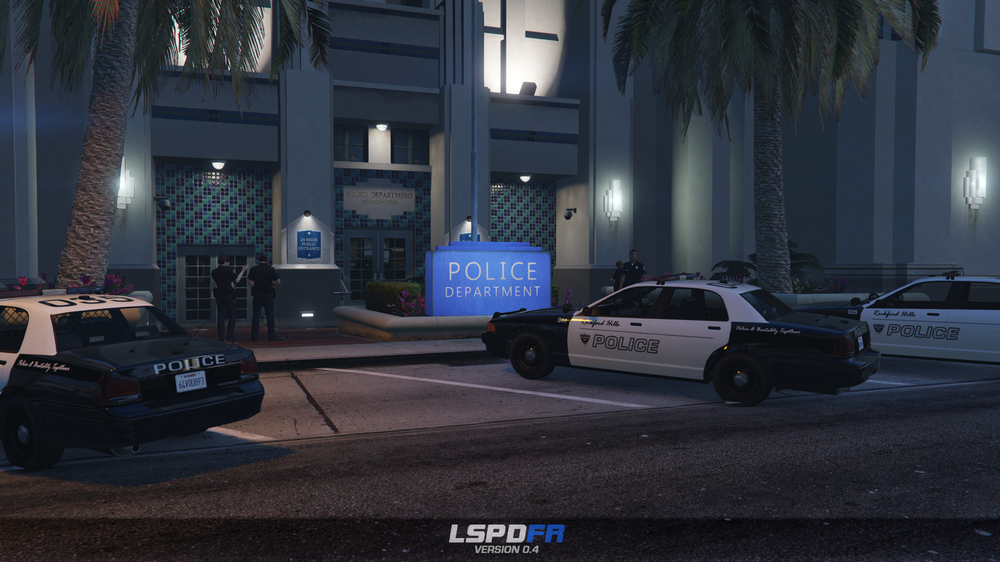
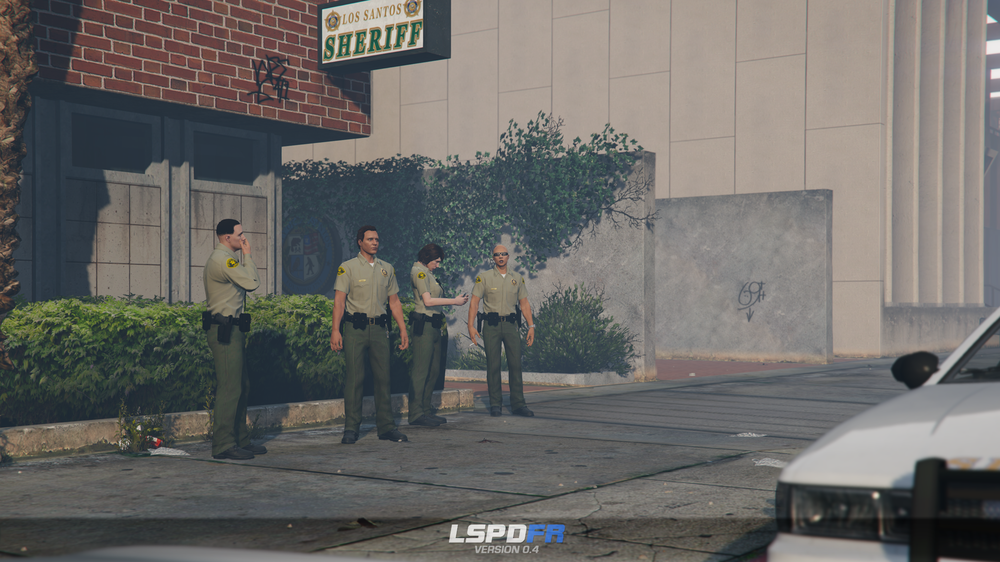
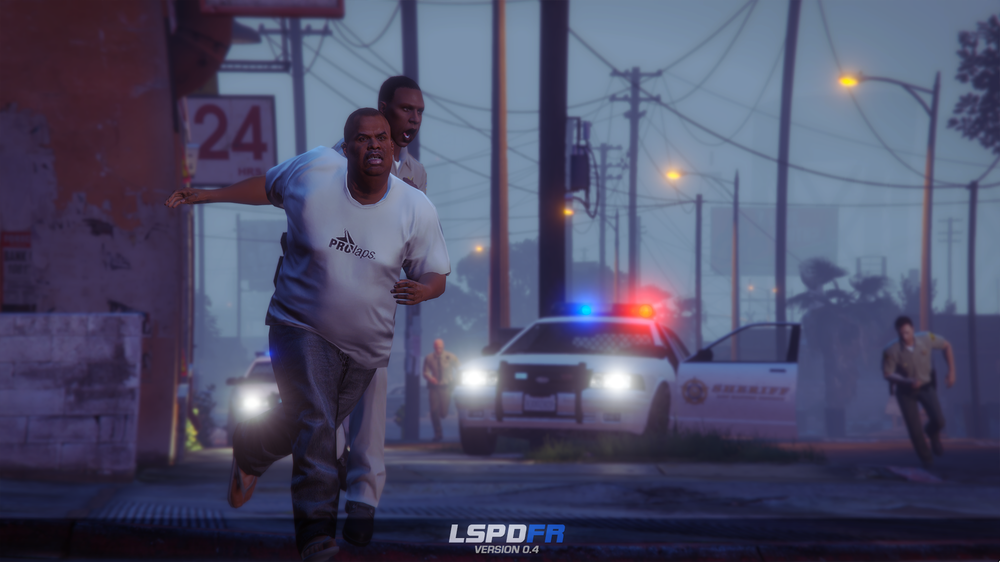
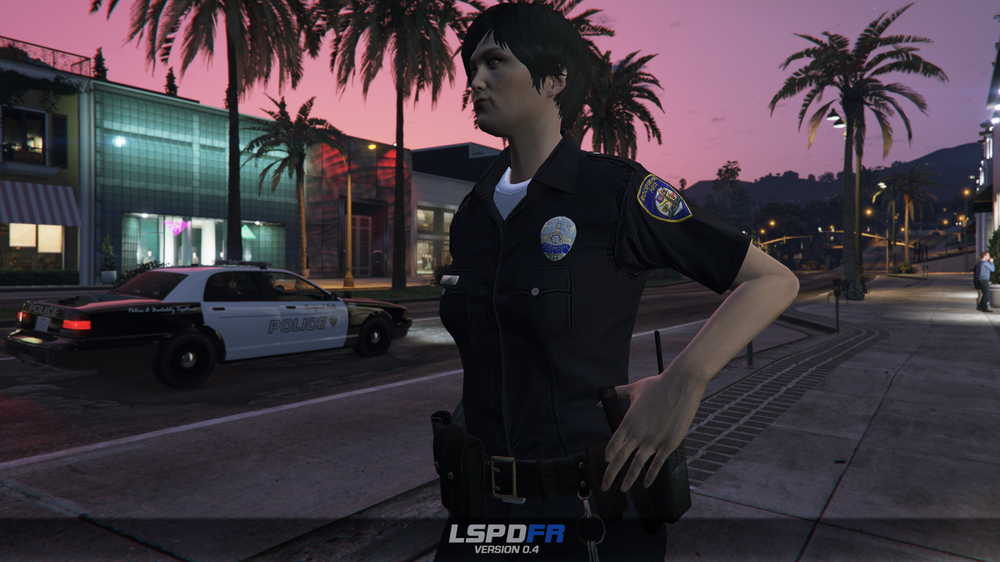 96 points
 -
94 points
 This is a simple script that is based on ragehook to make cars move over when only having your emergency lights running not your siren no keys because it works as a standalone script what I basically mean is it doesn't need any user interaction it does everything by itself I am trying to enhance the "default" without script behavior so the pullover behavior or "move over" behavior is improved because to be honest when I play the game every time I get to a crowded area in gta v I keep crashing into people because they don't move over correctly. So I guess the gist of what I am trying to say is be respectful, don't say the obvious everyone knows this works without a script by default in gta v. Also just wanted to say if you appreciate & like my work please consider giving me a donation as every bit helps considering how that makes me & my work feel appreciated and encourages me to continue making great scripts like this. Please Follow community guidelines when posting, as in be respectful don't use rude language,etc. Support - what to do if you encounter a bug or have problems: Please leave a comment (not a review). Include your RAGEPluginHook.log file, located in your Grand Theft Auto V folder in a spoiler so it doesn't make the page too long for people not interested on reading the log. Also, please provide an accurate description of what happened. This allows me to help you as fast as possible without having to ask you for this information I need to help you, as if I don't get this information I cannot help you because I will not know what is causing the problem and will result in delayed resolution of the problem due to asking you for the needed information before proceeding.... please as said above provide this information with your initial comment (not a review) to allow the most quick resolution of the problem as possible. Leaving a review for support issues is against community guidelines, and will not even be answered at all, will be reported instantly instead. README/Install Instructions: extract the dll file from the zip file using 7-zip or winrar or whatever and then copy the dll file to your plugins folder to here C:\Program Files (x86)\Steam\steamapps\general\Grand Theft Auto V\plugins and that is where you place the dll file to make this script work If you have your game on any other drive replace the C:\ part with your drive you have the game on. User Submitted Videos: FirstThirtyMinutes: If any of you post a video review/or use my script in your video's please notify me about it and I will feature your videos here like I did for firstthirtyminutes. Please do not re-upload, reverse engineer, modify, redistribute, or in any other way violate the copyright of this modification. DMCA Takedown Requests & actions will be taken if this is violated. Do you have questions? Or do you need help with the script? Please make a comment, not a review for support and your question/support issue will be handled as soon as possible. Important Notice regarding Obfuscation Used to Protect Copyright Due to using Max Obfuscation Settings inside the .Net Framework Obfuscator that is used to protect copyrighted logic & such inside the software/plugin, it is likely a antivirus might see the obfuscation and several other obfuscation settings like anti-tamper/anti debug/etc that are used to further protect and prevent copyright infringement of the software/plugin as a False Positive. To Date as of 8/23/2023 there has only been one lesser known antivirus named "Ikarus" that has even thought this plugin is a virus/trojan which it is not and is only due to the extreme protection settings set in the .Net Framework Obfuscator used to protect the software/plugin that causes this.94 points
 -
Our Response to Channel 7 News
Xplorer4x4 and 92 others reacted to Sam for a post in a topic
93 pointsChannel 7 News in Australia ran a story regarding LSPDFR yesterday, misrepresenting that LSPDFR and other modifications are used as a simulation for killing police officers. This has since been picked up by other media outlets, as well as the gaming press. Obviously, this simply isn't the case, and you can read our statement regarding this matter below.93 points -
With all the talk about LSPDFR 0.4, it's been a little while since we've provided a general update on our community. Of course, LSPDFR 0.4 is our main priority at the moment and we'll have more to say about it shortly, but we thought it important to also address and announce a couple of things regarding our community. What our Community stands for Before anything else, I'd like to take a moment to reflect on who we are, as people that run this website, and as a community. LCPDFR was founded, back in 2009, simply because I thought it'd be a fun thing to do. To play as the police in GTA IV. It was an idea, ambitious for its time, and nothing more. I worked on LCPDFR because it was fun, I published it because I thought others might also enjoy it. LCPDFR has come a long way since then, it has evolved from one person's topic on a forum, to its own website, to its own forum, to its own community. We've spanned two games, our reach has grown massively, our community is approaching 300,000 registered members. The amount of work that goes into developing LSPDFR alone is staggering - the time that we've spent on it is measured not in days, weeks or months, but years. Likewise, the effort required to keep our website online is vastly underestimated - in the past month we've served around 30 terabytes of download traffic alone, and have done all of this despite persistent, targeted denial of service and hacking attacks against us. To put this in context, if you were to serve 30 terabytes of data through Amazon Web Services, it'd cost you $3,000 a month - and that's just one month of download traffic. Why do we do this? Because it's fun. We love developing our community, we love developing our mod, and we love that other people - complete strangers, from all over the world, from countries you've probably never heard of, from all walks of life... we love that they love LSPDFR. Our community has achieved incredible things: we've created an entire gaming phenomenon and we've developed things that nobody ever thought would be possible. Our members have done more than simply play games or make mods: we've fought hand-in-hand against corporate giants (and won), we've transformed peoples' entire lives by sparking new careers and we've been covered everywhere from massive YouTube channels to mainstream media publications. Heck, we've even triggered out of touch government ministers in Australia. That's not the whole story, though. Sometimes we are the story. Sometimes we make mistakes. We've had catastrophes, like the time where we had a hyped countdown on the website only to reveal a private testing version of LCPDFR that nobody could access. Our first ever livestream had to be rescued by Steve and Jeff after it started with Prophet driving a train around Los Santos and infamously stating "this is not the preview for LSPDFR 0.3" while our community manager could do nothing but watch helplessly after being accidentally disconnected. We've messed up releases, we've announced things too quickly, and sometimes we've not announced things at all. Yet, despite all of this. Nine years later, we're still here. We're still making mods, we're still developing this community, and we've stuck true to our principles the entire time: Our community is open to all. We treat members equally regardless of their status. Everything is completely free of charge, with no catches. Why? It's not about fame, it's not about money, it's not about status. It's about love. We love LCPDFR, we love LSPDFR, and we love our community. We don't think that modding should be hidden in private Discord servers. We don't think that modding should be something people pay for. We don't think that modding should be an ego boost. We just think that modding should be fun. It should be open, and it should be free. That's what we stand for, and that's what we do. How you can get involved Last year, we opened up applications to join our Community Team for the first time. This resulted in a couple of new faces joining our moderation team and upon reflection, we think it's a good change in approach from previously handpicking staff members ourselves. We've decided to open these applications again, and would invite anyone who is interested in volunteering some of their free time to moderating our community to apply by following the link below. Our volunteer Community Moderators are a vital part of everything that we do, and it wouldn't be possible to maintain the community without them. To find out more and to submit an application, please visit: http://lcpd.fr/staffapp92 points
-
.thumb.png.656f907bc2febc81911b0b821cb502c8.png) EARLY DEVELOPMENT This is an early release of a very in-depth application with a lot of features, there WILL be bugs. Please, before leaving a bad review, leave a comment here or preferably on the ReportsPlus Discord with the issue and I will work to fix it ASAP. Please also let me know any features you would like to see added and I can work to implement them Consider joining the ReportsPlus Discord for helping with testing, support, requesting features, and development updates. Description: - ReportsPlus was designed to act as an external MDT that can be used from another device (Windows/Mac OS) to create reports, receive actual game data, and make the LSPDFR experience much more immersive. - ReportsPlus really shines when used from a separate system you have next to you, as it mimics an actual MDT, however, you can use it from the same system if you don't have access to another laptop you can use. - ReportsPlus is not just typing reports like the name may suggest, as ReportsPlus has a fully functioning court system, lookup system for peds and vehicles, callout popups, ID popups when asking for them, tons of customization, and report types, full language translation, and SO MUCH more than I can list here. - This is not a window that opens in-game such as something like CompuLite, it is an external application that connects to your game to be able to receive actual game data. Key Features: Court System- When creating a Citation or Arrest report, a court case will be created. These court cases will reveal their outcomes over a customizable amount of time, with charge/citation outcomes being taken from your Charges.xml and Citations.xml (Compatible with Compulite Charges/Citations) Ped/Veh Lookup- Peds and Vehicles can be looked up in their respective lookup apps. You can see tons of data for each such as license information, previous charges/citations, times stopped, vehicle registration/insurance information, and much more. Callout Popups- If you have Callout Interface installed, when receiving a callout in-game they will pop up on the Application where you can see their data. They then get put in the Callouts app to be viewed or closed with a Callout report created. ID Popups- If you have STP, when asking a ped for their ID or patting them down, you will have an ID popup in the Application with the suspect's ID and their information. Advanced Notes- Notes can be written in the Notes app, and data can be pulled directly from the notes into report windows when using tags Log Browser- View and edit previously created reports, arrests, and citations. Tons of Customization- You can customize almost everything in the Application. All of the colors can be changed as well as the desktop background color or setting it as an image of your choice. RP supports localization via the locale file to translate almost every piece of text in the entire Application. All dropdown options, Charges/Citations, Agencies/Divisions/Ranks, notifications, and so much more. {NEW} Custom Reports- Create custom reports with completely customizable custom dropdowns which can be shared. For more information consult the User Guide included in the installation. Usage / Installation / Troubleshooting: - Make sure you consult the comprehensive USER GUIDE included in the download and other accompanying materials before attempting to use ReportsPlus. ReportsPlus does have Requirements (Java/JDK), which are explained in-depth in the USER GUIDE Make sure Java is installed FIRST It seems a recent JDK 25 update is causing some people issues, you can download jdk24 here Java Archive Downloads - Java SE 24 If you have an issue please make a Support post in the ReportsPlus Discord * Currently undergoing a complete rewrite into a web-based system, any suggestions will likely go toward this new version *90 points
EARLY DEVELOPMENT This is an early release of a very in-depth application with a lot of features, there WILL be bugs. Please, before leaving a bad review, leave a comment here or preferably on the ReportsPlus Discord with the issue and I will work to fix it ASAP. Please also let me know any features you would like to see added and I can work to implement them Consider joining the ReportsPlus Discord for helping with testing, support, requesting features, and development updates. Description: - ReportsPlus was designed to act as an external MDT that can be used from another device (Windows/Mac OS) to create reports, receive actual game data, and make the LSPDFR experience much more immersive. - ReportsPlus really shines when used from a separate system you have next to you, as it mimics an actual MDT, however, you can use it from the same system if you don't have access to another laptop you can use. - ReportsPlus is not just typing reports like the name may suggest, as ReportsPlus has a fully functioning court system, lookup system for peds and vehicles, callout popups, ID popups when asking for them, tons of customization, and report types, full language translation, and SO MUCH more than I can list here. - This is not a window that opens in-game such as something like CompuLite, it is an external application that connects to your game to be able to receive actual game data. Key Features: Court System- When creating a Citation or Arrest report, a court case will be created. These court cases will reveal their outcomes over a customizable amount of time, with charge/citation outcomes being taken from your Charges.xml and Citations.xml (Compatible with Compulite Charges/Citations) Ped/Veh Lookup- Peds and Vehicles can be looked up in their respective lookup apps. You can see tons of data for each such as license information, previous charges/citations, times stopped, vehicle registration/insurance information, and much more. Callout Popups- If you have Callout Interface installed, when receiving a callout in-game they will pop up on the Application where you can see their data. They then get put in the Callouts app to be viewed or closed with a Callout report created. ID Popups- If you have STP, when asking a ped for their ID or patting them down, you will have an ID popup in the Application with the suspect's ID and their information. Advanced Notes- Notes can be written in the Notes app, and data can be pulled directly from the notes into report windows when using tags Log Browser- View and edit previously created reports, arrests, and citations. Tons of Customization- You can customize almost everything in the Application. All of the colors can be changed as well as the desktop background color or setting it as an image of your choice. RP supports localization via the locale file to translate almost every piece of text in the entire Application. All dropdown options, Charges/Citations, Agencies/Divisions/Ranks, notifications, and so much more. {NEW} Custom Reports- Create custom reports with completely customizable custom dropdowns which can be shared. For more information consult the User Guide included in the installation. Usage / Installation / Troubleshooting: - Make sure you consult the comprehensive USER GUIDE included in the download and other accompanying materials before attempting to use ReportsPlus. ReportsPlus does have Requirements (Java/JDK), which are explained in-depth in the USER GUIDE Make sure Java is installed FIRST It seems a recent JDK 25 update is causing some people issues, you can download jdk24 here Java Archive Downloads - Java SE 24 If you have an issue please make a Support post in the ReportsPlus Discord * Currently undergoing a complete rewrite into a web-based system, any suggestions will likely go toward this new version *90 points -
89 points
 This work is licensed under a Creative Commons Attribution-NonCommercial-NoDerivatives 4.0 International License. By downloading this file you agree to the TERMS OF USE AND DISTRIBUTION, If you can not abide by those terms then do not download this file.89 points































.thumb.png.656f907bc2febc81911b0b821cb502c8.png)

