



Original Light
Friends of LSPDFR
-
Joined
-
Last visited
Everything posted by Original Light
-
Unfortunately, when forums grow bigger, there's more members. When there's more members, there's more immature members, increasing the amount of rule breaking in the forum. It's a shame people do that, but there's always going to be people who enjoy causing trouble, and like to ruin good things for others. Another good example would be the people ripping Kevin's models, and previously, EVI.
-
It only works if it's installed on steam, becuase the verify files option is located with in steam. Thanks for the help anyway, +1 for both of you.
-
Thanks, but that's only for the Steam version of the game. I have GFWL version.
-
Only LCPDFR is installed and ENB is installed, other tan that, it's vanilla. It just randomly started happening. Reinstalling isn't an option becuase Impulse won't let me merge my accounts, which is forced upon all users, there's some glitch that won't let me merge. So I can't reinstall GTA IV, unless I buy it somewhere else like Steam. Before I do that, I just want to see if I can simply fix it.
-
I'm having a strange problem with GTA IV. If I change the radio station in a vehicle, the game crashes. No matter what... Does anyone know how I could fix this?
-
http://www.microsoft.com/en-us/download/details.aspx?id=17718 http://www.microsoft.com/en-us/download/details.aspx?id=5549
-
It does save the number of suspects killed, just give it time. Sometimes it can take up to 24 hours from what I heard, if you just started that stat set/account.
-
This is the same installation as I had in the summer. The only mod I had installed was ENB and LCPDFR, that's it. I only use cars mods in EFLC, I like to keep IV vanilla. It might have something to do with the lighting/visual files. I might just copy and paste some of the shared files between EFLC and IV and see if that works. + 1 for both of you BTW, but I still might need help.
-
Well... it's happening to me in IV. Do you know how to fix it?
-
Hey everyone, I've been playing EFLC for a while, and I haven't played the original GTA IV since the summer. Today I decided to hop back on, and I was greeted by an unwanted problem. There are no tail lights on the cars, not matter what. They don't light up. The headlights on the cars are turned on, but there's no reflections at all from the light. It's really strange, and I haven't modified the game since the summer, so it should've stayed in the same state it was during the summer, but it didn't. Has anyone ever had this problem/know how to fix it? Thanks in advance
-
I go bowling with Roman in GTA IV. Does that count? In real life, it's been about 5 years since I've gone bowling for real. I was never really good.
-
Hope that helps...
-
Thanks for the response, but steady burn is only possible with ELS. Still, +1 for the response.
-
It looks awesome! I hope you're still going to have an LAPD version?
-
Hello, I was wondering if anyone could create an accurate 1990s LAPD Chevrolet Caprice. Yes, there are already several on the internet for download. But none of them are accurate in terms of the lightbar. If anyone could create one with a Federal Signal Areodynic Lightbar, with steady burns, I, and many others would thank you. This one if so close: it doesn't have steady burns. Also, if anyone already knows of an accurate one with steady burns, please link me to it, and I'll cross out my whole post.
-
Yeah, I am, but I guess it's not possible. Thanks for the help guys. By the way, I found a first person mod that works. +1 for both of you.
-
Hey all, Two questions... First, I just decided to join the club by switching to ELS V5 instead of V6, that way I can use ELS for AI without crashing every 30 minutes. I'm wondering if there's a way I can turn off the ticking sound when I activate the lights, because I'm used to playing without it in V6. I just tried adding this line to the ELS V5 .ini, the same place it would go in V6: FlashSoundFx = 0 // Enables or disables ticking sound when lights are active But nothing happened. If there's a way I can do this, please let me know. Secondly, I'm wondering if there's a first person mod that works with EFLC. All the mods I tried either didn't work in-game, or crashed the game before I even got to the main menu. If someone could kindly direct me to one that works with EFLC, it would be greatly appreciated. Thanks, Nick
-
Sorry for the bump, but my excitement is getting the better of me. Any update on the Caprice?
-
I'm hoping it comes out in March or April, but May seems most likely.
-
Mind=Blown Morgan Freeman, Morgan Freeman, Morgan Freeman, Morgan Freeman, Morgan Freeman, Morgan Freeman. Morgan Freeman is God. Well, at least in all the movies.
-
You guys are right, sorry. Here's a more recent article: http://www.computerandvideogames.com/342452/wii-u-graphics-less-powerful-than-ps3-xbox-360-developers/
-
http://wiiudaily.com/2011/06/wii-u-is-50-more-powerful-than-ps3-and-xbox-360/ Not sure if this is accurate. Nevermind.
-
I hope we can hunt and sell the items like in Red Dead Redemption to make a quick buck.
-
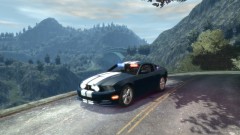 Is that GTA V?
 -
EVI, do you plan on doing a 2013 Ford Interceptor Sedan any time soon? I haven't seen any of them out yet from any modders.

