



Original Light
Friends of LSPDFR
-
Joined
-
Last visited
Everything posted by Original Light
-
There's about 78,000 pictures of LAPD cars and equipment on flickr.com from various dates. You can filter image "taken on" dates by clicking "Advanced" and "Date taken". So, for example, you can make it display pictures only taken between 2001 and 2007. I've done a lot of searching before, and I don't believe I've seen an LAPD Caprice in service past 2003 or 2004. They didn't keep them in service that long. The latest picture I could find of an LAPD Caprice was photographed on March 1st, 2008: https://www.flickr.com/photos/southerncalifornian/2311889844 I'm not sure if it was already decommissioned in that picture, but the poster referred to it as a likely "boneyard" for retired vehicles. For an example of a Caprice that was definitely confirmed to be in service in the later 00's (for a large city) the NYPD had one in service in 2006: https://www.flickr.com/photos/14968334@N00/142469658 Other vehicles from the older years you're looking for can be found on flickr, but I most commonly see the Crown Victoria being used in 2004, to answer your question. The LAPD never really experimented with tons of makes and models, as the NYPD did.
-
Doing it like that seems to work! Thank you! Weird how it crashes if it hooks during the loading screen... I haven't tried doing a manual install before, but I'll look into it.
-
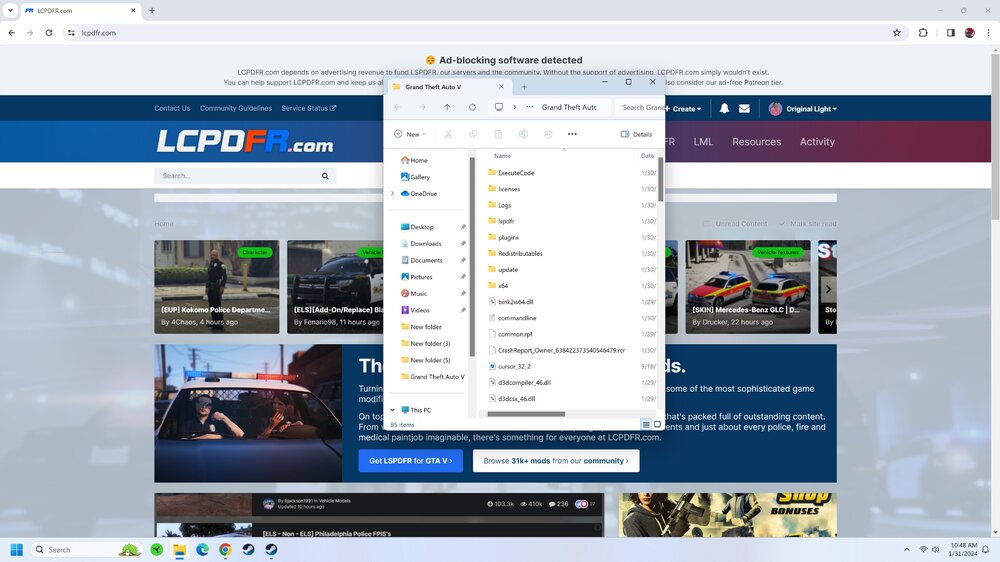
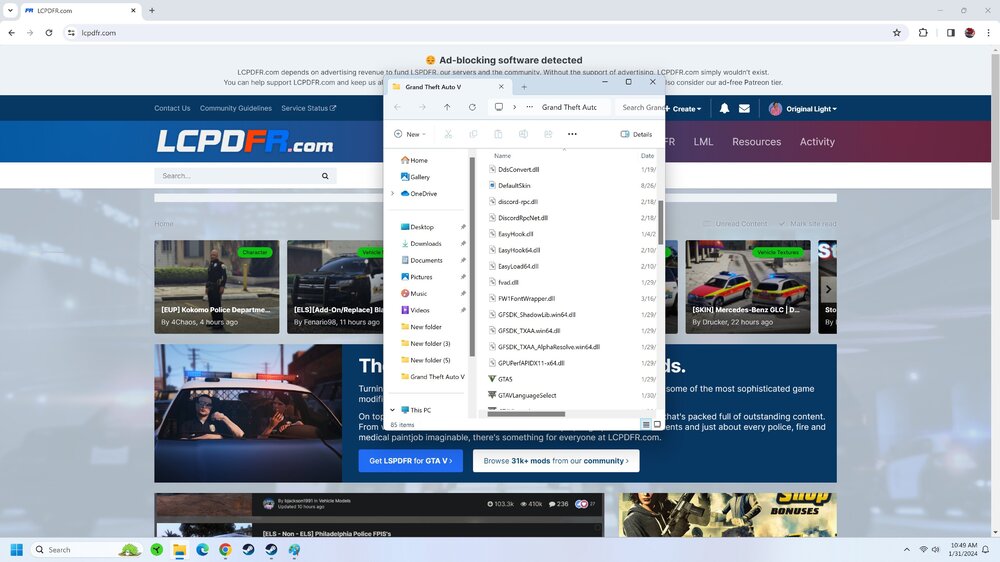
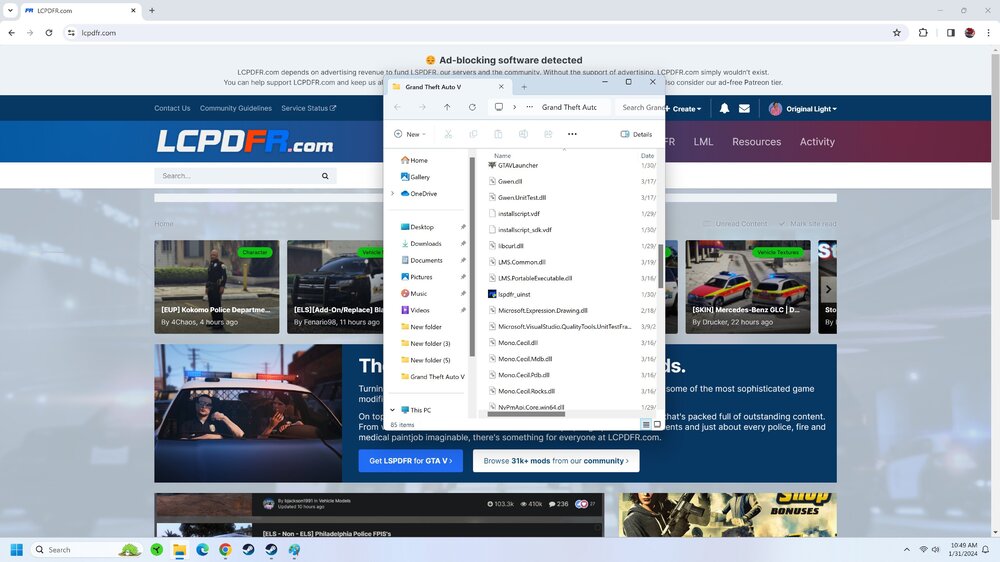
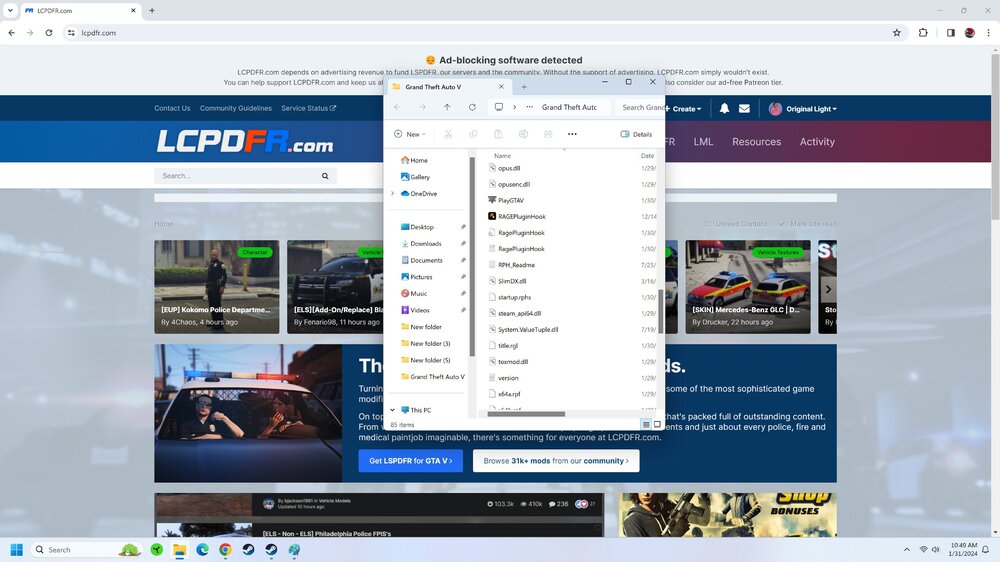
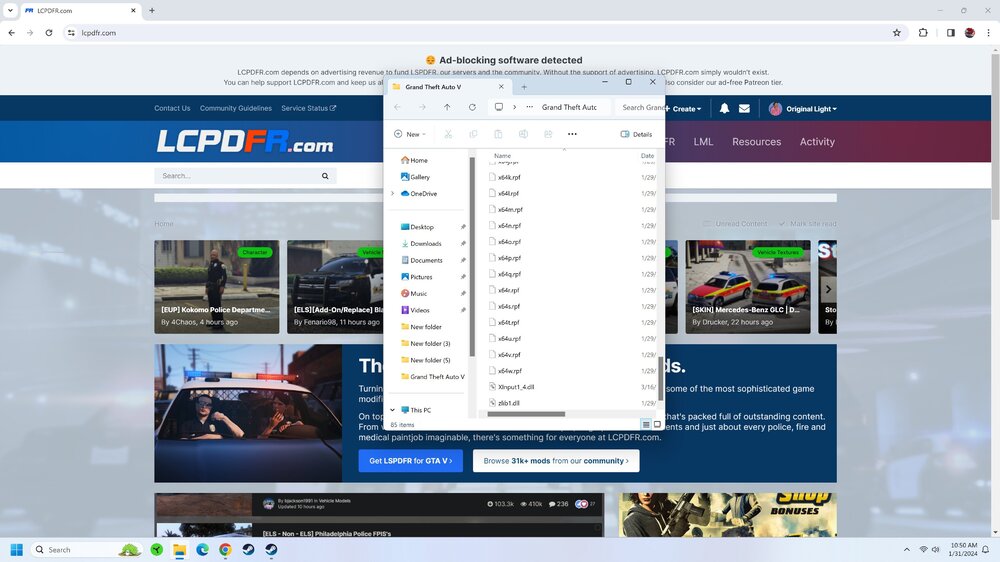
I don't. I only have it installed in my RDR2 folder. Images of my folder attached.
-
From what I can see, I don't even have a mods folder in my GTA V directory?
-
Thank you! Here is the log:
-
Bit of a n00b here with the LSPDFR mod, despite my really long membership on this site! I haven't played LSPDFR in years, so I wanted to see how far along this mod has come. I was having issues getting it running yesterday on a heavily modded copy of GTA V, so I uninstalled GTA V today and did a completely fresh Steam install. I also deleted all mod folders, plugin folders, etc. which Steam doesn't delete during an uninstall. I used the LSPDFR 0.4 Automated Installer on a vanilla game. Upon starting the game, it crashes during the single player loading screen after 10+ seconds, and Rage Plugin Hook generates a long report. Here is a snippet of what I imagine is the only relevant information from a 160,000 character crash report: My system: Windows 11 RTX 4090 i9 10900K GTA V is installed on a 4TB SSD. I have no antivirus programs, other than basic Windows Defender. I already checked all the common issues to look for referenced in the pinned support topics. Thank you!
-
It looks great! I'm super stoked. The attention to detail for the number of different law enforcement agencies and vehicles is especially impressive.
-
A user in this reddit topic reuploaded the most recent version to Google Drive, look for it in the comments. I'm using it with no issues.
-
Original Light replied to Officer GILLETTE ABDI's topic in Law Enforcement, Current Events & SocietyThat design isn't final and is subject to some change, but they're definitely going for a redesign before 2024 (basing this on the news articles I've read about it). It's definitely not as appealing to me, in fact I'd argue the current one in use today looks "cleaner" and more "crisp".
-
This topic has been moved to the appropriate forum. Please post in the correct location in the future.
-
Please stick with your original topic: We don't need duplicates. If you feel this topic has been closed in error, please report this post.
-
This topic has been moved to the appropriate forum. Please post in the correct location in the future.
-
I'd say a lot of us are really busy with our lives - so a lot of people aren't concerned about responding to topics immediately, especially support threads. Most questions have already been answered before. Rarely have I ever seen a unique issue that hasn't been asked before. I'll also add that GTA V is almost a decade old, and the PC version released 6+ years ago. As video games age, inevitably, the activity of their fanbases decrease. This community is somewhat unique in that it's dedicated to modifications for GTA IV & GTA V, so that makes us more resilient; but you'll still see less activity compared to when this modification just released in 2015 and everything was super hyped. I observed a similar trend when GTA IV was aging, and meanwhile GTA V wasn't released for PC (and not until nearly two years later).
-
Your topic has been moved to LSPDFR 0.4 Support. Please post in the correct location in the future.
-
Your topic has been moved to LSPDFR 0.4 Support. Please post in the correct location in the future.
-
This topic has been moved to the appropriate forum. Please post in the correct location in the future.
-
Your topic has been moved to LSPDFR 0.4 Support. Please post in the correct location in the future.
-
Your topic has been moved to LSPDFR 0.4 Support. Please post in the correct location in the future.
-
This topic has been moved to the appropriate forum. Please post in the correct location in the future.
-
This is not the place for drama, especially for incidents that occurred outside of this website. Please take it elsewhere.
-
Your topic has been moved to LSPDFR 0.4 Support. Please post in the correct location in the future.
-
This topic has been moved to the appropriate forum. Please post in the correct location in the future.
-
This topic has been moved to the appropriate forum. Please post in the correct location in the future.
-
This topic has been moved to the appropriate forum. Please post in the correct location in the future.
-
This topic has been moved to the appropriate forum. Please post in the correct location in the future.




