



Original Light
Friends of LSPDFR
-
Joined
-
Last visited
Everything posted by Original Light
-
You're going to need more RAM, but the processor is okay, if you're okay playing on lower settings. That link I gave you up above only lists the most powerful hardware currently on the market. I probably shouldn't have linked you to it, since I didn't see that it was limited to the most advanced hardware. This topic should help you: http://www.gtaforums.com/index.php?showtopic=446714 Also, here's a list of the limited, and the recommended specifications for GTA IV: http://www.gta4.net/news/4135/recommended-pc-specifications-for-gta-4/
-
There is no "best", it depends on what style of ENB you're looking for. I currently use this: http://www.lcpdfr.com/gallery/sizes/14002-driving-around/large/
-
Sorry, but it's not going to run. You'll need a lot of upgrades for your computer, or a new computer entirely. If you need help building a new one, you can use this topic:
-
Since you solved your issue, I'll close this topic. If you need me to reopen it for whatever reason, just report this post. Nothing to see here! This topic has been closed by G17 Media staff. If you feel that this topic has been closed in error, please report this post.
-
Okay, I'll close this since you found your answer. Nothing to see here! This topic has been closed by G17 Media staff. If you feel that this topic has been closed in error, please report this post.
-
MODERATOR NOTICE Topic moved to LCPD First Response/Discussion
-
If you like my ENB, I could send you it: Shoot me a PM if you're interested.
-
Thanks guys.
-
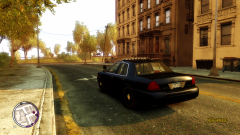 I was about to turn around.
 -
From the album: Police Vehicle Pictures
-
http://www.microsoft.com/en-us/download/details.aspx?id=5549
-
The Traffic Flow and the car mods are the most likely culprits.
-
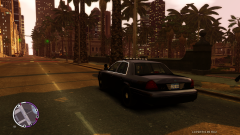
From the album: Police Vehicle Pictures
Just driving around... -
 I don't speak French, so it looks like I'm SOL.
 -
Wow. What ENB/graphic mods are you using?
-
What kind of mods?
-
Does your system meet the requirements for running the game? GTA IV is a very CPU and GPU demanding game. It takes a beefy computer to run it.
-
It seems to me that a lot more people have an Xbox. 8 out of 10 people I know have an Xbox instead of a PS3. When I bought mine, I got it because it was almost 100$ cheaper than a PS3. I didn't see much of a reason for spending an extra 100 on console that did pretty much the same exact thing.
-
I would buy the PS4 if all my friends were on it, but that's not the case. I like the fact that the online is free, which is one thing, in my opinion, is better about it.. But the Xbox 720 would be my pick if I had to choose.
-
Did you use the handling provided with the model, if it came with it?
-
Okay, I'll close this up for you. Nothing to see here! This topic has been closed by G17 Media staff. If you feel that this topic has been closed in error, please report this post.
-
If you're going to use V6, disable it for AI. It's a small price you have to pay for less crashes.
-
In ELS V6, you don't need the menu open, but in the older versions, you do.
-
I don't think there's a way to fix that. It probably has something to do with the way ELS works. But try what you heard on GTA Forums, and see if it works.
-
We're not offering support for LCPDFR until the next public release. Uninstall LCPDFR otherwise if it's making you crash. Nothing to see here! This topic has been closed by G17 Media staff. If you feel that this topic has been closed in error, please report this post.

