



Original Light
Friends of LSPDFR
-
Joined
-
Last visited
Everything posted by Original Light
-
-
If I was you, I'd make the pink glass a little darker, like a dark red. Like this picture:
- 22 comments
- 13 reviews
-
-
I think he removed it due to glitches and crashes, he's probably trying to fix them ASAP.
-
There is also the indicator script, which lets you do it simply by pressing 'O'. The mods also lets you use hazard lights, marker lights, and turn signals. Link:
-
It looks like it could be an ad for a tire company.
-
-
It updates while you play the game. You don't have to save. It's connected to a server, so you don't have to worry about it. When you do an action in LCPDFR, such an arrest, it goes into your stats.
-
Congrats Sam, Jay, and everyone else. This place sure has grown. It will be fun to see where we'll be in 2 years (which will be 5 years since it's been founded). Hopefully by then, we'll have a polished LCPDFR, and the beginning of LSPDFR (or SAPDFR) for GTA V. Cheers everyone!
-
It looks like a lot of the members here have already given you many ideas. So there isn't much for me to say. I wish you luck in creating this game, and I'm willing to support you, whether it's by spreading word of it, or donating. Again, good luck, -Nick
-
I don't think he's doing a non-ELS version guys. You can't make an accurate LAPD vehicle with non-ELS, which is the main purpose of this. You can't create steady burns or the LAPD flash pattern with non-ELS. But who knows, he might.
- 16 comments
- 9 reviews
-
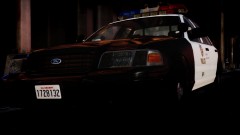 -1 you, look under the picture.
 -
It looks awesome. Why would someone do that?
-
Is there a sensitivity option is the game menu? Check the 'Controls' menu if there is one.
-
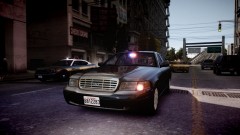 Looks awesome, but one thing; steady burns?
 -
Are you behind the vehicle?
-
Isn't the 7850 better? I thought that it being in the 7000 series would make it better than any card in the 6000 series.
-
Good specs. @raven28690: Most likely because of cost, but if the price difference is no more than an extra 100$, then I'd see no harm in an upgrade. The price seems pretty close.
-
Cool. I loved it when he walked in the room, so random.
-
No, that's also needed though. Here's dsound: http://www.gtaforums...pic=380830&st=0 There should be a link in that topic. Or: http://www.freshdl.co/dsound+dll+gta+iv/di
-
Also make sure that you use the left ALT, not the right.
-
You only need dsound.dll, or xlive.dll. Having both installed at the same time may cause issues. Having xlive.dll blocks online, so dsound.dll would be the best choice. Having script mods, trainers, etc... will require the ASI loaders (xlive or dsound). If you have LCPDFR, then you need an ASI loader, Car mods/skins won't require an ASI loader.
-
You guys don't have to be so mean to him, he's probably new to gaming on computers. But most people should know that you can't run a game on that card, at most, playable. But yeah, all in all, your current PC is not strong enough to run it. Wait until you get your new PC.
-
I forgot about that. Non-ELS will be the only possible way then. Too bad we can't make ELS only reload the lightbar/pod area, then the rest of the vehicle won't keep respawning.
-
You can map ELS lights to any part of the vehicle, right? Just map them to the inner area of the trunk, and when you open the trunk with SNT, you'll be able to see them. It shouldn't be too hard, but I've never created a vehicle. It may be possible with non-ELS also, as long as you can map them in that area, without taking up a lot of resources for other possible lighting areas. Try it, and if it doesn't work, you can say you tried. I'm sure it's possible.
