




ineseri
Friends of LSPDFR
-
Joined
Everything posted by ineseri
-
You'll have to ask over on the RPH forums.
-
If you feel this topic has been closed in error, please report this post.
-
Contact the retailer you bought the game from or Rockstar support.
-
Does it work with the backups you made prior to modding your game? Your thread has been moved to the GTA IV Support Requests forum, as it is not an LCPDFR support request.
-
No there's not - Try again later, please.
-
Try again later, as the message tells you This topic has been closed, as it has been previously answered on LCPDFR.com - We require all members to thoroughly investigate whatever question they might have before posting. You can find the search function here: http://www.lcpdfr.com/search/ If you feel this topic has been closed in error, please report this post.
-
Try again later, as the message tells you. If you feel this topic has been closed in error, please report this post.
-
What was the solution?
-
Please keep any advertising related to this away from LCPDFR.com. Whilst it sounds interesting, our site is not an advertising service.
-
You'll have to activate express mode iirc. Read the ELS manual.
-
Thank you for your feedback.
-
I would not get my hopes up, as the game works fine for plenty of other people. No difference depending on which graphics settings you use?
-
Is this on a vanilla copy (unmodified) version of the game?
-
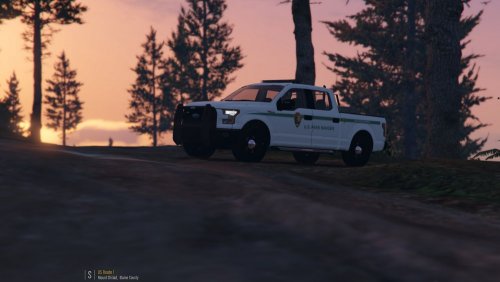 Absolutely. But saying that if you want someone to use "model x" make sure it's absolutely accurate to "real life car x" is not simply true. I understand that for a lot of car modders, 100% accuracy is something to aim for which I find truly impressing. But, for those that don't want to, don't have the skillset, or for some other reason doesn't do car modding "according to the norm" shouldn't be downvoted or told to change it, if that is the way the car modder want his/her model to look like. At the end of the day, we're modding a videogame. It's a hobby. Everyone can do well in relaxing and just enjoying the game instead of fighting over it.
- 31 comments
- 11 reviews
-
-

- 2
-
-
A report is the way to go for all rule violations. I have to say though that I haven't seen a dramatic increase in trolling as you describe it. To prevent trolls is very hard, as anyone who really wants to troll will find a way to do so. Me personally is not much for limiting other members based on their post count or rep count, as that is just another number on the internet. I will, however, keep an extra eye open on the reviews and see if there is a need to implement some extra restriction upon reviews.
-
I think we all can agree to disagree. Not everyone cares if a model is 100% accurate to real life. That is impossible to achieve in a videogame.
- 31 comments
- 11 reviews
-
-
- 2
-
-
Do you have a 64-bit system that meets the system requirements of GTA V? By the looks of it, you don't.
-
This topic has been closed because you are asking for support regarding pirated software. We are unable to provide support to pirates, or people using cracks. If you feel this topic has been closed in error, please report this post.
-
You don't need a special file to make them stand-alone. There should be plenty of guides available on how to use a car as stand-alone. I've done so myself.
-
You edit your post. However, there is no need to.
-
This topic has been closed, as it has been previously answered on LCPDFR.com - We require all members to thoroughly investigate whatever question they might have before posting. You can find the search function here: http://www.lcpdfr.com/search/ If you feel this topic has been closed in error, please report this post.
-
We're not lawyers and no one can answer this question for you. Locking. Contact a lawyer to get a legal response.
-
Top Google Result. http://www.howtogeek.com/209710/4-quick-ways-to-see-a-pc-game’s-fps-frames-per-second/ Please, research your question before using LCPDFR.com as your personal search engine. It's not always people will help you, when the answer is obvious.
-
Operating System Windows 10 Home 64-bit CPU Intel Core i7 4790K @ 4.00GHz Haswell 22nm Technology RAM 16.0GB Dual-Channel DDR3 @ 800MHz (9-9-9-24) Motherboard MSI Z97-S02 (MS-7821) Graphics Acer XB270H A$ (1920x1080@60Hz) BenQ GL2440H (1920x1080@60Hz) 2048MB NVIDIA GeForce GTX 980 Ti (MSI) Storage 232GB Samsung SSD 850 EVO 250GB (SSD) 2794GB Seagate ST3000DM001-1ER166 (SATA) 232GB Samsung SSD 850 EVO 250GB (SSD) 232GB Samsung SSD 850 EVO 250GB (SSD) I get 60 FPS in and around Paleto Bay and 60+ FPS in LS. Most settings are on high (configured by GeForce experience).
-
No installation instructions anywhere? Not even on the download page?

