ineseri
Friends of LSPDFR
-
Joined
Everything posted by ineseri
-
As this is a problem with the website, I've moved this topic to website support.
-
Haven't experienced this myself.
-
Look up the system requirements for GTA V. Match that with your buy.
-
As long as you can run GTA V, you can run LSPDFR.
-
Thank you for your feedback, it has been noted by a few people already.
-
-
Yes, as stated this appears to be an issue with the site.
-
LSPDFR is not supported, developed nor tested with any extra modifications added. That said, most mods work anyway.
-
Are you getting any error messages?
-
1. No, you got warned because you reuploaded a file which we do not allow due to copyright and security concerns. 2. No :) Locked due to no more replies are needed. Issue has been reported.
-
Your topic has been moved to GTA V Support, this is not LSPDFR related. Please post in the correct location in the future. Are you using a mods folder? Is your scripthook up to date?
-
We do not allow re-uploading of files or linking to such files. Please remain patient whilst we troubleshoot this issue. I know that Cyan is aware of it and will troubleshoot it in due time.
-
I used to have two monitors and didn't think I'd move away from it, but the ultrawide craze got the better of me.. At work I still use several monitors due to it being more practical there. At home I use the workspaces thingy in Windows 10. If you're insane, sure :D
-
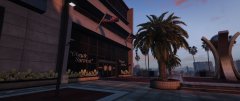
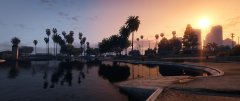
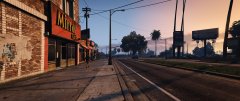
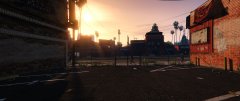
I guess I'll chime in; http://i.imgur.com/JF7bQmT.jpg http://i.imgur.com/RXUqUg5.jpg
-
You'll have to use a trainer to spawn weapons when using LSPDFR.
-
LSPDFR includes 3 callouts per default. If we include too much stuff, we feel that we'd be working against the idea of having an API.
-
They're two different mods for quite different games, even if they're the same title. Of course it is worth a try to return to the roots, If you've money to spend.
-
Go here and check the system requirements for GTA V: http://www.systemrequirementslab.com/cyri Does it match up to your new PC?Hello there -- welcome to LCPDFR.com and thanks for trying out LCPDFR! Please do the following: Make sure you aren't using a crack - We don't support cracks or people using pirated softwareUpdate GTA IV to 1.0.7.0 (the latest version of the game, or 1.1.2.0 for EFLC) - These patches are needed. Make sure that you run the game as an administrator.Make sure that your GTA IV root folder (and every subdirectory) is not set to "read-only"Ensure that AdvancedHook.dll, ScriptHook.dll, ScriptHookDotNet.asi and Dsound.dll OR Xlive.dll are in the GTA IV ROOT folderEnsure that there is a folder titled 'LCPDFR' in the ROOT GTA IV folder.Check that all the above files exist, if they do not, reinstall LCPDFR with the MANUAL installation.Ensure that you are using up to date versions of every LCPDFR dependency and LCPDFR itself.Install these: https://www.microsoft.com/en-us/download/details.aspx?id=30653 , https://www.microsoft.com/en-us/download/details.aspx?id=30679 In some cases, your issue is resolved after following the above steps. If it did help, please let everyone know in the topic that your issue is resolved. If you do have to post a topic, do the following; Give a clear, detailed description of the problem.Explain any circumstances surrounding the problem.State what solutions you have tried.Post ALL relevant logs (LCPDFR.log, Scripthook.log, ScriptHookDotNet.log, AdvancedHook.log).Include as much information as possible.Post your system specifications.Post what other mods you are using. This includes car and script mods.Post a screenshot of your GTA IV or EFLC game directory. Please note that failure to follow these instructions may cause this thread to be closed.Are you talking about LSPDFR or LCPDFR? You've posted this in the GTA V section, you see.I knew purchasing a new monitor would put me in the spotlight!Some screenshots from GTA V taken in UltraWide resolution from my new monitor!
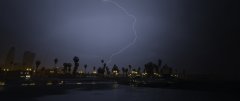
From the album: Anyone say UltraWide? (GTA V)

From the album: Anyone say UltraWide? (GTA V)