




ineseri
Friends of LSPDFR
-
Joined
Everything posted by ineseri
-
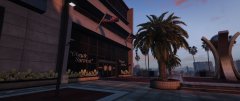
From the album: Anyone say UltraWide? (GTA V)
-
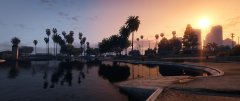
From the album: Anyone say UltraWide? (GTA V)
-
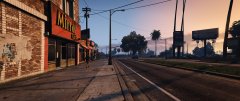
From the album: Anyone say UltraWide? (GTA V)
-
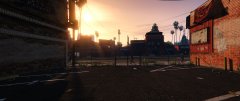
From the album: Anyone say UltraWide? (GTA V)
-
From the album: Anyone say UltraWide? (GTA V)
-
You need to read the readme for the trainer you installed, where it clearly says this is the culprit. This questions has also been answered a few times I believe.
-
Hello, This section is for website support. Please recreate your topic in the proper section, and read all documentation on our forums. Thanks!
-
Sure. The LSPDFR Readme and ragepluginhook.net
-
Please see if the same thing happens without these mods as using other mods with LCPDFR is not a supported solution.
-
Hello there -- welcome to LCPDFR.com and thanks for trying out LCPDFR! Please do the following: Make sure you aren't using a crack - We don't support cracks or people using pirated softwareUpdate GTA IV to 1.0.7.0 (the latest version of the game, or 1.1.2.0 for EFLC) - These patches are needed. Make sure that you run the game as an administrator.Make sure that your GTA IV root folder (and every subdirectory) is not set to "read-only"Ensure that AdvancedHook.dll, ScriptHook.dll, ScriptHookDotNet.asi and Dsound.dll OR Xlive.dll are in the GTA IV ROOT folderEnsure that there is a folder titled 'LCPDFR' in the ROOT GTA IV folder.Check that all the above files exist, if they do not, reinstall LCPDFR with the MANUAL installation.Ensure that you are using up to date versions of every LCPDFR dependency and LCPDFR itself.Install these: https://www.microsoft.com/en-us/download/details.aspx?id=30653 , https://www.microsoft.com/en-us/download/details.aspx?id=30679 In some cases, your issue is resolved after following the above steps. If it did help, please let everyone know in the topic that your issue is resolved. If you do have to post a topic, do the following; Give a clear, detailed description of the problem.Explain any circumstances surrounding the problem.State what solutions you have tried.Post ALL relevant logs (LCPDFR.log, Scripthook.log, ScriptHookDotNet.log, AdvancedHook.log).Include as much information as possible.Post your system specifications.Post what other mods you are using. This includes car and script mods.Post a screenshot of your GTA IV or EFLC game directory. Please note that failure to follow these instructions may cause this thread to be closed.
-
Probably you've too many assets loaded at the same time. Are you using any extra mods, other than LCPDFR?
-
You've put the RPH in your documents folder. It needs to be in the main game directory. Please read the readme.
-
Your game is not installed in your documents folder, is it? Because that's where you've put your RPH....
-
No need to be rude. A simple "no" or a report to the topic would suffice. No need to be rude. Cursing does generally not grant you a warning - Telling others that they can get warned for something, can get you warned.
-
Your topic has been moved to GTA V Support, this is not LSPDFR related. Please post in the correct location in the future.
-
This section is for issues with the website itself. Please recreate your topic in the correct location. If you feel this topic has been closed in error, please report this post.
-
This is not related to LSPDFR. Your topic has been moved to GTA V Support, this is not LSPDFR related. Please post in the correct location in the future.
-
Please post in the correct sub-forum and follow all instructions.
-
Topic cleaned up. Please stay on topic.
-
This topic has been closed because you are asking for support regarding pirated software. We are unable to provide support to pirates, or people using cracks. If you feel this topic has been closed in error, please report this post.
-
I knew I wasn't alone in this!
-
Hello there -- welcome to LCPDFR.com and thanks for trying out LCPDFR! Please do the following: Make sure you aren't using a crack - We don't support cracks or people using pirated softwareUpdate GTA IV to 1.0.7.0 (the latest version of the game, or 1.1.2.0 for EFLC) - These patches are needed. Make sure that you run the game as an administrator.Make sure that your GTA IV root folder (and every subdirectory) is not set to "read-only"Ensure that AdvancedHook.dll, ScriptHook.dll, ScriptHookDotNet.asi and Dsound.dll OR Xlive.dll are in the GTA IV ROOT folderEnsure that there is a folder titled 'LCPDFR' in the ROOT GTA IV folder.Check that all the above files exist, if they do not, reinstall LCPDFR with the MANUAL installation.Ensure that you are using up to date versions of every LCPDFR dependency and LCPDFR itself.Install these: https://www.microsoft.com/en-us/download/details.aspx?id=30653 , https://www.microsoft.com/en-us/download/details.aspx?id=30679 In some cases, your issue is resolved after following the above steps. If it did help, please let everyone know in the topic that your issue is resolved. If you do have to post a topic, do the following; Give a clear, detailed description of the problem.Explain any circumstances surrounding the problem.State what solutions you have tried.Post ALL relevant logs (LCPDFR.log, Scripthook.log, ScriptHookDotNet.log, AdvancedHook.log).Include as much information as possible.Post your system specifications.Post what other mods you are using. This includes car and script mods.Post a screenshot of your GTA IV or EFLC game directory. Please note that failure to follow these instructions may cause this thread to be closed.
-
http://www.systemrequirementslab.com/cyri/requirements/grand-theft-auto-v/12455
-
For some cars that is a feature. Some developers do that to hide some lights. Your topic has been moved to GTA V Support, this is not LSPDFR related. Please post in the correct location in the future.
-
http://www.lcpdfr.com/forums/topic/56436-rel-realism-dispatch-enhanced-221/

