




ineseri
Friends of LSPDFR
-
Joined
Everything posted by ineseri
-
A lot of these questions can be answered by using a search engine of your choice and the search function on our website. All mods on this site should have a readme attached to it (LSPDFR does). The simple native trainer from GTA IV is in GTA V too.
-
You'll have to use a mods folder. Please use the search button before posting.
-
We'll of course try to bring Status Updates back if we can find a good way for everyone to implement it. If you wish to further discuss this, feel free to send me a PM.
-
I'm sorry you feel that way. We had to remove the status updates due to the problems we've had in moderating them (lack of moderation tools and issues with member permissions). As Cyan said, we hope to bring them back in due course. If you think a moderator has made a mistake in moving your topic somewhere, feel free to shoot me a PM where you show me where this took place so it can be solved. I have to say though, if this is the worst decision we've made, I feel pretty good about it - This hardly seems like the end of the world!
-
Don't minimize the game.Look over the readme again, it tells you where to put the files. Looking at your screenshot, you've put a lot of files in the wrong folder.Jeez, ease down a few notches. He's just asking for help.If you bought a retail copy, or via the Rockstar Warehouse, yes. Launch "PlayGTAV" in your root directory, iirc.Then update your game via the Steam client or the Social Club. Or did you perhaps pirate your game?GTA V patches are installed automatically, either via Steam or the Social Club.There's a manual for pretty much all mods on our site.Did you consult this?"The mods". You'll have to be more specific. If you are talking about LCPDFR/LSPDFR, then no. They do not contain any viruses.Sure does.Did you read this?Was in a jazz/swing mood at work today, this was one of the songs in the queue;I'm not certain, but I think you can disable certain aspects of the siren mastery mod.Before installing any extras, I'd just verify that LSPDFR works. And when installing mods, install them one by one and try your game. Otherwise you might crash your game before it even launches.
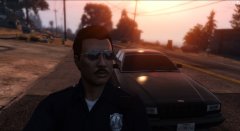
From the album: ineseri's GTA V Pics
1. No, you need to complete the first story mission(s) however 2. Yes. There are plenty of manuals. The installation is extremely easy however. 3. Rocket launchers are standard issue for LSPD and will solve most issues.This is in no way official though and usage of the LCPDFR brand wouldn't be allowed. But I am glad there are people out there still making mods. Got any links to this?You already have a topic open, there is no need to create a new oneI can't really comment on how our internal infrastructure works due to a lot of reasons, but the forum software as mentioned is IPS 4 which is a paid software.I'll chime in; Listened to this to and from work today!


