




Illusionyary
Members
-
Joined
-
Last visited
Everything posted by Illusionyary
-
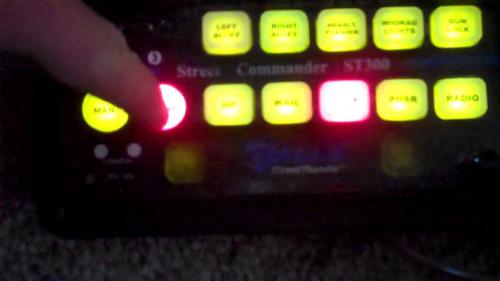 How do you make a Galls Street Thunder series siren and leave out the "Thunder" tone? That's the best one.
- 1 comment
- 1 review
-
Good riddance!
-
 Why does this look like something from Finding Nemo?
 -
I'd be mad if I didn't say AlexBlade's trainer that comes with his Scripthook. But other than that, I really like "Realistic Vehicle Controls". Just being able to get out of the car without shutting off the engine is great.
-
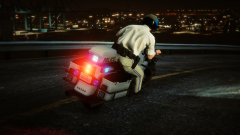
From the album: GTA V Illusions
-
I understand we're all excited, but can we please stop asking this? It's been answered far too many times in this thread alone. It'll be done once it's done, the development team is working as hard and as fast as they can. Sam made a post a few pages back where he stated that he hopes to have the mod out in a few weeks, but there's no guarantee of this, so please stop asking. We'll let everybody know once it's done.
-
Simulating arrests are not only prohibited here in Australia, they also seem a huge waste of police resources. I can understand the mother wanting police intervention to help straighten him out, but a simulated arrest is not the way to go about it.
-
Are law enforcement agencies even allowed to do this in the first place?
-
This. They don't respond on their own (afaik), but roadblock units will often get into their vehicles and start pursuing you.
-
I can enter too, right? And here's the mockup of it.
-
I believe this mod allows you to turn on just the emergency lights, among other things. https://www.gta5-mods.com/scripts/realistic-vehicle-controls EDIT: Nevermind, when it says "emergency lights" it's referring to the indicator hazards.
-
That's enough. It's fine to debate each other and all, but insults will not be tolerated. Any further abusive remarks will subsequently lock this topic.
-
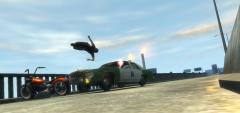 You don't have to do that. It's just nice to see someone using my version of the model. For clarification though, I didn't make the model, I only put the equipment on it. If you're only uploading textures, you don't have to include anything other than your name in the credits.
 -
Isn't that my LTD? :D
-
If only they didn't die as soon as they fall to the ground. It sounds odd, but I somewhat miss the incapacitated animation in IV.
-
Read pages 87 and beyond. Several people have reported being banned just by activating the trainer in single-player. Until the green light is given that you're unlikely to be banned, I'll be sticking to War Thunder.
-
According to the forums and various Steam discussions, activating the new version automatically bans you from Online play. For all those who still want to use the trainer but don't want to risk a ban, I'd recommend rolling back prior to the patch.
-
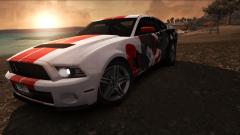
From the album: Assorted Games
-
Adding to my other post, here's a video I recorded of the event a few minutes ago.
-
The arrest animation only happens during the street event, and only if you intervene and knock over the suspect. Outside of those events, the officers will just execute them. Either Sam forgot about these events or it's not possible to access them within the code, which is why Sam said what he said. Regardless, there is definitely an arrest animation.
-
This isn't strictly true. The Park Rangers arrest people during the random street events, however there isn't a cuffing animation. The suspect just gets down on his knees with his hands in the air before being walked at gunpoint into a prisoner transport vehicle (that the park ranger called in). When it's done.
-
Do me next.
-
Do you need this laptop for work and/or school too? Because if you don't, you'd be much better off with a desktop.
-
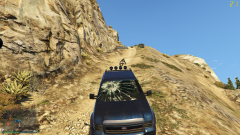 Just be glad you weren't sitting in the passenger seat.
 -
The cars in V feel like they have little to no weight to me, which isn't necessarily a bad thing but it's certainly a change from IV where the cars actually felt heavy.


