




Illusionyary
Members
-
Joined
-
Last visited
Everything posted by Illusionyary
-
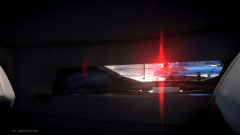 The first mistake was stopping.
 -
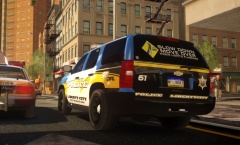 I'd probably remove the "Liberty City" part from the trunk and just have "police". It looks out of place IMO.
 -
As far as I know, if it uses an emissive texture, it'll light up.
-
Good luck finding decent quality 90's model CVPIs. I've been holding out forever for a decent one in GTA IV.
-
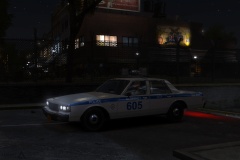 THAT LIGHTBAR *drools heavily*
 -
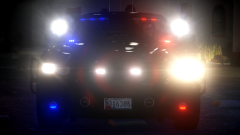 Weirdly enough, I really like the license plate.
 -
Alright, that's enough. If you wish to argue with each-other, take it to PM. Any further posts about "GADs" will be hidden and the submitter(s) penalized.
- 29 comments
- 3 reviews
-
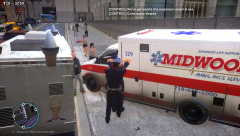 On the sidewalk. Typical.
 -
You have to import the textures before you import the model, otherwise you have to manually assign each one (which is a massive pain in the ass). If there's no textures in Zmodeler, there's none in-game either.
-
I'm in love with anime girls, does that count?
-
What textures are you using, and are your materials set up correctly?
-
There's not a whole lot you can do about the badge, either move it so it's not resting on the door gap or put up with it being a little distorted. You could also try changing models (and templates). I don't think I've come across this problem while using Driver San Francisco models. As for the windshield, normally you'll need to use a window template, of which a lot models do not include.
-
Moved to GTA IV Suggestions and Requests. The General board is for anything that doesn't fit into the subject specific forums.
-
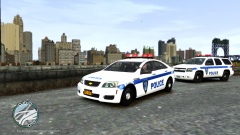 Uh, no, no it's not.
 -
That skin positioning though.
-
Please do not bump your own topic. Someone will help you if and when they know what is causing the problem.
-
MODERATOR NOTICE Moved to GTA IV Support Requests as this has nothing to do with LCPDFR. Don't press "G". Press the number keys (1, 2, 3, 4) or "T".
-
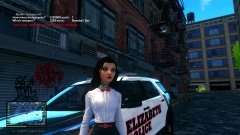 I see what you did there.
 -
I love this, my internet won't even load 360p so I can't watch the fucking trailer. I'm looking forward to connecting to the Online servers. Downloading half naked pictures of anime girls all the time eventually takes a toll on your internet... I guess.
-
From the War Thunder forum.
-
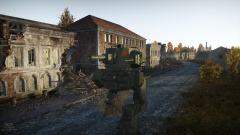
From the album: War Thunder
The Russians seemed to have developed a new fighting vehicle! -
-
Only Police, Police2, Police3, Ambulance and the Firetruck support rotators. Unfortunately this is hardcoded into the game and cannot be altered.
-
Yes it was, as this is posted in the General Discussion board. Moving to GTA IV Discussion.
-
I usually use 44100 (default), 48000 and 24000, most if not all should work though. Just make sure your editing software doesn't change the pitch or speed when you modify the rate.


