




Illusionyary
Members
-
Joined
-
Last visited
Everything posted by Illusionyary
-
There is, but currently you can't have any advanced designs as each side is mirrored.
-
RC20 errors are caused (mostly) by car mods. When you uninstalled the game, you deleted your Grand Theft Auto folder too, correct?
-
You already have a topic about this here: http://www.lcpdfr.com/forums/topic/50873-bobby-c/ Please stick to that one. If you feel this topic has been closed in error, please report this post.
-
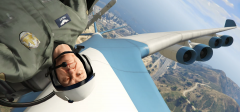 "Greetings!"
 -
Depending on your state/federal laws, you may be able to get away with a right hand drive anyway. If not, you could always have it converted to US format (at your extra expense, though).
-
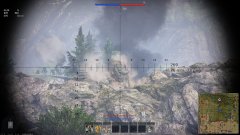 World of Tanks be like: "We didn't even scratch him!"
 -
Literally every car you've listed is Australian. Have you thought about importing direct from Australia? They'll all be right hand drive, though.
-
Yes. Lol.
-
The first half was him bitching about our laws, so, um, yeah. Pardon the confusion. I don't see why they wouldn't work on Steam, they work everywhere else.
-
It's against federal law to not have a refund policy on goods in Australia. Federal law > Terms of service. Either abide by our laws or get the fuck out, and as it's in Steam's best interest to not GTFO of Australia, their terms must abide by our laws. Regardless, I don't see why everyone is so pissy about it. Refunds are a good thing, and if Valve were to be sued it wouldn't do jack to them. They have piles and piles of unused cash that could be used to pay off the lawsuit... or you know, make another game.
-
The comments section on that video is absolutely disgusting.
-
As everything in Australia must have a refund policy or else, this is good. I know that our government has been pissed at Steam for a while now for not including a refund policy, so I wonder if this decision was somewhat influenced by that.
-
There is no siren tone at 2:15, and I'm almost positive that scene is from a movie.
-
As mentioned above, if you're wanting to just build a city then completely destroy it with disasters and such, SimCity is the one for you. Although I don't think floods, or hurricanes are actual options. If I remember correctly, you can have giant monster attacks, earthquakes, tornadoes, zombie attacks and meteor strikes. If you're after a brilliant cIty builder though, buy Cities: Skylines. It's 20x better than the newer SimCity games.
-
-
In addition to what Alex said above, we also have a tutorial section. http://www.lcpdfr.com/tutorials/index.action/grand-theft-auto-iv/vehicle-modification-tutorial/
-
Report the file(s) you want removed and myself or another staff member will remove them for you.
-
Care to provide some more information on what exactly it is you want?
-
 "Alderney" has an "E" in it.
 -
It's much more exciting to include all the features in a nice looking trailer rather than some boring gameplay.
-
As far as I am aware there is a limit of 1024kb when uploading images, so make sure your image file sizes are under that.
-
It's definitely a lifeguard animation. Large crowds almost always gather around a lifeguard resuscitating an unconscious person. (See: https://www.youtube.com/watch?v=953xGLe4iUQ)
-
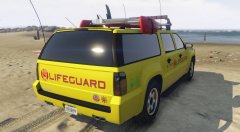 Once the UV mapped models come out (hopefully they do come out), I'll definitely start making my own textures for things. For now though I'm rolling vanilla. The cars in V are very nice compared to IV. And thanks. :)
 -
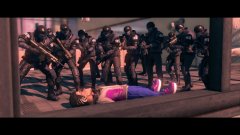 I'm 99.99% sure it's not Payday and is instead Saints Row.
 -
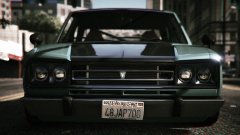 I love the Warrener to pieces as it looks just like a Nissan Skyline, but unfortunately that slanted License Plate drives me mad. Speaking of which, you're quite a ways from LC. :P


