Illusionyary
Members
-
Joined
-
Last visited
Everything posted by Illusionyary
-
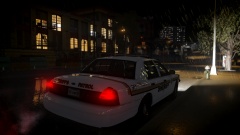
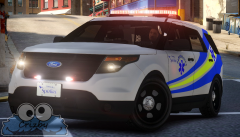
After spending 5 hours downloading 5GBs (thank you Rockstar for constantly dropping my download rate to 80kb/s), I finally got into the game and played it for a solid 4-5 hours. It looks beautiful and runs pretty well on my 770, but I can't max it out without a significant frame drop. I also found one of these puppies.
-
Unfortunately as my internet is dreadful I'm going to have to go hunt for a disk copy, so I'm eagerly awaiting for stores to open lol.
-
The ones mounted on the dash in real life had a cover blocking the light from shining into the car.
- 19 comments
- 2 reviews
-
-

- 3
-
-
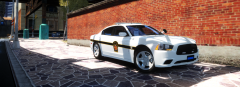 Beautiful pavement textures.
 -
Did you not take in any of our points at all? *sigh*
-
Increase the environmental lighting intensity and range in the ELS.ini file.
-
You're lagging? Get a better computer. Your scripts don't work? Guess what, they're not supported. Virus? Nope, this is caused by the advertisements in the installer. This is mentioned numerous times and can be avoided by using the alternative installer or by manually installing the mod. Try reading next time. Crashing a lot? Remove your car, script and ELS mods. Don't like it? Stop bitching and don't use it then. You're not being forced to download, install and play the mod so shut the fuck up. Be grateful that someone took the time to create a unique mod with a shitty game port.
-
I agree with Hystery, get over it. Why should people pay for something that happened over a 150 years ago that they weren't even apart of?
-
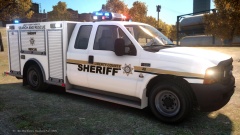 Well it certainly seems popular, haha. I think I might have to make a texture pack.
 -
MODERATOR NOTICE Moved to GTA V Discussion.
-
'?do=embed' frameborder='0' data-embedContent>> The texture and ELS colour changes are mine.
-
I swapped out the class entirely, so my exams won't include it. Maths isn't mandatory here thankfully, since I suck at it.
-
I'm working in retail, so that may be why. I'm not great with people so retail was a stupid choice, but work experience positions are somewhat hard to come by. At-least I miss out on math class (yes!).
-
As someone who does work experience every Thursday, school is so much fucking better than working.
-
Timmy fell down a well.
-
If it only happens when you quit the game, just ignore it.
-
From the album: Illusions
-
In my personal experience I had less texture issues using it compared to TrafficFlow.
-
Whoops, my bad. It's called Traffic Control System, not script. http://gtapolicemods.com/downloads.php?do=file&id=1409
-
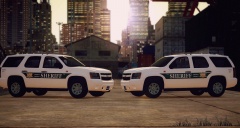 Simple yet effective. Nice work.
 -
TrafficFlow is quite a resource demanding mod. I'd recommend using TrafficControlScript instead if you're having issues.
-
Ten California deputies have been placed on leave after a video emerged of them tasing and then beating a suspect. Francis Pusok, the suspect, led police on pursuit after he had stolen a horse following a search warrant. The video shows deputies tasing Pusok, and then kicking him in the head and groin region and even beating him with the taser itself. The attack lasted two minutes. http://www.bbc.com/news/world-us-canada-32259709 This is absolutely disgusting behaviour from the deputies, those involved should be fired and possibly jailed for their actions. Pusok never resisted during the beating and yet the deputies continued to use excessive force.
-
MODERATOR NOTICE Moved to GTA IV Discussion. It rebuilds the archive to eliminate any possible errors that are present. You should always save and then rebuild before closing. On another note, why are you still using SparkIV when OpenIV is vastly superior?
-
 I did the same thing when I created an FD CVPI. I used one of my pre-saved police bases with all the police equipment mounted, and then realized I had to remove it all. :P
 -