trewq34
Members
-
Joined
-
Last visited
Everything posted by trewq34
-
Could you show us a picture of your hierarchy? (The part with the extra_x's should be fine).
-
I believe you'd have to ask permission for it. Also v7 of their pack is also public *cough*4shared*cough*
-
The 700 series will no doubt be out of my budget. Here's a list I've compiled of a potential PC build, would you be able to give me some feedback on it?: I'm willing to spend £500($808.70) on a new build. As far as I'm aware, all the components should work well with each other. Thanks
-
-
Yeah.
-
I can offer it, all you have to do is PM me with your email, domain and why you want the hosting. It may be a little while before I can create your account, as the server is currently down for maintenance.
-
-
Any recommendations as to what I should upgrade to? My budget is quite low, so the cheaper the better I suppose Same as above. EDIT: I am thinking about buying this processor: (removed, as it's too expensive(Intel Core 2 Extreme QX9650)), as it should be compliant with my motherboard according to the Asus website (http://www.asus.com/Motherboards/P5G41TM_LX/#overview)
-
What was said above. Also, why not upload it to the downloads section instead?
-
Hi, my question is, will the EVGA GeForce GTX660 (click for exact model) work with my current specs? Specs: CPU - Intel Code 2 Quad Q6600 @ 2.4GHz RAM - 8GB (2x 4GB) MOBO - Asus P5G41T-M LX PSU - 550W (if it matters, Current GPU - nVidia GeForce 9600 512MB) Also if I need to upgrade anything please could you leave suggestions to what I should upgrade to. Thanks in advance.
-
-
Game developers should let people pirate their games but it should be torrents they've created (see here: http://www.greenheartgames.com/2013/04/29/what-happens-when-pirates-play-a-game-development-simulator-and-then-go-bankrupt-because-of-piracy/)
-
True.
-
To be fair, there were working torrents of GTA V for the PS3 and Xbox 360 roughly a week before the game was released.
-
You could try one by AST K9 Trooper, '?do=embed' frameborder='0' data-embedContent>> (featuring my lightbar, along with siderunners). You could also try my one, '?do=embed' frameborder='0' data-embedContent>> (both have the exact same lightbar, only difference is mine only has a lightbar, spotlight, rambar and laptop).
-
School student in S4 or 4th year. I'm also Webhost Manager at the moment and a software developer. Once I finish school I plan on joining either the military (Air Force) or Police Scotland.
-
Good thing Urdu and Hindi are pretty much the same language eh? If they weren't I'd think that it's gibberish :P
-
Lovely.....
-
-
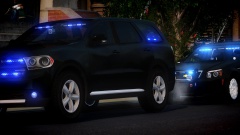 Man, that's great!
 -
Your pics are great. Just out of curiosity, how long does it take you to get setup and get the pic from a good angle?
-
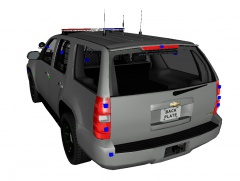 Looks good! What site are you gonna release this on?
 -
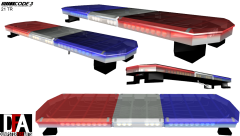
See below. They use the Code 3 x2100 (which is no longer being manufactured by Code 3 - the closest thing to it at the moment is the Code 3 21TR series.)
-
Nice, thanks for the facts. Also the one about the Caprice being European is incorrect; it is in fact, Australian, it's the Holden Caprice.
-
Perhaps what you're naming the lightbar textures conflicts with the Dominator textures