


trewq34
Members
-
Joined
-
Last visited
Everything posted by trewq34
-
hehe thanks :)
-
Have you by any chance overwritten your ELS 7 files with files from ELS 6?
-
The screenshots were directly from ZModeler, it could be that it changes some stuff in it's previews
-
I've not edited any mipmap levels, frankly I don't know how... It's just how the model was originally (with a template)
-
Try my default_config: https://mega.co.nz/#!P54AGBhQ!LAsJJkh23ZT4n9IZmcrBiWcVe3x2RJPMr8yZObORSfw
-
What car has the German police car replaced? Also is the name of the second ELS file just default_config.ini?
-
I agree with that statement. It is worth buying Episodes From Liberty City. You'll have a better experience with better FPS
-
I have a motorcycle ped but it's a London Metropolitan Police one. If you want it, just send me a message and I'll reply to you with the link. EDIT: the one I have looks like this: http://www.youtube.com/watch?v=v6HnQqnU2w0
-
Try running the installer as admin (Right click > Run As Administrator)
-
Welcome to the official Mike Oscar Modding Studios WIPs and releases thread! I hope you enjoy our mods. Regards, Kam MO Public Relations. If you would like info about any of our mods, please contact a member of the Public Relations team (me or soutar4x). 2013 Police Scotland BMW 550i 2013 Ford Police Interceptor Utility Constable Patrol Vehicle
-
It is possible. You just have to replace a normal police car and change some config files. I would recommend following this tutorial: http://www.youtube.com/watch?v=134MdbvN1_E As for ELS bikes, BritishPoliceMods, kinksta100 and BxBugs123 (his LCPDFR profile) have all made police bikes which are compatible with ELS.
-
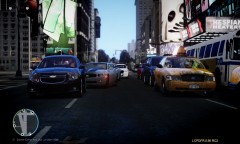 That looks really good! Also, what ENB is that?
 -
Are you pressing the "/" on the numpad?
-
Well basically any 3d modelling program'll do, I suggest Autodesk 3ds Max or Inventor (these can be obtained for free via students.autodesk.com). And then to convert your creations to GTA IV, you'll need ZModeler (which you have to pay for). The programs listed will only work on computers running Windows. For tutorials you can check out the tutorials section on here for very detailed and helpful tutorials!
-
Sorry, but LCPD:FR languages are hard-coded into the mod. Therefore you cannot change it. Hopefully the make it configurable. For the time being it's not possible to translate it. Edit: Ninja'd by ineseri
-
You need a taxi bug fix. I recommend Sam's >Traffic Flow. But there are others.
-
Do you have ELS installed? If not, it can be found >here
-
Chill with the caps, I refuse to help you since you obviously lack proper manners.
-
I'm sure the map automatically un-zooms itself, or atleast it does for me
-
Wait until the map zooms back in after pressing ALT+T the first time and then press ALT+T.
-
Firstly, great work! Secondly, you've started a new wave of overused lightbars.
- 24 comments
- 20 reviews
-
-

- 2
-
-
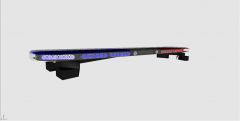 Oops, my bad Thanks, it means a lot :)
 -
The stands are from the lower quality RX2700 over on GPM. I'm considering making new stands for it, perhaps in v3?! Edit: Also thanks for the feedback
-
From the album: trewq34's WIPs
What's new?: - New glass - Adjusted sizing© Mike Oscar Modding Studios 2013
-
Got a few pics, there's a lot more on google images though. Edit: Just to let you know the x2100 has LED modules of 6 LEDs per module
