


trewq34
Members
-
Joined
-
Last visited
Everything posted by trewq34
-
That's an older version of it, here's the newer one: http://www.gta4-mods.com/vehicles/ford-f150-fx4-offroad-v20-f18170
-
No problem :) Edit: Also please choose the answer as best answer so the thread gets marked as closed.
-
It could be one of four things... The ENB vDH Police Helper ALPR PSS What I suggest is try removing them individually (remove one, test it, remove another, test it etc)
-
Ah, glad to hear it's finally working!
-
Could you list them please?
-
Did you buy the game (if so, disc or download) or did you pirate the game (if so, the G17 Media team doesn't support piracy nor the use of cracks).
-
Do you have any other mods installed (ENBs, scripts, ELS, etc)?
-
 Great pic as always! +1 :)
 -
Have you tried updating your video card drivers? If not, they can be found by simply searching your video card's name and affixing "drivers" to the end of the search query.
-
Yeah, I have to agree with sKuare. It is one of the most sought after lightbars in the modding community, hence you'd have to be very well known to get one, or make one yourself. If you want to make one yourself, I suggest getting used to modding first, so much so that it's a sixth sense. For a basic x2100 (like mine) I suggest modifying this lightbar. However it does take quite a bit of time and effort to do so. Good luck with the lightbar :)
-
Someone will end up making a mod for GTA IV that lets you play multiplayer. Look at SA-MP or MTA-SA etc. Someone will probably also end up making a LCPD:FR server for it... Don't lose hope in multiplayer for IV!
-
Please read and follow this. Once you have done so reply with the end result.
-
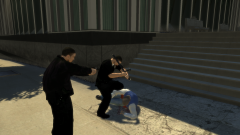 That's not realistic. If that was the LAPD, there would be SWAT, FBI, bomb squad and a few choppers. lol, jk
 -
It's a custom pack that can only be obtained by joining their clan.
-
No probs :)
-
That is indeed why. In the hierarchy you would need to rename "police" to "noose"
-
In the hierarchy you need to change something.wft to whatever you're exporting as .wft and then export
-
Every mod in the downloads section violates the copyright of the car companies. So the person who made the car technically can't do anything if you use it. Also if the group is private the person who made the vehicle generally allows it
-
Calm down. That was just unnecessary next time just report the post instead of posting a comment as rude as that.
-
Hi, I have the same graphics card as you and I get around 25-30 FPS. It could something to do with your RAM, which is 2GB (mine is 8GB). It could also have something to do with your processor since it's a dual core and only 2.5GHz (mine is a Intel Core 2 Quad Q6600 @ 2.4GHz (Quad Core)). To fix the frame issues you could try upgrading some parts in your PC, such as the processor and RAM (be careful, you have to get the correct frequency of RAM for your motherboard).
-
Please have a look at the "Pinned" threads in this section next time you need support regarding LCPD:FR. Anyway here's the link: '?do=embed' frameborder='0' data-embedContent>>
-
True, but hey it's better than nothing. Right?!
-
Please have a look at the "Pinned" threads in this section next time you need support regarding LCPD:FR. Anyway here's the link: '?do=embed' frameborder='0' data-embedContent>>
-
No probs :)
-
According to WhatTheFont, it's this font: Helvetica Neue Com 73 Ext Bold

