


trewq34
Members
-
Joined
-
Last visited
Everything posted by trewq34
-
It could be that you weren't activating all three light stages (pressing "J" three times). But I'm glad you got it fixed!
-
Just a topic to see what your opinions are on Nelson Mandela, since he just died. RIP Nelson Mandela
-
Yes (providing that your specs support it); however, it may require some tinkering. Try following this tutorial: '?do=embed' frameborder='0' data-embedContent>>
-
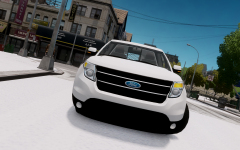 Hmm, interesting. I don't mind seeing this. and also your* EDIT: You're means you are. Your means that it's something you own, in this case, my head.
 -
Repetition is often a sign of weakness. Also if you're not willing to take my criticism, then why do you make cars? It's all about improving is it not?
-
I'm not mad at all. I'm just happy that there's another wannabe. Also that Explorer you have contains scratch made ford emblems (by me...) and your textures seem a bit messed up. It is in fact also far from a Police Interceptor. After you've made some amendments it'll be all good.
-
The model he is using is a stolen model. He doesn't have permissions to and should it be released, it'll be reported for mod theft.
-
Something that you could do is ask at your local supermarket if you can do bag packing. That's how we got the funds for our P7 camp.
-
You just create an image with nothing but transparency that is 2048x2048 pixels. It can be done in any advanced photo editing software (ie. GIMP, Paint.NET, Photoshop, etc).
-
Thanks for the info and also out of curiosity, are the older packs uploaded to a specific website?
-
O.o. I'm on lcpdfr.com/index.php?app=forums....... it's the one I always use.
-
All the posts above... that's really weird. But he's talking about this:
-
No probs. Good luck converting and most of all have fun :)
-
I believe it's on GTA Inside somewhere. Have a look in the ford section. It's quite old so it'll be nearer the end, I suggest starting from the end and working your way back
-
I think you mis-read a part of the OP. I found the font (hence the second picture) and managed to use it on my old PC but I can't find the font any more and I've rasterized the layer in Photoshop so I can't find out what it is.
-
Hi guys! I was just wondering if anyone knows the font used in these pics: The second pic is the font that I found but due to the fact the I rasterized the layer (in Photoshop) I can't find out what it is. Before you tell me to use WhatTheFont or a similar service, I've already tried it and I couldn't find a font that looked similar. Any help would be much appreciated. Thanks in advance :)
-
I guess you should credit "Unknown"to acknowledge the fact that you didn't make it
-
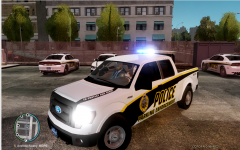 He doesn't need to give credits since it's not a release...
 -
Looks good. One thing I noticed is you're missing credits for the Console. Other than that, great work!
-
Hi and welcome to the forums! I recommend this tutorial, found in the tutorials among others, http://www.lcpdfr.com/page/tutorials/index.action/_/texturing-tips-and-tutorials/how-to-change-els-lightbar-colors-r20
-
It is quite good. Hope you enjoy LCPDFR.com and good luck :) Off topic: FYI, you joined a day after my birthday :P
-
Paint.NET isn't created by Microsoft, it's a third-party program. The reason you're having the problem with the windows is, Paint (Microsoft) doesn't support transparency; whereas Paint.NET does. If you'd like it, here's a link for it: http://www.getpaint.net/
-
The best thing to do is to use a more advanced photo editor, such as GIMP (free), Paint.NET (free), or Photoshop (paid). That way you can easily remove the yellow dots. I'd recommend either GIMP or Paint.NET if you're starting out, as Photoshop is quite advanced for beginners.
-
I said in the post already, but you just mirror the mapping.
-
I would do as sKuare mentioned, except I wouldn't use that texture (I'm modifying my Explorer to use a different one). The reason being that texture has a reflection, which will look really weird in game. Try finding a texture that has no reflections on it.

