


trewq34
Members
-
Joined
-
Last visited
Everything posted by trewq34
-
Are you able to stream consoles or just PC?
-
Ok..... some more information would be nice....
-
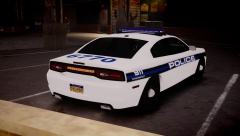 I think that's a TA
 -
Export as 3ds and map them in ZModeler.
-
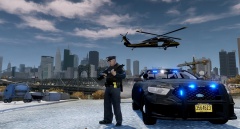 In FirstResponse.ini, change "ShowHolsteredTaserOnPlayer = False" to "ShowHolsteredTaserOnPlayer = True"
 -
Well it'd be a late Christmas prezzie but LCPDFR 1.0
-
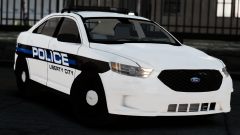 WOW! Sexy car is sexy. You should consider using the interior from the Forza Taurus since it's better quality
 -
The windows are often mapped to the texture "vehicle_generic_glasswindows2" (found in vehshare.wtd). You just have to make a copy of that and place it inside the vehicle's .wtd with the opacity changed in an image editor. However, if you want every car's windows to be tinted, then place it in the vehshare.wtd (replacing the old one) instead of the vehicle's .wtd
-
Try using TXD Workshop to extract all of the textures from the .txd and, providing you materials are converted too, it should work fine in game once you've added the textures to the .wtd of the car.
-
Here ya go: http://www.gtainside.com/en/download.php?do=comments&cat=371&start=21&id=51860&orderBy= Check GTA Inside for their releases. I know for a fact that EVI has stopped modding/modelling but I'm not sure about Cj24 or KevinDV.
-
-
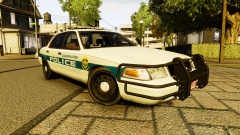
From the album: trewq34's WIPs
Car by me. Screenshots by MrOxPlay. Skin by Stinkace2. This will be released soon. -
Try downloading these: http://www.hazardx.com/details.php?file=83 http://www.fileplanet.com/221332/220000/fileinfo/Grand-Theft-Auto-IV---ASI-Loader You place them in your root GTA IV directory.
-
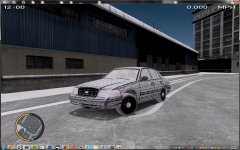 This truly is amazing! Really nice job :)
 -
A little birdy told me the same thing :D
-
-
No probs, glad I could help :)
-
Yes. There are no conflicts; however, your ELS lights may be a bit too bright using the radiance mod and some ENBs. You can always edit the "emissive" lines in the visualSettings.dat file.
-
This, also making sure your wheel collisions are placed correctly. If that doesn't work, select everything (including _L1's and _L2's but not [COL]'s) and make sure "Selected Mode" is on, then follow these steps: Go to "Display" Click "Center to Object" Click anywhere in any display (except "3D") Repeat step 1 Click "Reset to Parent" Repeat step 3 and 4 Click "Reset to World" Repeat step 3 Profit?
-
Seems like a lot of work for ONE person. Perhaps you should split them into a few different roles, i.e. Graphics designer, vehicle developer, etc.
-
They are indeed :D
-
EDIT: Damn you ineseri :/
-
I remember a topic on the same thing a really long time ago, it had a really good explanation by someone. If I find it, I'll like it here. I could just be dreaming though...
-
Happy birthday Sharp, have a good one!
-
I could make you one, if you'd like PM me and I'll start working on it ASAP

