


trewq34
Members
-
Joined
-
Last visited
Everything posted by trewq34
-
I believe you misunderstood the text. This picture will explain it....
-
You can't be firearms trained when you're 12-14?! I was firearms trained when I was 14 (Air Force cadets). On topic: Personally if I were you, I'd choose the first one. I'm not too sure why but something about it just makes it stand out more...
-
That happened to me, I never really found out what caused it but updating my graphics drivers seemed to fix it. You could also try downgrading your graphics drivers
-
There are some really good tutorials teaching you about GTA IV stuff in ZModeler; however if you want to learn to convert, here's a tutorial on how to convert GTA SA cars to GTA IV. I'm sure you can apply the same techniques to converting stuff you made. http://www.youtube.com/watch?v=2ez2yvfY21Q
-
Unfortunately it's not as simple as a few clicks. You'd have to separate every single part of your car, map every part, place the dummys in the correct place. It's more of a hassle than it's worth imo
-
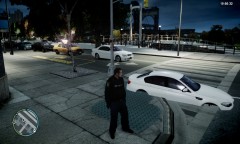 It could also be a problem with the collision of the car, more specifically the wheels
 -
Those screenshots make me want to buy a PS3/Xbox to get the game when it comes out. I can't wait for it on PC
-
Yeah as said above it will work if you can export as .3ds or .obj format. However since you're getting a course, I'd suggest instead of getting one in Autodesk Inventor, getting one in Autodesk 3ds Max
-
'?do=embed' frameborder='0' data-embedContent>> '?do=embed' frameborder='0' data-embedContent>> '?do=embed' frameborder='0' data-embedContent>> '?do=embed' frameborder='0' data-embedContent>> (You have to PM him for the skin.) It's amazing how useful the search function is.
-
No shit Sherlock. He didn't say what game he wanted a Dodge Magnum for, I just provided him with an unlocked Dodge Magnum. He could convert it to GTA IV if he wants.
-
You just have to be patient. While you wait you could explain what you want in more detail, possibly provide an example
-
Here ya go: http://www.gtainside.com/en/download.php?do=comments&cat=133&id=39404
-
-
Personally I quite like the Whelen Legacy:
-
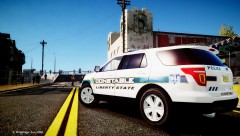 For more pictures of the model, visit: '?do=embed' frameborder='0' data-embedContent>>
 -
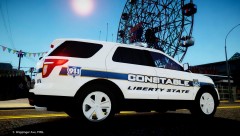 For more pictures of the model, visit: '?do=embed' frameborder='0' data-embedContent>>
 -
Added new WIP
-
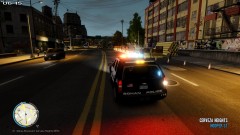 Is that a different ENB? It's different from what you sent me before...
 -
Could you post a screenshot of what you mean? Is it the trim? Also if you're using Schaefft's model, then you do realise that it's a 2003
-
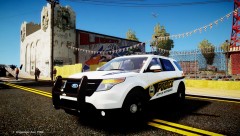 We will most likely be trading for vehicle models or a considerable amount of lighting, etc equipment
 -
On behalf of Mike Oscar Modding we will only be giving this model to modders who are willing to trade. It will not be uploaded to any website unlocked. Regards, Kam MO Public Relations
-
Charger Rambar*
-
To change light colours you just have to edit emerglights and/or emerglights_emis
-
This is somewhat similar to what you're looking for: http://www.youtube.com/watch?v=HlGLUSRMcUo
-
Try re-installing ELS 7
