




Dozel
Members
-
Joined
-
Last visited
Everything posted by Dozel
-
If it's LSPDFR, try manual installetion, not automatic, it's convenient but not reliable.
-
Try to rename mods folder to _mods and try again.
-
Try all thoose steps again, and tell about result:
-
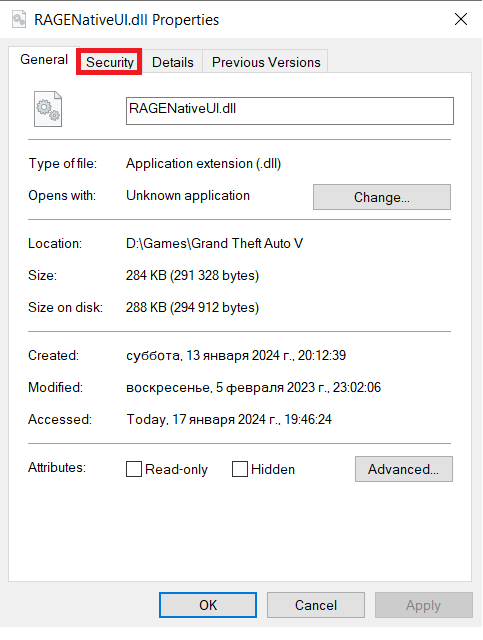
permission entries you can find in Properties->Security->Advanced tab Ok, so I'm not sure, bet let's try this: Delete RageNativeUI.dll from game folder, try this one RageNativeUI, make sure your game folder still in antivirus exceptions (Kaspersky and Windows Defender, as well you can temporary disable it, to make sure it will not interfere). If it'll not help, I think only about temporary create new Plugins folder (rename current one to _plugins) and install there LSPDFR (manual install) and Ultimate Backup (do not replace RageNativeUI!), see if it will work.
-
Wrong log. Attach RagePluginHook.log, file in GTAV Main directory, not from the mods folder
-
ScriptHookVDotNet doesn't belong there. You should install it in main GTAV folder
-
Take a look into Plugins or Plugins/LSPDFR folder, if you'll find there CalloutInterfaceAPI.dll relocate it to GTAV main folder, if there is nothing, properly reintstall SuperCallouts (at least you can find CalloutInterfaceAPI.dll there).
-
Glad you figure it out 😉
-
I also advise to remove: Wilderness Callouts (use Forestry Callouts instead), DeLuca's County Callouts (including dlGlobal), DefinitiveCallouts, WoutersCalloutsV
-
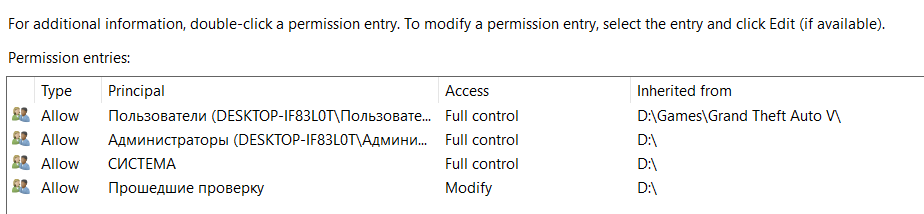
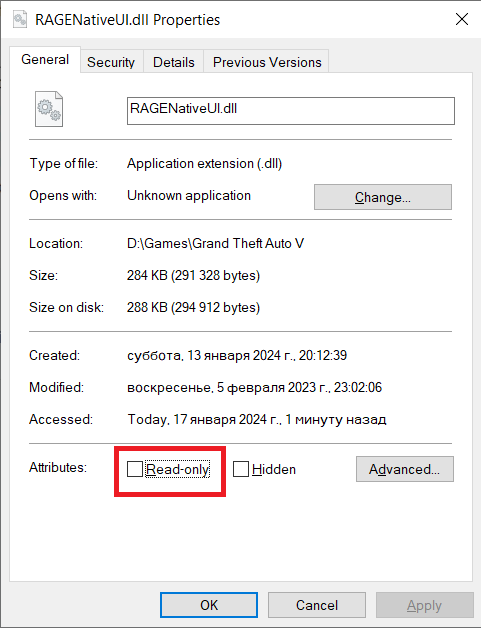
I'm not sure it's the way it should be I think you have plugin incorrectly installed. Relocate Disarm.dll from Plugins/LSPDFR to Plugins folder, same for ClearTheWayV, it should be in Plugins folder Do you have ScriptHookVDotNet installed in Plugins/LSPDFR folder? It doesn't belong there. For some reason it's still the same error with RageNativeUI I'm not sure, but try to add the game folder to antivirus exceptions (all antiviruses you have, including Windows Defender) and reinstall RageNativeUI. I don't think it's the problem but make sure you have permision to read RageNativeUI And it's not Read-Only
-
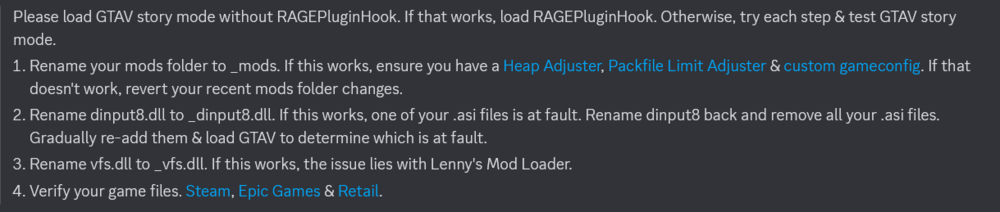
Try this:
-
Please attach your RagePluginHook.log, file located in main GTAV folder, not from the logs folder
-
Immersive Dispatch is outdated, use GrammarPolice instead.
-
It's because LSPDFR was crashed and DeadlyWeapons was terminated I'm not sure but something happend while Beanbag was given to player I can only advise ask for support from plugin developer RicyVasco, maybe he has some discord server, or forum topic for support.
-
Me too to be honest... Well I'm not sure but let's try add the game folder to antivirus exceptions (all of them if you have more than one, Windows Defender included), reinstall LSDFR using manual install, make sure mods folder still disabled (named _mods), try launch game, if still crashes send new RagePluginHook.log file.
-
Relocate Newtonsoft.Json.dll from Plugins/LSPDFR to GTAV Main folder Remove: Callout Manager (outdated), More Radio Chatter Update: BetterPresence, drmaynards Callouts, JM Callouts Remastered, Country Murders, Super Callouts, SuperEvents, XScanner Also recommend: fully remove Forestry Callouts and reinstall from here. fully remove OfficerPorciPlugin and reinstall Radio Realism FR Remove Automatic Siren Cutout, and Rich's Police Enhancements for better game experiance. According to log I think reason was some vehicle neither you missing, or it's broken. You can try to disable mods folder renaming it to _mods, and check it out.
-
I'm not sure but according to the log it may somehow connected to weapons given to player, so that's why I'm asking you to temporary delete Bait Car and try again with combat enhanced (make sure it's latest version), if it will not work ask for support from plugin developer and provide him latest log (RagePluginHook.log file).
-
Leave mods folder disabled and try to verify game files.
-
All of it. Every component tag has commentary <!-- berd --> <Component id="1" drawable="101" texture="0"/> <!-- uppr --> <Component id="3" drawable="4" texture="0"/> <!-- lowr --> <Component id="4" drawable="35" texture="0"/> <!-- hand --> <Component id="5" drawable="52" texture="0"/> <!-- feet --> <Component id="6" drawable="51" texture="0"/> <!-- teef --> <Component id="7" drawable="8" texture="0"/> <!-- accs --> <Component id="8" drawable="56" texture="0"/> <!-- task --> <Component id="9" drawable="0" texture="0"/> <!-- decl --> <Component id="10" drawable="0" texture="0"/> <!-- jbib --> <Component id="11" drawable="200" texture="0"/> Like <!-- berd --> for example. That's my notes about combinations, but notes was made for Ultimate Backup and may not look like the ones in the EUPFR, unfortunatly I'm not able to tell you exectly what is where.
-
-
Yap it's the same error, try to rename your mods folder to _mods and retry, be advised it's not the solution, it's diagnostic measure. If it will work, you should try to revert recent changes connected with mods folder, try removing mods one-by-one, or you always can start new mods folder.
-
Please, attach latest log, to do so launch game and attach RagePluginHook.log, file located in main GTAV folder. NOT from the logs folder. If there will be the same error try to rename your mods folder to _mods and retry.
-
-
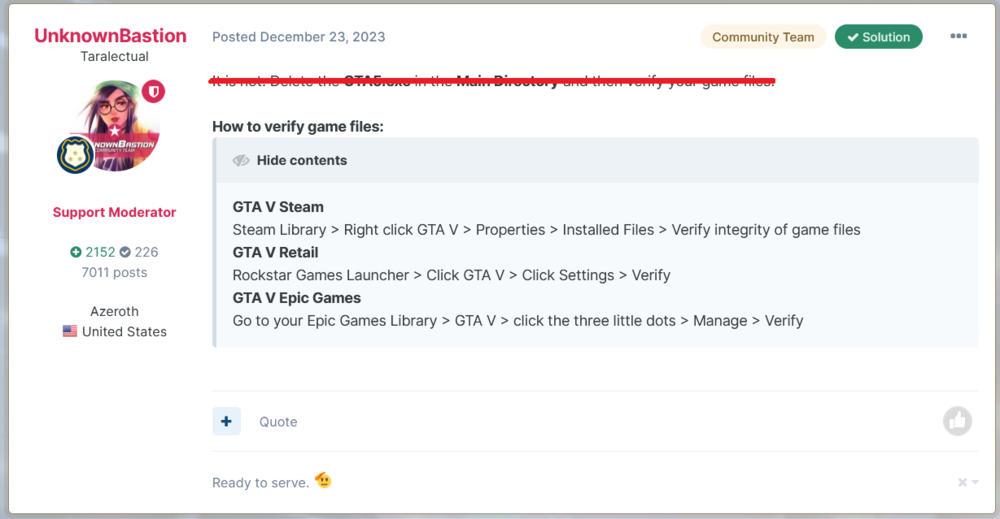
Here you go:
-



