




Dozel
Members
-
Joined
-
Last visited
Everything posted by Dozel
-
That's wrong log. It was created after the one you posted. You may try to install that one RAGENativeUI, Join into the game, go on duty and if there will be same error, post log again. Keep in mind that log is overwritten after each game launch.
-
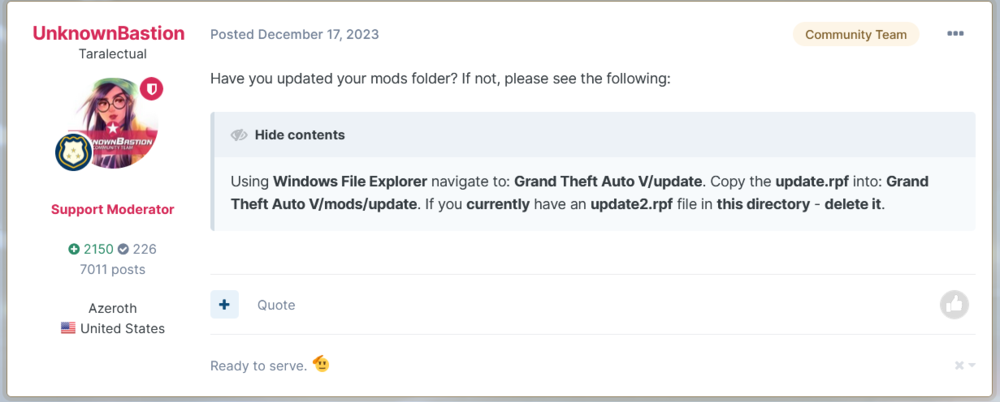
I see you have latest GTAV version, do you have mods folder updated as well (just in case if you installed mods before Chop Shop update)?
-
In JM Callouts Remastered archive you can find it. Also make sure RageNativeUI in your GTAV is latest
-
I see you still have JM Callouts Remastered, make sure you have CalloutInterfaceAPI.dll and RAGENativeUI.dll in GTAV main folder.
-
Did you try to reinstall LSPDFR using Manual Archive as I advised?
-
Texture problem means overload VRAM, if after disabling mods your textures are fine, reduce cars texture qulity. Read it carefully What do you mean "freezing problem"? If you mean FPS Make sure your PC spec complies with the requirements of GTA V
-
You still getting texture pop-ups? What happend when you disable mods folder?
-
Drag and drop whole file here, I want to see complete log 🙂
-
There is only one RagePluginHook.log file in GTAV main directory.
-
Try to disable mods folder by renaming it to _mods, and play a while. If you will not get crash, then some of mods causing it, try to revert changes or you always can start a new fresh mods folder. If you still get crash with mods folder disabled, verify game files. Also make sure you have all of these installed: gameconfig, Heap Adjuster, Packfile Limit Adjust.
-
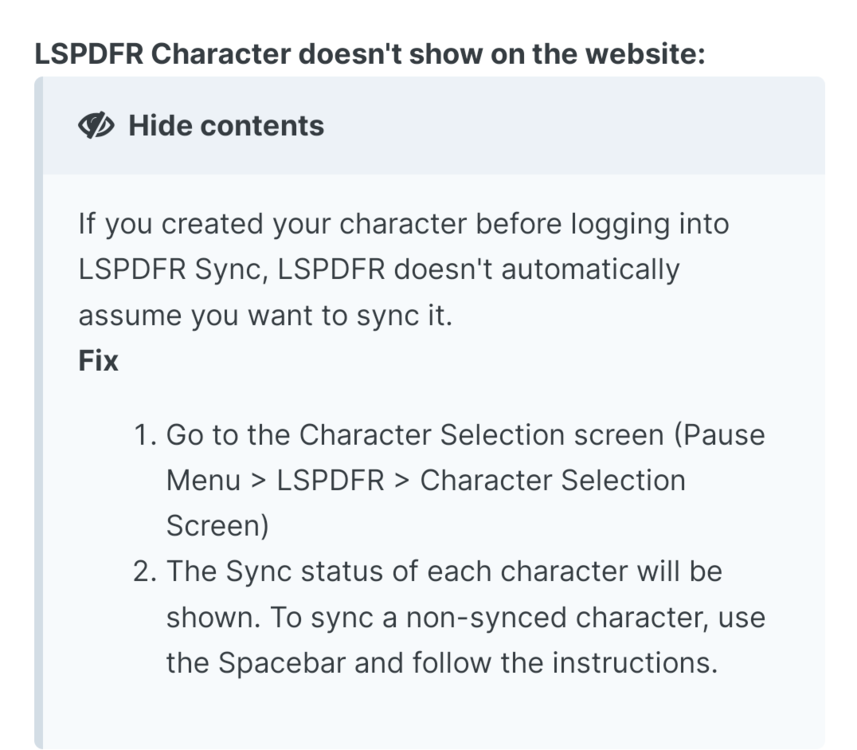
Try this
-
Attach RagePluginHook.log, file in GTA V main folder, not from the logs folder.
-
Could you please attach RagePluginHook.log, file located in GTAV main folder, not from the logs folder.
-
I knew Traffic Policer was updated on GitHub, but didn't knew there is the rest of Albo plugins. Thanks 🙃.
-
Glad I was able to help 😉
-
I'll suggest to remove: LSPDFR+, PoliceSmartRadio (use GrammarPolice), thoose plugins outdated. I'm pretty sure Albo1125.Common.dll causing crash, so I advice to to delete thoose plugins. Also for better game experiance I'll recommend remove: CrazyPursuit, Los Santos RED or LSPDFR Expanded (I'm not sure they are compatible becouse doing the same thing, but I could be wong). Update: Riskier Traffic Stops, Combat Enhanced.
-
I also suggest using the manual installation of the LSPDFR. Automatic, although convenient but it is not always reliable.
-
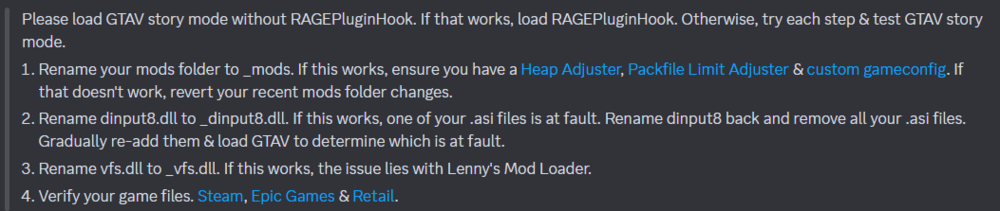
I'm not sure completely, but you can try this Wait a second. I just noticed Oh jeez, I'm not sure you'll able to play on Windows 7 🤨. But you still can try steps abow. Probably big amount of mods destabilized game.
-
So any news about this one? I really curious what was the reason 🤔
-
That's not the way it's supposed to be I think you should take a look into your plugins folder or RagePluginHook settings and disable/delete that "lspdfr.dll". Also try to update LSPDFR, use Manual Install archive
-
There is error in translation (I think). ...If you WILL NOT encounter texture loss issue after renaming, rename mods folder back to mods...
-
Try renaming mods folder to _mods, if you'll get rig of texture loss, rename mods folder back to mods and take a look here, maybe that would help. About crash, try temorary delete JMCalloutsRemastered, if it will not help try reinstall LSPDFR using Manual Install archive.
-
Relocate CalloutInterfaceAPI from Plugins/LSPDFR to GTA V main folder. Also make sure you have Newtonsoft.Json.dll and XSerializer.dll in GTA V main folder, if not, take a look into Plugins or Plugins/LSPDFR folders, if there is nothing, reinstall Section136Callouts properly, or delete it completly. Remove: AirportCallouts, Gang Callouts, High Priority Callouts, Mcallout, Traffic Policer. Thoose plugins are outdated Also remove: DeLuca's County Callouts (including dlGlobal), UnsafeCallouts (broken), YobbinCallouts (or disable bait car callout), for better game experiance. Update: UrbanCallouts, 686 Callouts, Deadly Weapons, JM Callouts Remastered, SuperCallouts, Super Events, IG Callouts.
-
Do you have mods folder? If yes, try rename it from mods to _mods, that will disable mods installed there so it's just diagnostic measure, not the solution.
-
Usually Increasing Plugin Timeout Threshold to 60000 helps, but you already have it.. Try in lspdfr.ini set Main.PreloadAllModels = false Also on top, Remove: LeroyCallouts (broken), SuperCallouts2 (seems like you have that .dll in plugins/lspdfr, even don't know what is that callout plugin, probably backup of original SuperCallout but there is only one SuperCallouts you should have in folder). Remove: YobbinCallouts (or disable bait car callout), UnitedCallouts for better game experiance




