




Dozel
Members
-
Joined
-
Last visited
Everything posted by Dozel
-
1. renaming mods folder to _mods disables it. So it's ok if you don't have your installed cars because that process is a diagnostic measure and not the solution. 2. Enable your mods folder and make sure you have these installed: Gameconfig or Gameconfig (choose one) HeapAdjuster Packfile Limit Adjuster
-
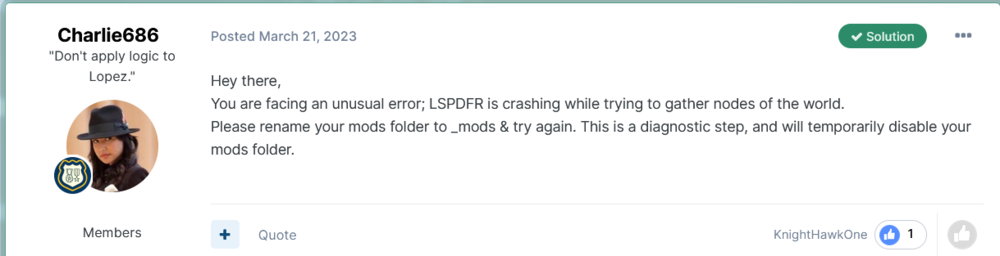
Well that one is really unusual for me. You could try Charlie's advice for a test, not gonna say you have exectly the same problem, but if it gonna work, some mod in the mods folder causing the issue. Or you can wait for UnknownBastion to respond. Also you can try to increase Plugin Timeout Threshold to 60000 in RagePluginHook settings, it's not related to your current issue, but can prevent LSPDFR crash/freezes in the future.
-
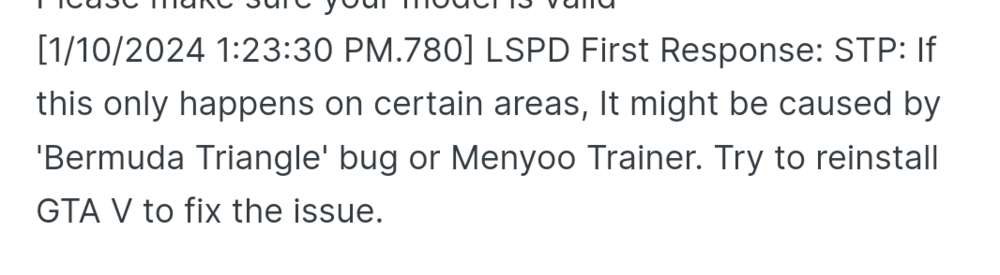
Core of the problem could be similar. Menyoo causing bug with spawning, try to play a bit without trainer. As Lennyy said, STP tow service are broken right now, but as far as I know that not causing spawn issues.
-
Just to clarify, do you have trainers like Menyoo?
-
Uhm... do you have RageNativeUI installed? If yes, update, if no, install. This is not related to your issue, but will be usefull to do: Remove: SpeedyPursuit, UnsafeCallouts for a better and stable game experiance. Also disable 'BaitCar' callout in YobbinCallouts, or delete whole plugin as well
-
You're welcome
-
Newtonsoft.Json.dll not related to coop, it's related to Section136Callouts that's why your LSPDFR crashing according to log.
-
This is not related to your issue, but will be usefull to do: Remove: SpeedyPursuit, UnsafeCallouts for a better and stable game experiance. Also disable 'BaitCar' callout in YobbinCallouts, or delete whole plugin as well
-
Update: LSPDFR, 686 Callouts Remove: PoliceSmartRadio, Traffic Policer for a better and stable game experiance.
-
I'm not sure that you able to play LSPDFR Coop. According to the log you are missing Newtonsoft.Json.dll, make sure it's in GTAV main folder, if not, take a look into Plugins or Plugins/LSPDFR folder, if there is empty, download Section136Callouts again and install it properly with Newtonsoft.Json.dll
-
Uhm... do you have RageNativeUI installed? If yes, update, if no, install.
-
Ok so, I tried install SimpleHUD for myself but get the same issue, I have the speed limit and I'm able to open menu, but I don't have directions, streets, etc. Let's make sure you still have 1 LemonUI installed, it should be SHVDN3 version. Now you have to start the game, open menu and change parameters to right and then back left for every tab (postal, direction, time....), important: don't forget to press 'Enter' on each parameter to save changes, it should display missing hud parts. All changes will be saved automatically in .ini file
-
If your game crashing with mods folder and as far as I understand you have cars installed, make sure you have these installed as well: Gameconfig or Gameconfig (choose one) HeapAdjuster Packfile Limit Adjuster If it doesn't help try to revert recent changes deleting mods one-by-one and check if it helps, if still crashing start new mods folder.
-
Plugins that was recommended by Kate is good, and you have to install them as well, but if I'm not mistaken new version of Traffic Policer is here. And I guess from all Albo plugins only Traffic Policer was updated, if you will experiance crashes and your game will be unstable, it's probably Traffic Policer, but not always.
-
I'm not sure it's mods folder. @okihsalog I have two thought here: 1. You trying to do ForceDuty while you already there Here you are went on duty (probably automatically upon launch) And soon after you getting error message trying ForceDuty: 2. Or error could be somehow connected to Prowler Radar or IPT.Common.dll, according to Stack Trace, try to temprary remove Prowler Radar and/or update IPT.Common.dll (library should be inside GTA V main directory), and try again:
-
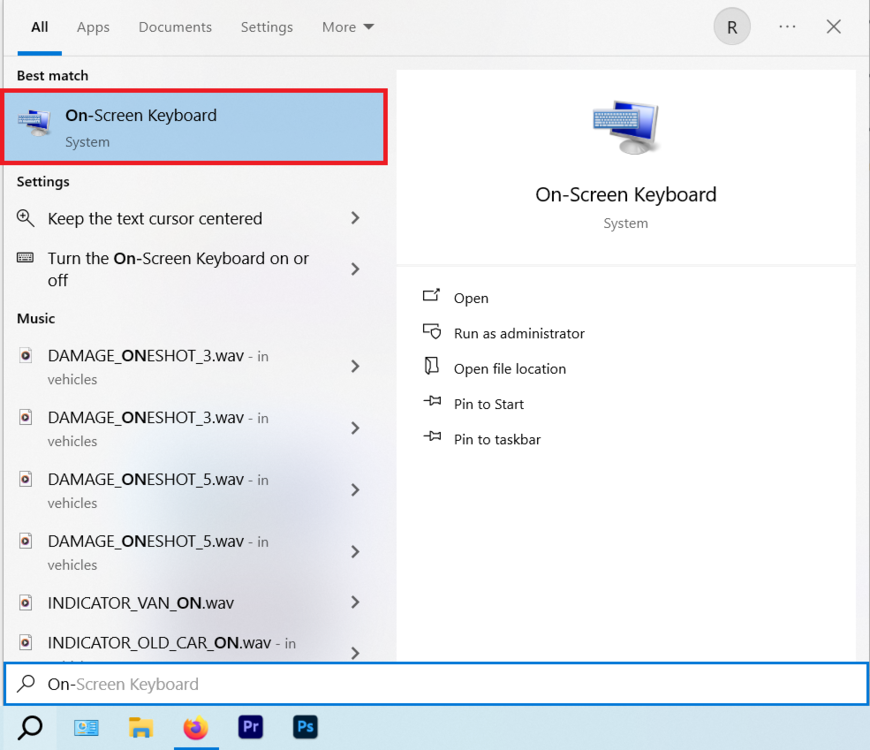
What a shame, also was interested about. @CTL if you don't have NumPud keys on your keyboard you can use Windows Virtual Keyboard (On-Screen Keyboard app).
-
https://www.lcpdfr.com/downloads/gta5mods/scripts/28560-sirensetting-limit-adjuster/
-

-
If you are talking about not being able to call a tow truck only flatbed, so it's common issue, wait while Bejo release new update to fix this. If you have some other problems with STP, please provide more information and RagePluginHook.log, file located in GTA V main directory, not from the logs folder.
-
If you have low spec PC, I think NVE can cause that kind of issues, because it requires big amount of VRAM. Try to load without it. Also take a closer look to that topic if you are using addon cars, could be useful: https://www.lcpdfr.com/forums/topic/95719-guide-how-to-get-rid-and-avoid-texture-pop-ups-disappearing-assets/
-
Glad I was able to help you)
-
If I were you I'd like to try that: If mods folder in game files - disable it by renaming _mods, try again. Still crashes? Try to load game with RPH, but without LSPDFR, load manually through console (LoadPlugin command), if still crashes, I'd like to verify game files.
-
Good guess, but it's common thing when you are using EUPFR or EUP Configs. I think actual reason is apartments Another reason actually could be old RageNativeUI so that error accures (don't know execlty, and I think it's irrelevant). As Cyan explained "Attempted to read or write protected memory" issue is caused by outdated memory patterns that no longer match. As an attempt you can try to install/update RageNativeUI
-
I have only one thought about this, something in your Windows blocking RPH launching process. But that's just thought, I could be wrong becouse I'm not a part of the support team. You can try ask for help on RagePluginHook discord server, maybe they could figure it out. Or wait for respond of someone more qualified.
-
I saw something familiar with RDR2, but that was ReShade problem. Here I really could blame only graphics mods now, if your GPU is fine.







