




Steele1925
Members
-
Joined
-
Last visited
Everything posted by Steele1925
-
-
Well then, I was proven wrong. It's nice to see such a wide variety of people in this community :)
-
Well then I was wrong, dsound.dll is clearly there..... Hmmm........... I'd try to delete ALL LCPDFR related content (including AdvancedHook/Scripthood/dsound etc.) AND the LCPDFR folder, all after running the uninstall.exe Next, do a manual install of LCPDFR 1.0d Hotfix. Simply drag and drop all files. This should be a sure thing. Let me know how that goes. Make sure you're only installing LCPDFR, not ELS or any ENB or other Script Mods along with it. Make sure LCPDFR works for you first, then slowly install the other mods and see which one is causing the problem. I really hope this works.
-
What I mean is, check to make sure it is set to Enabled=True
-
Hello LCPDFR community, As of yesterday I am now 41 years old and I'm beginning to think I'm the oldest guy on this website. So what is your age? Thank you LCPDFR community for being one of the most friendly and helpful internet communities out there. Happy gaming :)
-
When did this error occur? Meaning, what exactly were you doing when it popped up? This sometimes happens to me during a pursuit if I lose sight of the suspect. The error repeats for me until I kill the guy. But in your case I'm currently unaware of what's causing this.
-
Well I had this problem after the 1.0d hotfix update also. Here's how I fixed it thanks to some help from the moderators here.... Apparently, when I did a drag and drop of the new AdvancedHook files, it did not replace them for one reason or another. So I had to manually delete them, and then add the new ones. The error stopped immediately after. Not sure if this is the same problem you're having, but if it is, I hope this fixes the issue for you. Happy gaming :)
-
May I ask how you start your game? What I mean is, do you simply start from desktop/steam or do you start from the LauchGTAIV application? Here's how you get there Local Disk (C:) / ProgramFiles / ProgramFiles (x86) / Steam / SteamApps / Common / GTAIV / Then scroll down until you see LaunchGTAIV. Right click and then Left click "Run as Administrator". I hope this helps you. Also, be sure to read everything Cyan has posted for you about posting instructions. Happy gaming :)
-
Well let's start with checking your LCPDFR.config file. What are Callouts set to?
-
Well.... What started happening exactly?
-
Well xliveless.dll never worked for me. Have you tried using dsound.dll instead? EDIT: Remember if you do try this, you must first delete xliveless.
-
Can you post a picture of your GTA IV Directory? It sounds like an ASI Loader installation issue.
-
Great work buddy! Folks, we sometimes tend to forget that it's not about being an exact 100% replica... It's about the unique style that the artist has put into the vehicle to make it stand out. That being said, fantastic work!
- 12 comments
- 1 review
-
-

- 1
-
-
-
Happy birthday form the U.S.A.!!! It's my birthday too, but considering my age I'm not too happy about it :(
-
The log will not show up until after you've played LCPDFR. Since it was deleted, you must play again for the new log to show up.
-
Could be a few things, which most likely isn't something you would like to hear and I understand that and want very much to help you solve this quickly.... 1. Modded vehicle may be bugged in some way, causing a crash. This could be any vehicle you have, so mod them 1 at a time to see which one it could be. 2. If you simply "replaced" the files for LCPDFR 1.0d, then you may have a problem. I had this problem aswell, turns out I had to completely delete LCPDFR before installing 1.0d To do this, run the uninstall.exe, and then after that completes, do a manual cleanup of everything LCPDFR related including the LCPDFR Folder, ScriptHooks, and AdvancedHooks. Delete them all and the logs with them. Then you can simply copy/paste the LCPDFR 1.0d Hotfix folder into your directory. 3. If you have a saved vehicle at a safehouse, even if unmodded, it will cause problems. Move that vehicle out of the save location, save your game, enjoy (hopefully). 4. I have found that getting the SMPA60 error is in my case always related to a bad mod. This could be a weapons/audio/vehicle/script mod you're using. Install mods 1 at a time. I wait for at least 30 minutes of game time before I say a mod is good and will not crash my game. 5. VP Callouts has not yet been updated to be compatible with 1.0d, I suggest uninstalling that mod until an update is released. Here are the mods I use. But remember to do the above mentioned tips prior to just installing what I have. These can all be found here on lcpdfr LCPDFR 1.0d Hotfix (of course) ENB SFE (graphics mod) ELS V8 GTA IV Cop Manager (manages the amount of police officers and their cars in the game, helping to prevent crashes) Traffic Flow V5 (Chance of Random Dispatch=100 in the trafficflow.ini/trafficflow.config file) Callouts+ (newest version by LukeD) WoutersCallouts (newest version) NoPulloverSpeech LCPDFR Random Chatter Silencer Cencom Flyer 2359 siren 2006 CVPI LCDOC by CJ24 (changed the skin with one of his other vehicles' skin) SimpleNativeTrainer V65 EDIT: I never crash with my current setup... Ever. I really hope this helps you in some way or at least guides you in the right direction.... Happy gaming :)
-
Here's 2 problems I had previously.... 1. I had a modded vehicle that was poorly modeled (I now use CJ24's LC-DOJ 2006 CVPI) 2. I had a saved vehicle outside of Roman's apartment... Even though it wasn't modded in any way, it was still causing problems unknown to me. I moved the vehicle to a spot that it would not be saved in, and then I saved the game. After that, no crashes... Ever.
-
Here's what I had to do... Delete EVERY file related to LCPDFR, don't just replace them. For one reason or another, it turns out (in my case) that it wasn't replacing some of the files, including the AdvancedHook.dll To be sure, start by running the uninstall.exe, and after that, do a manual cleanup of any LCPDFR related files including scripthooks and advancedhooks. I also got rid of all logs but I'm not sure if you have to do that. After I did all of this, no problems. Good luck, hope this works for you :)
-
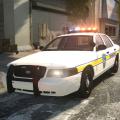 That fixed it, I had the vehicle as noose... Thanks for the timely response Cj24 :)
- 8 comments
- 8 reviews
-
Not sure if you're taking suggestions at the moment seeing as you have already done so much with this mod but...... Here's an idea for a Callout that could end in several different ways (presumably 4)... Officer has requested a backup unit for a traffic stop. You arrive and 1 of 4 things happens randomly. 1. All is well and AI officer gives the suspect a ticket (ending the call) 2. Suspect has a warrant and the officer requests their arrest (call ends after arrest/transport/death of suspect) 3. Suspect opens fire (call ends after arrest/transport/death of suspect) 4. Suspect flees in vehicle (or on foot) (call ends after arrest/transport/death of suspect) Just some suggestions for a new call. Thank you Lt Flash for your amazing effort!
-
Lights aren't working for me.... I replaced the "ELS" file. When I turn them on, the right side is the only side that lights up, and it remains stationary. I am unable to change patterns etc.... Did I miss something?
- 8 comments
- 8 reviews
-
I like the skin setup... Rims look cool, visually seems fine from the pictures. I'll give it a download and see how it performs :) Nice choice for a 1'st.
- 9 comments
- 3 reviews
-
-
- 1
-
-
Until I tweaked my LCPDFR settings... 5 minutes. Since the tweak (with help from Lt Flash)..... Hours and hours and hours. No crashes since.
-
Wow I feel like an idiot ha ha.... Thanks man.

