Original Light
Friends of LSPDFR
-
Joined
-
Last visited
Everything posted by Original Light
-
MODERATOR NOTICE Topic moved to GTA IV/Support
-
MODERATOR NOTICE Topic moved to French Forum
-
So which one are you having trouble with?
-
It means that you have to download them. Make sure that you read this topic: http://www.lcpdfr.com/forum-20/announcement-5-need-support-read-this-first/
-
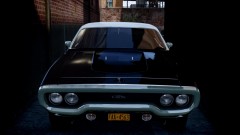 Is there a Plymouth Satellite for GTA IV as well? A Police version would be pretty cool, since they did use the 4-door Satellite as a police car from the 70s to the early 80s.
 -
Sorry to bump this. But I thought the season finale was pretty good. I actually thought the beginning to middle was a little slow, but it quickly escalated near the end. So,
-
Oh yeah, I forgot. It's called the street appearance package.
-
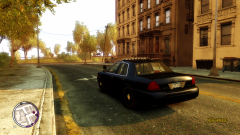
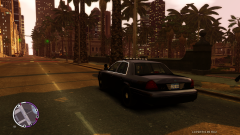
It might be a Whelen, but I'm not sure. Those are some old CVPI's, since they have the chrome grille (they stopped chrome grilles on the Police Interceptor near 2000), from what I know.
-
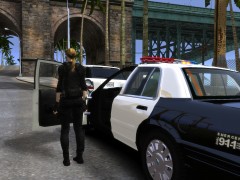 Tell Jill Valentine that she's my valentine.
 -
-
@Lt Phill Bellic:
-
 No more flaming. If you guys have trouble with him, take it to PM. No fighting in the comments. Thanks.
 -
MODERATOR NOTICE Topic moved to Gameplay/Misc Modifications
-
-
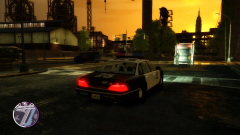
From the album: Police Vehicle Pictures
While I doubt that a 1994 Crown Victoria should still even be in service, mine is! -
Yes it is, right now. But there are rumors that there will be a civilian Caprice SS. They already have it in NASCAR.
-
But less likely. From the late 90s, to about 2007, the Crown Victoria was almost "overused". It was so popular, that's all people would associate it with: police, and taxi services. There wasn't really any other sedan that could stand a chance, the Impala was a piece of sh*t by comparison, the Caprice left production, and gas guzzling SUV's weren't nearly favored as much. Now we have a much larger variety, and by the looks of it, 4 patrol vehicles that will hopefully be mixed; the Taurus, Explorer, Caprice, and Charger. But let's say, for example, the Caprice is the only decent, reliable, and cost efficient vehicle, then we will likely see a repeat of what happened with the Crown Victoria. Good for Chevy, bad for everyone else.
-
MODERATOR NOTICE This has nothing to do with LCPDFR, topic moved to Random
-
-
-
How to apply Antialiasing (AA) in Grand Theft Auto IV or Episodes from Liberty City Note: Nvidia Cards only This is using FXAA, Nvidia's form of AA. I'm using a GTX 680 Super Clocked edition. FXAA will work on most Nvidia cards, both old and new. Hey everyone. Some of you may already know this, and some of you may not. I've created this topic so that those of you that didn't know this, can. As most of you know, ever since the release of Grand Theft Auto IV, the game hasn't supported Antialiasing (or AA for short). Antialiasing basically gets rid of jagged edges around corners. For those of you that would like an example on what it looks like with/without for comparison, look at this: http://www.gamedev.ru/files/images/taa_vs_noaa.jpg Not the best example, I know. But it may give you an idea. FXAA doesn't show in screenshots, so making comparison screenshots wouldn't work. If you look at the picture, you will notice that with AA, edges will be smoothed out, and less pixilated. AA will help make lower resolutions more bearable, and make maximum resolutions look even better. So, you're probably wondering how to do this, right? Again, I think this only works on Nvidia's series of cards, but I'm sure there's another guide AMD users will be able to use to get AA as well. On the bottom, look under 'Additions', it will show other methods of AA for non-Nvidia cards, posted by other members in this topic. Many thanks to them. *Skip this part if you already have Nvidia System Tools* First, download Nvidia System Tools if you haven't already: http://www.nvidia.com/object/nvidia_system_tools_6.02.html Note: During installation, I recommend that you select 'create shortcuts' if you're given the option. This will make going in/out much easier and faster. Install it to your preferred folder. Now you're caught up, *Skip to here if you already have Nvidia System Tools* Open NVIDIA Control Panel. Go under 3D Settings (located at the top left), and click on Manage 3D Settings. Now go over to Program Settings. Under 'Select a program to customize:' find your GTA IV or EFLC .exe For me, my EFLC .exe is named eflc.exe. In order to find your .exe, you may need to hit 'Add' next to 'Select a program to customize:', and find it. It displays the most recent applications you launched, so in some cases, you may need to start GTA up for a second, exit, and then search for it. If you require help finding it, post below, and I will help you. Once you've found it, go down to Antialiasing - FXAA, make sure it's set to On. Go down to Antialiasing - Gamma correction, if you think your card can handle it, set it to on. Otherwise, leave it Off. You can tweak your settings by going in/out of the game, and seeing which works best for your card. Here's one of the most important parts; Antialiasing - Mode, make sure it's set to 'Override any application setting'. This will force it onto GTA IV. This step is based on what you think your card can handle. Next to Antialiasing - Setting, you have: 2x 4x 8x CSAA 8x 16x CSAA 16Q CSAA 32 CSAA The easiest way I can put this is; the further down you go on the list, the better the settings are, but more pressure is put on your card, which can affect your FPS. Under Antialiasing - Transparency, you have a choice of: Off Multisample 2x (supersample) 4x (supersample) 8x (supersample) Again, the easiest way I can put this is; the further down the list, the better it looks, but more wear and tear is on your card. Now hit 'Apply' in the lower right hand corner of the screen. And you're all set. You will also find a list of many other settings that can help improve you GTA IV experience as well. Tweak at your own risk, I'm not responsible for ANY DAMAGE done to your card. There's your warning, but to be honest, I think everything here is pretty much harmless. FXAA is a very performance friendly form of AA. So your FPS shouldn't be effected too badly, even with max FXAA settings. This will also work for other games that don't support AA, If there's anything I can do to improve this guide, please let me know. Even if I made a typo, please post below. I will continue to update this guide, and make it better as time goes on. Think of this as an incomplete beta. Any questions or comments, please feel free to post below. Enjoy a less jagged edge and pixilated patrol, Nick Additions: ---------------------------------------------------------------------------------------------------------------------------------------------------------------------------------------------------------------- "Just on a side note, you can also use injectSMAA. It works with both NVidia and ATI cards and it's really performance-friendly. - Yard1 ---------------------------------------------------------------------------------------------------------------------------------------------------------------------------------------------------------------- "On AMD/ATI cards, in "gaming" tab, enable the "morphological filtering" or "morphological box", it's MLAA, and it reduces aliasing a lot on my GTAIV / EFLC at 1080p, without performance loss. Disabling "definition" in the game graphics settings help a bit too, following visual mods that you have." Attached Thumbnails -DarthWound ---------------------------------------------------------------------------------------------------------------------------------------------------------------------------------------------------------------- Thank you Yard1, DarthWound, and Break for helping me update and fix this tutorial.
-
God bless you and your family. It's good to know that you're okay.
-
No problem. I recommend Sgt.Kanyo's Crown Victoria. Here's his profile: http://www.lcpdfr.com/user/18137-sgtkanyo/ Click on the 'Files' tab and you'll see two versions on the bottom. It looks just like that one, except it has the bar grille and an LAPD paintjob. Good luck.
-
You could probably find an LAPD Crown Victoria with an MX7000, and just apply a different paint job to it. There's also many other models for GTA IV with that lightbar, but maybe not the same exact paintjob.
-
MODERATOR NOTICE Topics merged