Skip to content
View in the app

A better way to browse. Learn more.

LCPDFR.com

A full-screen app on your home screen with push notifications, badges and more.

To install this app on iOS and iPadOS
  1. Tap the Share icon in Safari
  2. Scroll the menu and tap Add to Home Screen.
  3. Tap Add in the top-right corner.
To install this app on Android
  1. Tap the 3-dot menu (⋮) in the top-right corner of the browser.
  2. Tap Add to Home screen or Install app.
  3. Confirm by tapping Install.

VisualV 1.0.330

(19 reviews)

8 Screenshots

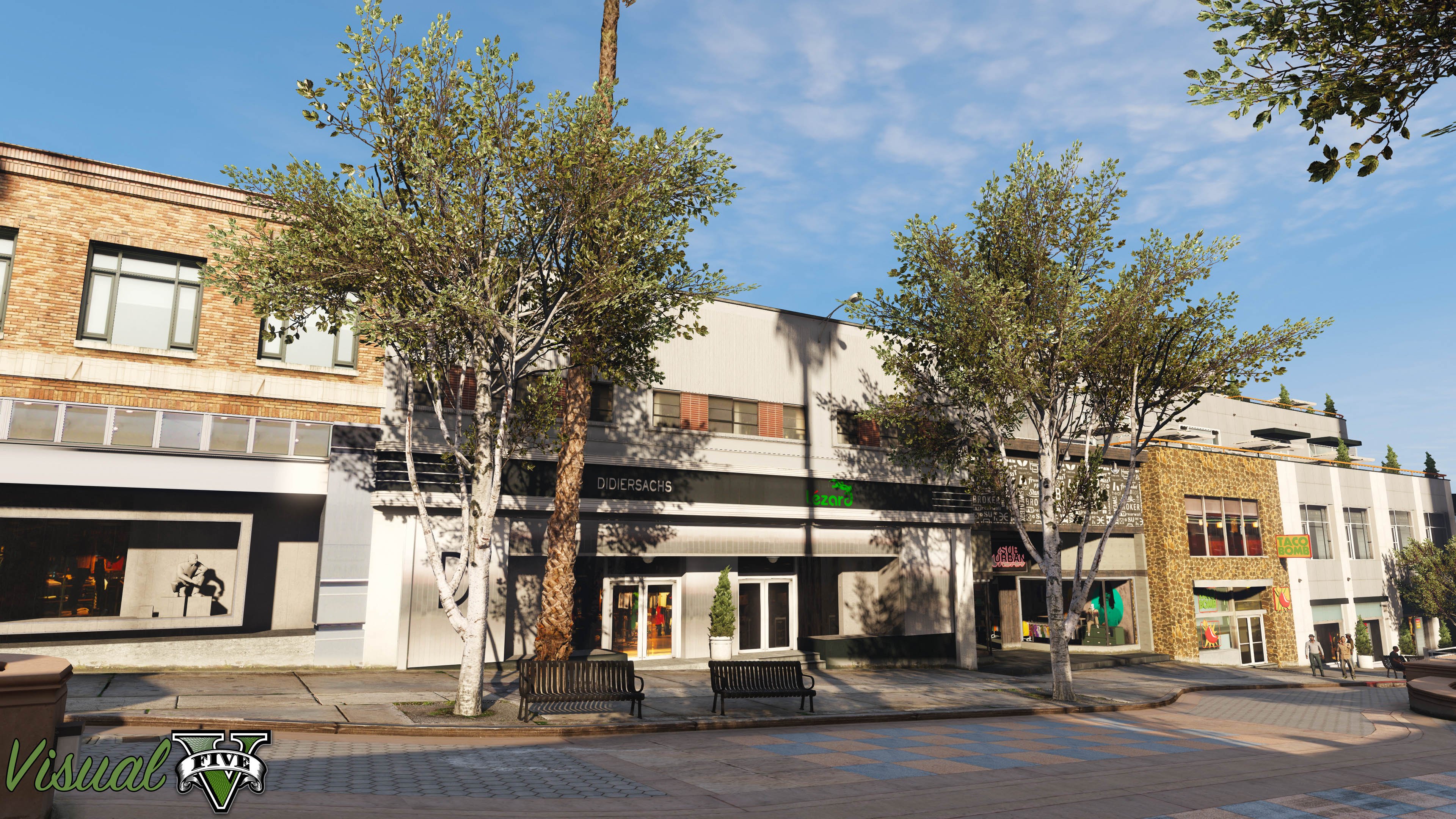
VisualV is a graphic overhaul modification for Grand Theft Auto V, bringing you a completely redone time cycle, edited timecycle modificators for areas/interiors, improved color correction to add some life to Los Santos and Blaine County as well as a fixed rendering code, so your playing experience will be more smooth and nicer.
 
What was changed in VisualV?
- All weathers rewritten from scratch, based on a hundreds of Los Angeles photos and movies.
- Draw distance of lights was increased and they are more visible.
- Moon movement is corrected (no more moonrise at west!).
- Moon size was matched to the real world.
- Volumetric fog effect was improved, now it's stunning as it should be.
- Clouds colors, intensity and movement were built from scratch.
- Shadows under vehicles are in higher quality, so they are no more not blocky.
- Chromatic aberration and vignetting were removed from the normal gameplay.
- Lens flares are all the same for three lead characters.
- Dithering effect from the grass was removed for good, rainy weathers will make it great!
- And many, many minor fixes.

VisualV has own ReShade and ENB presets, with heat haze effect available only for VisualV.
There are few optionals improvements, check them out!



Ww8V3VI.png


Watch a comparsion video between vanilla graphic by R* and VisualV made by GSE Studio.


VisualV comparsion


Optional download links 
 

1.0.320
 

GTA5-Mods

Mediafire

1uAPdxh.jpg

b0Vjs5s.jpg

EUsLhja.jpg

Jn32dzi.png

VLimxFM.jpg

What's New in Version 1.0.330

Released

1.0.330 version:

- Compatibility with Gunrunning update (1.0.1103.2).
- Fixed an issue with low strength of taillight emissives while braking.
- Fixed an issue with missing water reflections for certain cloud types.
- Caustic texture has been changed.
- Lighting intensity during lightning strike has been slightly reduced.
- Vehicle lights fade distance has been extended to 500 meters.

Addon changes:
- Fixed an issue with excessive glowing of taxi adverts. (Radiance V compatibility)
- Removed lens flares appearing at certain camera angles. (No coronas)
- Several improvements for Earth Atmosphere script.

User Feedback

Recommended Comments

RINGISKONG

Members

On 7/8/2017 at 4:45 AM, cpivpack said:

@RINGISKONG Make sure you installed it to mods folder.

I did


any suggestion to better my fps with gtx750ti? I would get around 30fps but after installing this i get around 20 highest lowest is 15!

marrioman13

Members

On 7/18/2017 at 3:03 AM, OfficerIntelligent286 said:

any suggestion to better my fps with gtx750ti? I would get around 30fps but after installing this i get around 20 highest lowest is 15!

I used to have a 750ti and my frames were not usually this low, what graphical settings are you running on?

taxi44

Members

For the RadianceV compatibility optional, do you just install that by itself, or are you supposed to install that, then install RadianceV?

GunnDawg

Members

I installed this via the .OIV, then I isntalled the RadianceV compatibility via it's .OIV and these are my results. The ELS lights during the day just seem almost non existent, and just flat color textures, but the night time lights seem pretty decent. Here are some screens.


Daytime set at noon (SetDayTime 12)

Nighttime set at midnight (SetDayTime 24)


20171111223019_1.jpg

20171111223027_1.jpg

BlueLine16

Members

Can this be used if you don't have good graphics card? I think my computer was pretty basic on the minimal requirements to run the game. 

coastiestevie

Members

On 11/19/2017 at 9:44 AM, BlueLine16 said:

Can this be used if you don't have good graphics card? I think my computer was pretty basic on the minimal requirements to run the game. 

There's barely any FPS hit

sheepdog6024

Members

Love the mod just some problems, The taxi signs are too bright and at night everything seems a tad bit too dark (I have my brightness at like 75%). Any changes I can make to fix that?

Stu Montana

Members

Why is there a (newer) version 1.0.380 on gta5-mods.com? Is this version outdated? Should I get the other one?


Stu

aalejandro

Members

i have the original visual v can i change to the radiancev compatibility ??? alsp i have issue with taxi brghtness add how can i fix that nice work love visualV

and one more thing i have changed mi visual dat police car bar brighter and i love it if i install radianceV compatibility thats not going to change right???

(edited)

.

On 11/11/2017 at 10:34 PM, GunnDawg said:

I installed this via the .OIV, then I isntalled the RadianceV compatibility via it's .OIV and these are my results. The ELS lights during the day just seem almost non existent, and just flat color textures, but the night time lights seem pretty decent. Here are some screens.


Daytime set at noon (SetDayTime 12)

Nighttime set at midnight (SetDayTime 24)


20171111223019_1.jpg

20171111223027_1.jpg

I have the same exact problem. Have you ever found any fix for this..?

Edited by OfficerFriendlyy

j.rivers812

Members

will this work on an i7 7700  with a gta 1050 2 gig video card 

Pazzi

Members

Some tips to fix the emergency light intensity when using Visual-V:

  • Using OpenIV, go to update.rpf
  • Go to "common\data\" and extract "visualsettings.dat" file to your window folder (we cannot directly edit it on OpenIV)
  • Edit visualsettings.dat file (using notepad or other text editor) and replace these parameters:
car.defaultlight.day.emissive.on	3000.00
car.defaultlight.night.emissive.on	300.00
  • Put back that file to overwrite the original one.


You may increase or decrease  the values as you wish.

Fergus

Members

Should I install this before or after radiance V?

Hotblack1138

Members

(edited)

I get no lightning strikes on thunder weather after installing visualv. How do I fix this?


Also, where does the assembly.xml file go that's in the folder with grass.oiv?

Edited by Hotblack1138

TateK123

Members

Could you put an option to have less distance fog? Or a tutorial on how to make less? 

MarkSoFarGone

Members

Can this be use for FiveM?

Create an account or sign in to comment

Latest Mods

Account

Navigation

Search

Search

Configure browser push notifications

Chrome (Android)
  1. Tap the lock icon next to the address bar.
  2. Tap Permissions → Notifications.
  3. Adjust your preference.
Chrome (Desktop)
  1. Click the padlock icon in the address bar.
  2. Select Site settings.
  3. Find Notifications and adjust your preference.
