cpivpack
Members
-
Joined
-
Last visited
Files posted by cpivpack
-
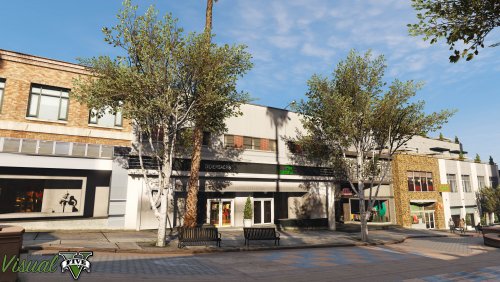
VisualV is a graphic overhaul modification for Grand Theft Auto V, bringing you a completely redone time cycle, edited timecycle modificators for areas/interiors, improved color correction to add some life to Los Santos and Blaine County as well as a fixed rendering code, so your playing experience will be more smooth and nicer.
What was changed in VisualV?
- All weathers rewritten from scratch, based on a hundreds of Los Angeles photos and movies.
- Draw distance of lights was increased and they are more visible.
- Moon movement is corrected (no more moonrise at west!).
- Moon size was matched to the real world.
- Volumetric fog effect was improved, now it's stunning as it should be.
- Clouds colors, intensity and movement were built from scratch.
- Shadows under vehicles are in higher quality, so they are no more not blocky.
- Chromatic aberration and vignetting were removed from the normal gameplay.
- Lens flares are all the same for three lead characters.
- Dithering effect from the grass was removed for good, rainy weathers will make it great!
- And many, many minor fixes.
VisualV has own ReShade and ENB presets, with heat haze effect available only for VisualV.
There are few optionals improvements, check them out!
Watch a comparsion video between vanilla graphic by R* and VisualV made by GSE Studio.
VisualV comparsion
Optional download links
1.0.320
GTA5-Mods
Mediafire
- 42,788 Downloads
- 42 Comments
Updated