




ineseri
Friends of LSPDFR
-
Joined
Everything posted by ineseri
-
Thank you. Make sure you read the manual installation guide as well as this: Important! Read this: ?do=embed#entry204057'' frameborder='0' data-embedContent>> and this '?do=embed' frameborder='0' data-embedContent>> Legal copy of the game? Running the game as administrator? Latest patch? What other mods are you using? What operating system are you using (Windows XP is NOT supported)? Make sure that LCPDFR 0.95 is removed (http://www.lcpdfr.com/page/tutorials/index.action/_/script-data-file-modification-tutorials/how-to-uninstall-lcpdfr-r19). Also, please install these http://www.microsoft.com/en-us/download/details.aspx?id=30679 http://www.microsoft.com/en-us/download/details.aspx?id=30653 http://www.microsoft.com/en-us/download/details.aspx?id=35 http://www.microsoft.com/en-us/download/details.aspx?id=5549 (If you haven’t updated GFWL, use this). Running the game as administrator: Go to the GTA IV folder, right click on GTAIV.exe, Properties, Compatibility and select 'Run this program as administrator', do the same exact thing to the LaunchGTAIV.exe.
-
-
Did you read my instructions. I'll type them out again.. 1. Press the printscreen button on your keyboard. 2. Open up Microsoft Paint 3. Press ctrl+v (or paste in the menu) inside of Microsoft Paint 4. Save this image in a folder, for example your Desktop. 5. Open your Internet Browser, for example Chrome. 6. Go to imgur.com and upload the saved image there. 7. Paste the link from imgur.com here.
-
I know, you said so in the original post... Can you please upload the screenshot? Where is it your are having issues with that bit?
-
"That button"? Where is it exactly you are having issues?
-
Just press the print screen button on your keyboard, paste the image into Microsoft Paint, save and then upload to imgur. Paste the link here.
-
Hello. Please post a screenshot of your GTA IV directory to get started.
-
Please read the 1.0 manual installation guide and remove any other version of LCPDFR.
-
Install the latest patch, the redists and the mod with the manual installer. Follow the manual to the letter.
-
Reinstall GTA IV and remove all files in the root dir, redo it. Something messed up along the way.
-
I linked them above.
-
Just follow the instructions in the manual and it will go fine :)
-
Yes, into the root folder where the GTAIV.exe resides. Folder = Where you can store files. Program/Exe = A computer program, or just a program, is a sequence of instructions, written to perform a specified task with a computer.
-
Read the manual to make sure you copy the correct files, then just move the files to where the GTAIV.exe exists, not into the actual GTAIV file.
-
Please do that then.
-
Again: Did you install the redists, the ones I linked?
-
Did you install the redists needed for the mod?
-
First, please post a screenshot of your GTA IV directory. Important! Read this: ?do=embed#entry204057'' frameborder='0' data-embedContent>> and this '?do=embed' frameborder='0' data-embedContent>> Legal copy of the game? Running the game as administrator? Latest patch? What other mods are you using? What operating system are you using (Windows XP is NOT supported)? Make sure that LCPDFR 0.95 is removed (http://www.lcpdfr.com/page/tutorials/index.action/_/script-data-file-modification-tutorials/how-to-uninstall-lcpdfr-r19). Also, please install these http://www.microsoft.com/en-us/download/details.aspx?id=30679 http://www.microsoft.com/en-us/download/details.aspx?id=30653 http://www.microsoft.com/en-us/download/details.aspx?id=35 http://www.microsoft.com/en-us/download/details.aspx?id=5549 (If you haven’t updated GFWL, use this). Running the game as administrator: Go to the GTA IV folder, right click on GTAIV.exe, Properties, Compatibility and select 'Run this program as administrator', do the same exact thing to the LaunchGTAIV.exe.
-
Hello, please use version 1.0 instead.
-
Please post a screenshot of your GTA IV directory.
-
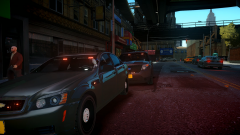 Who would ever want to use real-life cars, and on the top of that, ELS enabled cars? lol.
 -
-
-
If you use Ekalbs vanilla cars, you can. I recommend you to look here (http://www.lcpdfr.com/page/tutorials/index.action) and find a good tutorial. You can find out which cars are compatible by reading the readme of that pack I think.
-
The hotfix is not needed if you use the manual installer.

