




ineseri
Friends of LSPDFR
-
Joined
Everything posted by ineseri
-
Sure no problem :)
-
LCPDFR is apparently built with coding that makes it possible to deploy it against other softwares other than GTA IV and EFLC. GTA V for example.
-
The problem is that most people mod their game more than their game can handle, and sometimes even their PC can handle. As long as you keep within the frames of vanilla GTA IV, you are fine.
-
I can play for hours and hours on the PC just fine :)
-
PC because it isn't a crappy grainy, low-res version + it supports mods.
-
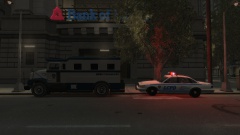 So that LCPDFR can be transported, duh.
 -
Already there! Seriously though, yeah me too :D
-
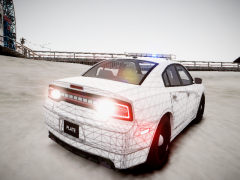 It looks extermely ELS D:
 -
LMS to the rescue!
-
You have a ton of script mods, that may be it. LCPDFR is only officially supported on a unmodded copy of the game. Again: Do you have the "lcpdfr.log" file?
-
Welcome to the forums, grand first post to start with. It surely is a marvel of scripting what the team has done :)
-
Is it a legal copy of the game? Steam/Retail? Are you running the game as administrator? Using the latest patch? What mods are you using? List them please. Running the game as administrator: Go to the GTA IV folder, right click on GTAIV.exe, Properties, Compatibility and select 'Run this program as administrator', do the same exact thing to the LaunchGTAIV.exe. Also, download and extract Scripthook.dll and ScripthookDotNet.asi files to your GTA IV directory. (http://www.hazardx.com/details.php?file=83)
-
Let me know how that goes :)
-
Does it work without mods?
-
 <3
<3 -
Hello. Please use LCPDFR 1.0.
-
Hey, thanks for the detailed post. Very glad to see that. Please install these http://www.microsoft.com/en-us/download/details.aspx?id=30679 http://www.microsoft.com/en-us/download/details.aspx?id=30653 http://www.microsoft.com/en-us/download/details.aspx?id=35 http://www.microsoft.com/en-us/download/details.aspx?id=5549 (If you haven’t updated GFWL, use this).
-
Ah that would be it yeah. Happy gaming and no problem :)
-
Could you do me a favor and try to launch the game without any mods, except LCPDFR?
-
Do you have the LCPDFR log too?
-
Why do you start a mission with LCPDFR?
-
Sure, no problem :)
-
Alright. Important! Read this: ?do=embed#entry204057'' frameborder='0' data-embedContent>> and this '?do=embed' frameborder='0' data-embedContent>> Legal copy of the game? Running the game as administrator? Latest patch? What other mods are you using? What operating system are you using (Windows XP is NOT supported)? Make sure that LCPDFR 0.95 is removed (http://www.lcpdfr.com/page/tutorials/index.action/_/script-data-file-modification-tutorials/how-to-uninstall-lcpdfr-r19). Also, please install these http://www.microsoft.com/en-us/download/details.aspx?id=30679 http://www.microsoft.com/en-us/download/details.aspx?id=30653 http://www.microsoft.com/en-us/download/details.aspx?id=35 http://www.microsoft.com/en-us/download/details.aspx?id=5549 (If you haven’t updated GFWL, use this). Running the game as administrator: Go to the GTA IV folder, right click on GTAIV.exe, Properties, Compatibility and select 'Run this program as administrator', do the same exact thing to the LaunchGTAIV.exe.
-
I'd rather not.
-
What are your computer specs? Any commandlines? Legal copy? Administrator priviligies set to the game?


