




ineseri
Friends of LSPDFR
-
Joined
Everything posted by ineseri
-
Remove your car mods and try the game again.
-
Does this happen when you exit the game?
-
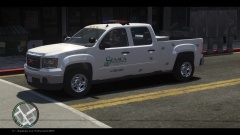 I wouldn't trust the man behind the wheel to rescue my dog.
 -
This is what the management team says: Please do the following: Make sure you aren't using a crack - We don't support cracks Update GTA IV to 1.0.7.0 (the latest version of the game, or 1.1.2.0 for EFLC) - This sometimes fixes a wide variety of issues Make sure that you run the game as an administrator. Make sure that your GTA IV root folder (and every subdirectory) is not set to "read-only" Ensure that ScriptHook.dll, ScriptHookDotNet.asi and Dsound.dll OR Xlive.dll are in the GTA IV ROOT folder Ensure that there is a folder titled 'LCPDFR' in the ROOT GTA IV folder. Check that all the above files exist, if they do not, reinstall LCPDFR with the MANUAL installation. Ensure that you are using up to date versions of every LCPDFR dependency and LCPDFR itself. Install these: .Net Framework 4.5, Microsoft Visual C++ Redist 2012 Give a clear, detailed description of the problem. Explain any circumstances surrounding the problem. State what solutions you have tried. Post ALL relevant logs (LCPDFR.log, Scripthook.log, ScriptHookDotNet.log, AdvancedHook.log). Include as much information as possible. Post your system specifications. Post what other mods you are using. This includes car and script mods.
-
Please install the latest patch. :)
-
Is the latest patch installed?
-
Hello, could you post a screenshot of your GTA IV directory?
-
Yeah, you can in the ini file. If you look here: [ EVENTS ] TrafficEventsTimeout = 90 // Set timeout for creating traffic events (speeders will be created 2x more often). // Set it to 0 to turn off traffic events. WorldEventsTimeout = 210 // Set timeout for creating world events. Set it to 0 to turn off world events. EnableOtherEvents = True // Enable casual events like tourists asking for directions etc. Change them so they are disabled.
-
Yes, that's what I said :)
-
LCPDFR is not officially supported with any third party mods. My wild guess it's the police helper world events.
-
Reinstall your GTA IV then and install only LCPDFR 1.0 with the manual installer.
-
LCPDFR does not support multiplayer right now sadly.
-
First off, it is stated in the manual that LCPDFR does not support any form of online play at the moment. That's really all I can add to this.
-
Try to remove your savefiles temporarily. The save files are located in 2 different places. X:Users%username%AppDataLocalRockstar GamesGTA IVsavegames X:Users%username%DocumentsRockstar GamesGTA IVsavegames Note: The AppData-folder is usually hidden, make sure that you can see hidden files. Note 2: “X” is the drive where you have installed GTA IV, and %username% is replaced by your username
-
Yeah, I wouldn't trust that link.
-
Good. Did you follow my instructions too?
-
As always, you're just supposed to use one of them. Important! Read this: ?do=embed#entry204057'' frameborder='0' data-embedContent>> and this '?do=embed' frameborder='0' data-embedContent>> Legal copy of the game? Running the game as administrator? Latest patch? What other mods are you using? What operating system are you using (Windows XP is NOT supported)? Make sure that LCPDFR 0.95 is removed (http://www.lcpdfr.com/page/tutorials/index.action/_/script-data-file-modification-tutorials/how-to-uninstall-lcpdfr-r19). Also, please install these http://www.microsoft.com/en-us/download/details.aspx?id=30679 http://www.microsoft.com/en-us/download/details.aspx?id=30653 http://www.microsoft.com/en-us/download/details.aspx?id=35 http://www.microsoft.com/en-us/download/details.aspx?id=5549 (If you haven’t updated GFWL, use this). Running the game as administrator: Go to the GTA IV folder, right click on GTAIV.exe, Properties, Compatibility and select 'Run this program as administrator', do the same exact thing to the LaunchGTAIV.exe.
-
And is it still not working? Does it work with only dsound instead?
-
Yes, reinstall the game to get the original files. Or verify the game cache if you are using steam. Make backups of your mods.
-
Is dsound still there? Did you read the manual?
-
Then you can't have copied all the files sadly.
-
By using the backup you made previous to installing the mod. You need to copy all the files that you overwrote with the snowmod.
-
You have both xlive and dsound in your GTA IV directory. Please read the manual.
-
If ELS is disabled you just use the sirens as normal (g).
-
As everyone above has said: Just use the 1.0.7.0 patch. Run the patch as administrator.

