




ineseri
Friends of LSPDFR
-
Joined
Everything posted by ineseri
-
And a legal copy of the game?
-
No. What other mods are you using? Legal copy of the game?
-
I usually have two commandlines that I supply to people, this one would fit you I think: -novblank -norestrictions -percentvidmem 100 -novsync -frameLimit 0 -nomemrestrict
-
^It may be that yeah.
-
What kind of mods are you using? What's the exact error?
-
From mine and Carry's latest session
-
I'd ask Microsoft about it. I'm not sure.
-
Unless you made a backup of your saves, yes.
-
No, the savegames go into the default savegames folder. They're not connected to the backups really. The save files are located in 2 different places. X:Users%username%AppDataLocalRockstar GamesGTA IVsavegames X:Users%username%DocumentsRockstar GamesGTA IVsavegames Note: The AppData-folder is usually hidden, make sure that you can see hidden files. Note 2: “X” is the drive where you have installed GTA IV, and %username% is replaced by your username
-
No problem :)
-
Sure, here goes:
-
Try to use a commandline with "-norestrictions" added.
-
No, there is no need to do that :)
-
Please use the manual installer instead.
-
Do you have the latest patch of GTA IV? Did you use the manual installer of LCPDFR 1.0?
-
Hello, what other mods are you using and could you provide us with a screenshot of your GTA IV directory?
-
You have both xlive and dsound in your directory. Remove either of them.
-
Please install these http://www.microsoft.com/en-us/download/details.aspx?id=30679 http://www.microsoft.com/en-us/download/details.aspx?id=30653 http://www.microsoft.com/en-us/download/details.aspx?id=35 http://www.microsoft.com/en-us/download/details.aspx?id=5549 (If you haven’t updated GFWL, use this) ...and use the manual installer instead: http://www.lcpdfr.com/files/download/4607-lcpd-first-response/
-
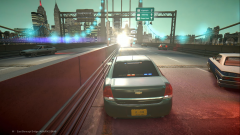 Looks like someone set of a nuke... or ate a burger from Burgershot.
 -
I believe you have to press J three times to activate the various lightning stages and then press H or G (I do not personally use ELS, so not 100% sure).
-
Hello, please post a screenshot of your GTA IV directory to start with :)
-
Hello, this sounds like the anti-piracy measure put in by Rockstar. Do you have a legal copy of the game?
-
Hello, please use LCPDFR 1.0 instead.
-
Hello, have you read the ELS User Manual? Should tell you what to do to enable the different stages (and so the siren).
-
No, when it is broken you'll have to redo it sadly :)


