




ineseri
Friends of LSPDFR
-
Joined
Everything posted by ineseri
-
Tell her "we are just friends"? Problem solved.
-
Kudos to you good sir, I hope someone is able to fulfill your request.
-
Well.. um...
-
Haha glad you got it working :) Well, now it is written correctly, I wrote it wrong in some other topics that I had to go back to and correct. lol
-
 Thanks for releasing stuff unlocked, that's always nice :)
 -
Indeed, no spaces and it must be written exactly like that. Otherwise it won't work. Imagine my epic facepalm when I noticed it was case-sensetive. So many topics to go back to D:
-
It's pretty normal with crashes. Calling the mod trash and that it sucks is a no-go for me, and other users to give support to you. Have a nice day.
-
To add the preload all models thing, Open up your LCPDFR.ini, look under "Main", it should look something like this by default: Now, add to the bottom of that part PreloadAllModels=TrueThe "Main" part should now look like this:
-
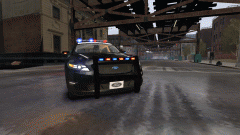 There's usually a good reason not to use ELS. Like.. not crashing every 10 seconds :) Nice stuff Khanage!
 -
There are some seperate mods that do that. Are you sure you want to give up on 1.0?
-
I also see you have the freval error. The freval error was fixed for some users by doing this: Open up your LCPDFR.ini, look under "Main", it should look something like this by default: Now, add to the bottom of that part PreloadAllModels=TrueThe "Main" part should now look like this:
-
Oh those are pretty cool. But they're just that, pretty cool. It's a fun hobby though. Kinda similar to the PC the OP linked in the terms of size (and maybe efficiency).
-
I gotta agree with unr3al here. It may look cool, but bottomline it's a waste of money. Sure, the enviroment is important but maybe they should start working on better parts for actual PCs?
-
Here's mine
-
Well they do look good. If you ever release that magic.
-
You mean those hilarious red squares? :D
-
Can you please upload them to imgur instead in the future as not everyone has word installed. Do you have the latest patch installed for GTA IV?
-
I'm pretty sure that LCPDFR won't spawn police cars for you. You probably used another mod for that, maybe this one ('?do=embed' frameborder='0' data-embedContent>>)?
-
LCPDFR 1.0 is land-based as stated before. I think Sam said that it really isn't coded for water-usage.
-
Yeah, i'm pretty sure that is normal. Have you played the normal GTA IV? :p
-
Hello. That's not a bug, it's a feature so to speak. The AI has been greatly improved from vanilla GTA IV though. It's part of the GTA charm that they crash into objects.
-
Please use LCPDFR 1.0, with the manual installer and remove 0.95RC2 again.
-
And you are sure that you are pressing alt+p? Not ctrl+p?
-
What is working, and what is not working?
-
Have you tried removing your save files to see if that works?


