




ineseri
Friends of LSPDFR
-
Joined
Everything posted by ineseri
-
-
Can you post a screenshot of your GTA IV directory?
-
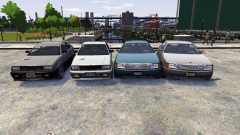 "YRD". I see what you did there.
 -
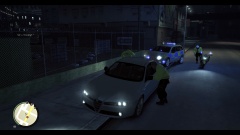 Sir. I have a question here, sir. Why is the met police performing a traffic stop in Hove Beach. Did they take a wrong turn somewhere?
 -
Press the start button and r at the same time, type "%appdata%". You might have to go back one step once the folder opens.
-
Then your save files are probably corrupted. I suggest that you delete them, or move them and then try the game again. The save files are located in 2 different places. X:Users%username%AppDataLocalRockstar GamesGTA IVsavegames X:Users%username%DocumentsRockstar GamesGTA IVsavegames Note: The AppData-folder is usually hidden, make sure that you can see hidden files. Note 2: “X” is the drive where you have installed GTA IV, and %username% is replaced by your username
-
Have you ever saved while using mods? (For example, car in parking spot, script in use when saving etc)
-
Do you have a legal copy of the game?
-
-
Did you do a clean installation of it?
-
But... but... but... It's Liberty City no matter how you do it. Even the cops say "LCPD"... :p
- 20 comments
- 3 reviews
-
*raises hand* I have a question sir. Sir. Sir, why is the LSPD in Liberty City sir? Sir can you answer that sir?
- 20 comments
- 3 reviews
-
-

- 1
-
-
I see. So... do you have a legal copy of the game or not?
-
Welcome! Welcome to LCPDFR.com. If you have any issues with your game, mod, life etc feel free to post a topic and I shall be there to help.
-
Hey, can you post a screenshot of your GTA IV directory please?
-
Out of curiosity, which handling line are you checking? EFLC uses 2 files, a seperate file for the DLC cars.
-
Ekalb made some nice vanilla modded cars, Yard1 has some nice GTA V cars. There are more that I can't remember. Check the download section.
-
That is a known bug, and it is recommended that you don't.
-
I think you should reinstall LCPDFR with the manual installer.
-
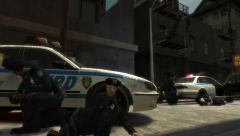 Oh it's on now! Shots fired.
 -
Use the manual installer.
-
Hello, do you have a legal copy of the game?
-
Does that error starts right on launch?
-
Do you walk to the exit?
-
ELS is the cause, to not have that bug, do not use ELS or ELS enabled cars.

