




ineseri
Friends of LSPDFR
-
Joined
Everything posted by ineseri
-
Could you try disabling UAC? http://windows.microsoft.com/en-us/windows/turn-user-account-control-on-off
-
Hello. I see you have the freval error. The freval error was fixed for some users by doing this: Open up your LCPDFR.ini, look under "Main", it should look something like this by default: Now, add to the bottom of that part PreloadAllModels=TrueThe "Main" part should now look like this:
-
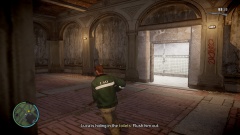 I seriously just searched for "pun" in the forum and this was the first alternative. I was not disappointed.
 -
No, you need 4.5. Make sure you have the latest Windows updates.
-
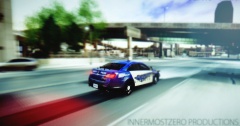 What's with all the drug puns? It's growing like weed.
 -
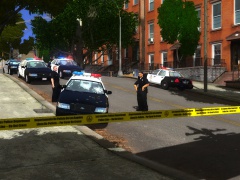 Nice work with the tape! It would be nice to have a LCPD one, as NYPD/LAPD (any department other than LCPD really) doesn't fit in LC at all.
 -
Have you tried using the manual installer? Do you have a up to date version of the game? Please do the following: Make sure you aren't using a crack - We don't support cracks Update GTA IV to 1.0.7.0 (the latest version of the game, or 1.1.2.0 for EFLC) - This sometimes fixes a wide variety of issues Make sure that you run the game as an administrator. Make sure that your GTA IV root folder (and every subdirectory) is not set to "read-only" Ensure that ScriptHook.dll, ScriptHookDotNet.asi and Dsound.dll OR Xlive.dll are in the GTA IV ROOT folder Ensure that there is a folder titled 'LCPDFR' in the ROOT GTA IV folder. Check that all the above files exist, if they do not, reinstall LCPDFR with the MANUAL installation. Ensure that you are using up to date versions of every LCPDFR dependency and LCPDFR itself. Install these: .Net Framework 4.5, Microsoft Visual C++ Redist 2012
-
If you are using the police helper, try to disable world events or remove the mod all together. I think that's what is causing your issue here. Also, OP = Original Poster (You).
-
Hello, please post a screenshot of your GTA IV directory.
-
I see. Try to press 't' several times. Also, please note that the mod is only meant to be supported on a clean copy of the game.
-
What other mods are you using, OP? Maybe the police helper?
-
Sure, no problem :)
-
You'd have to rent a server from a hosting company, or if you want to host at home: make sure your ports are forwarded. I'd look that up on any search engine if I were you. Keep in mind that hosting at home isn't really recommended since your network connection probably can't handle the large volume of traffic.
-
Since it is a locally hosted server, only those who are on the same network can join it since you do not have a internet server (where others can see it). Am I right?
-
You can't, unless they're on your network.
-
There is only one snow mod available I believe, and texture mods are generally huge since you're replacing pretty much all files. It's your internet speed that is slow.
-
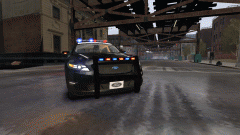 Why not just call it Vanilla? D:
 -
Yes, and for MP you can't use xlive as it disables GFWL.
-
Could you post a screenshot of your GTA IV directory?
-
I do have the Fort Carson Radio playlist here (kind of outdated) https://docs.google.com/document/d/17S4PHpOwTVr7-gnbvcm7qHIjTYqi8PsHOm5MM8AKy60/edit
-
Do you have a legal, up to date version of the game?
-
It's not a game, it's a mod for a game and the devs would like it to be free.
-
xlive will disable GFWL. If you want to use GFWL, you will have to use DSOUND.dll instead.
-
Do you by any chance use xlive.dll?
-
No, the mod by the looks of things.

