NickieB
Members
-
Joined
-
Last visited
Everything posted by NickieB
-
I think you need OpenIV to add new textures to a WTD. I haven't used Spark in forever but I don't think you can do that with Spark, thats why you need OpenIV. Plus Open is a better program IMO, I just keep spark around for siren/sound changes. Anyway back to your issue. Did you add the texture to the WTD that the actual lights are mapped to? (probably emerglights.png or emerlights_emis.png) Do they show up in OpenIV when you look at the model viewer? Do you have them mapped to a emmissive material in zmodeler? These are all possibilities.... Do they not even show up at all or can you see the textures blinking in game but not actually lighting up?
-
This is for the 2012 right? you threw most people a curve ball, now they have to figure out how to correctly UV map/texture it
- 4 comments
- 7 reviews
-
yeah you need to add them to the WTD of the car in OpenIV. Thats why they are showing up white, because they are missing a texture. Like I said before, you need to add all the textures you used in zmodeler to the WTD of the car/truck. The only textures you don't need are the vehshare files as those are already in the game.
-
Make sure that "store textures" is not checked when you export. I think thats why its giving you that error Collision and sliced model should both be checked though. Also all the textures you used (besides the vehshare ones) need to be added to the WTD of the car.
-
I couldn't agree with you more! ENB's - when I attempted to use one - did nothing but cause me trouble and screw up my game. Plus it didn't work correctly (the night was pitch black, couldn't see more than a few feet) and made my FPS worse just like you. OP - Revert to a backup and either use a ENB you know works or stay away from them. I know a lot of people use them with success and they do make the game look very good but always caused me more trouble than it was worth
-
If you live here can't you just go to the PD and snap a few pictures of a cruiser? Or take a cruise around town and see if a officer is at a gas station. I'm sure he would be more than happy to let you take a few pictures of his car. I've never had any problems when I've done it. Did you try policecarwebsite?
-
thats going to be hard to make a accurate skin with just that tiny picture
-
did you save it as a PNG when you edited it? and are you sure it was transparent? Because by the looks of it, the color is solid. Not to state the obvious but there really isn't much else it could be
-
The bar on the CVPI he posted is a Code 3 RX2700. I can't think of any on a CVPI besides my Ohio State CVPI but thats not the exact setup he posted
-
CVPI - I don't think there is anything in that exact setup, no. Impala - Yes, Look thought the downloads and I would bet you'll find a Impala with a Liberty
-
You need to combine the textures needed in photoshop or rename one texture to emerglights2 and then just edit the texture in the materials editor
-
Vehshare textures are clearly missing along with at least the spotlight texture. They all NEED to be added before importing the model. You can import textures after the model but its a pain in the a**. As for it not showing up, you need to make sure you export the same name as the car you import. IE you import police.wft then you export police.wft, import noose.wft - export noose.wft. Everything you want on the car has to be contained within the hierarchy of the car, under chassis. If you export and you get a file size of 0kb, something is wrong and you probably have duplicates of a certain part. Check the error box at the bottom of zmod for details on the error. To fix said error either rename the part if its not a main component, or delete it if its just a duplicate. Once you get the car to export with a file size, probably around 3MB give or take a little, then you import it into OpenIV, delete all the textures in the corresponding WTD so you can start fresh and then import all the textures you used on the model. You do NOT need to import the vehshare textures into the WTD, they are already in the game.
-
nice! Would be better if the police car was different. I don't care for trucks, especially trucks like that but cool picture anyway
-
You need to remove any and all car/weapon/peds, etc. anything that would add more work to the game. Then see if that helps. So basically, start with a vanilla/default game and see if the issue still exists. If it does than you have a good idea that your PC can't handle it. If everything works fine with the default game then slowly add mods and test it everytime until you reach the point where you get texture loss. Then you know the threshold of how much your PC can handle
-
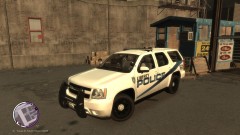
From the album: NickieB Upcoming Releases
Vehicle is finished, I just have to prepare the release file. -
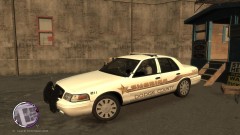
From the album: NickieB Upcoming Releases
Vehicle is finished, I just have to prepare the release file. -
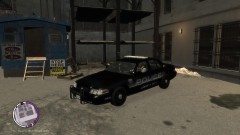
From the album: NickieB Upcoming Releases
Vehicle is finished, I just have to prepare the release file. -
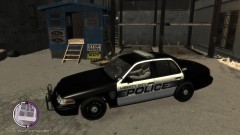
From the album: NickieB Upcoming Releases
Vehicle is finished, I just have to prepare the release file. -
-
I don't recall ever saying it had anything to do with it. I just looked at his profile and he didn't have anything on there so I was just saying. I wasn't going to engage in a full blow search for his work because I didn't really care and your right, it doesn't really matter. I didn't mean it in any negative way, he just said he does that to all of his cars and I just thought it was funny because I didn't see any files uploaded by him.
-
All of the extras need to be attached together respectively. all the 1's together, 2's together and so on. As for the other issue, is your model actually exporting? Does it have size and can you see it in the model viewer of openiv?
-
 oh... sorry, I missed all that I guess. lol
 -
-
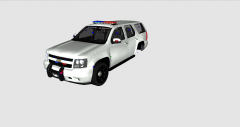
oh my, you need to adjust the rambar to fit the Tahoe or remodel a new one. You can't just throw a cvpi pushbar on and call it a day, well you can but I wouldn't recommend it because it looks way out of place and no real life Tahoe pushbar looks like that. Plus its way to small
-
I'm confused, Social Club? Like what pops up and asks you if you want to play online or offline? Or further into the game when you have to select what game you want to play? Either way thought the mods shouldn't have anything to do with it