


trewq34
Members
-
Joined
-
Last visited
Everything posted by trewq34
-
Hi, ensure you have the following installed (click the text below to be taken to download links) .NET Framework 3.5 .NET Framework 4.0 Visual C++ 2010 Redistributable 32-bit or 64-bit (this depends on the type of operating system your PC runs. To find out go to Start>Right click Computer>Left click properties and you should see some thing that looks similar to this: if it says "64-bit Operating System, download 64-bit and vice versa for 32-bit.) Once you've done that restart the diagnostics tool and you should be good to go.
-
It looks like these, which were in the download section: '?do=embed' frameborder='0' data-embedContent>>
-
'?do=embed' frameborder='0' data-embedContent>> '?do=embed' frameborder='0' data-embedContent>>
-
I found something that's IMPOSSIBLE to find, it'll really help you: '?do=embed' frameborder='0' data-embedContent>> Next time please read the pinned threads before posting
-
That's neither, it's a Chevy Caprice, found here
-
As far as I can tell....there's no Taurus in that video...
-
You go to your name at the top then settings then scroll right to the bottom and paypal email is there, just type in your paypal email
-
-
I believe there is a pattern on ELS 7 that doesn't have any takedown lights on
-
-
When pressing ALT+P you were automatically teleported to the police station? That sounds like LCPD:FR 0.91 to me. Inside the scripts folder delete the following: "LCPDFR" (folder) "FirstResponse.ini" "FirstResponse.net.dll" Then download and run the installer, found >here
-
'?do=embed' frameborder='0' data-embedContent>> When will people learn?!
-
The uniforms have been featured mods on here for a few months now, quite hard to miss
-
Post it >here, the chances of people that are willing to make it for you seeing it are greater in that forum
-
Ask him to install 0.082 Beta and then tell him to install the Game4Video ENB over that one, that's how I fixed black screen with me... If that doesn't work, tell him to try the first Game4Video ENB
-
I believe he uses these, http://www.gtainside.com/en/download.php?do=comments&cat=324&id=34639
-
No probs
-
It is to do with the ENB, if you look at the texture itself (in OpenIV or SparkIV) you can see that it's actually grey, however looks white in game.
- 7 comments
- 10 reviews
-
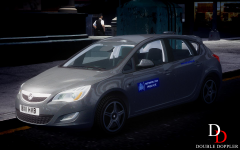 Nice, is this gonna be released? EDIT: didn't see the "Coming Soon". Also what is the little dome-ish thing nearer the back?
 -
This vehcile was created by trewq34 of LCPDFR.com and is exclusive to LCPDFR.com. In order to upload this pack on any other website, you must first gain written permission from me, trewq34, and add proof. Vehicle(s) being replaced: • police - North Carolina State Trooper Dodge Charger The Vehicle(s) may not work correctly without the handling line provided (consult Handling.txt in the archive). Credits to Sgt.Kanyo for the handling line. Remember to add +livery in the vehicles.ide file for vehicles with multiple liveries. NOTE: This vehicle does support multiple liveries; however only one livery has been supplied. Adding of +livery is not necessary. And lastly remember to enjoy the car. Feedback is always appreciated! Download Mirror Important Notice: The texture may seem it's not even on both sides, this is due to the template being somewhat incorrectly mapped on the DSF Charger.
- 7 comments
- 10 reviews
-
http://www.youtube.com/user/kinksta100 http://www.youtube.com/user/BritishPoliceMods
-
Have you tried google? Nobody will give you a link in fear of their account being banned/suspended
-
It's somewhat similar to the >911EP Galaxy
-
Don't hijack someone else's thread, especially one that's this old.... You probably won't get help since a moderator will delete or hide your post. Good day :)
-
Well, the problems encountered by most people here are common problems caused by not following tutorials correctly and not reading guides on how to fix it. If you follow a tutorial exactly then it should work without problems.

