


trewq34
Members
-
Joined
-
Last visited
Everything posted by trewq34
-
I was thinking of using Savior's, have you had any experience?
-
Firstly, sorry in advance if I've posted this in the wrong section. Secondly, I was just wondering if anyone knows of a low end ENB that works with the latest patch of GTA IV? And lastly, here are my PC specs: CPU - Intel Core 2 Quad Q6600 @ 2.40 GHz Grahpics Card - nVidia GeForce 9600 GT RAM - 8.00 GB (2x 4.00 GB) OS - Windows 7 Ultimate x64 If you need any other specs just ask and I'll update this post with the necessary info. Thanks for your help :)
-
Why not release it instead of posting in a thread that's a few months old?!
-
To play online with friends? You just host a game and make sure they have the same mods as you. That should work.
-
There's an unlocked F150, you just need to template it. Here's the link: http://www.gta4-mods.com/vehicles/ford-f150-fx4-offroad-v20-f18170
-
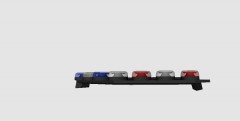 Thanks guys for the feedback Edit: I have a question, should I make it ELS-H/rota or LED?
 -
You could try and find a way to record your windows sound. I think you need to do something in your recording settings to make it seem as if your sound is going through a mic. Once you've done that you can use Audacity to record your "mic"
-
Seeing as you're from the UK, how about The Bill. It still broadcasts on the channel "Watch" - Sky 109
-
Do you have ELS installed?
-
From the album: trewq34's WIPs
My progress so far with converting the Federal Signal Vision SLR. I have yet to map ELS and test it in-game -
I believe Kinksta has some on his YouTube channel. The only thing is that they're British uniforms. If I find the video I'll edit the post Edit: Here ya go :)
-
What are your system specifications?
-
I see where you're coming from and to answer your question, it should work the same as if it were a console
-
Do you plan on using the capture card to record your PC gameplay? If you are your specs should be able to handle Fraps, DxTory or Bandicam. There are a few others but I can't remember the names right now Edit: Removed accidental double response
-
Press START type into the search box "UAC" and click the first and only link and make sure the slider is fully to the bottom and click OK. It may ask you to restart your PC in which case you should do.
-
Are you running the game as admin, using the admin account sometimes isn't enough.You need to right click LaunchGTAIV.exe then select "Run as administrator". That should fix your problem.
-
If you read NickieB's post, he says that a friend of his tried and reported back that it's NOT POSSIBLE
-
Yes, LCPD:FR is for Grand Theft Auto IV?! What does this have to do with Windows 8? Edit: If you're asking if GTA IV + LCPD:FR will work on Windows 8. Yes it will. Here's a >tutorial.
-
If it's not in the .ini file then as of yet it's not possible
-
Have you added the lights, and are you wondering what you do with the template?
-
'?do=embed' frameborder='0' data-embedContent>>
-
This is the car: http://gtapolicemods.com/downloads.php?do=file&id=592 With the skin from the post above
-
They all will work in-game depending on your system specs. Also as said by Grant Matos, there's no particular order but here's the order I prefer: 1. GTA IV 2. LCPDFR 3. ELS 4. iCEnhancer 5. Modded cars
-
Try deleting the _L1 files, it could be that's making the size of the wft file too big
-
You just need ZModeler, an unlocked car and some (not much) 3D modeling experience. You should be good to go after you have them
