




Dozel
Members
-
Joined
-
Last visited
Everything posted by Dozel
-
I appreciate that you mark my post as a solution, but renaming mods folder it's not the solution, it's diagnostic measure. You should try to revert recent changes connected with mods folder, try removing mods one-by-one, or you always can start new mods folder.
-
I'm not sure but try to rename your mods folder to _mods and retry.
-
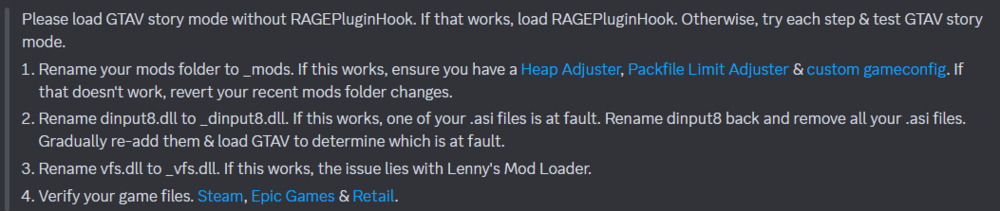
Try this
-
Was glad to help, I appreciate your feedback 😉 You can also add GTA V folder to antivirus exceptions to avoid problems in the future.
-
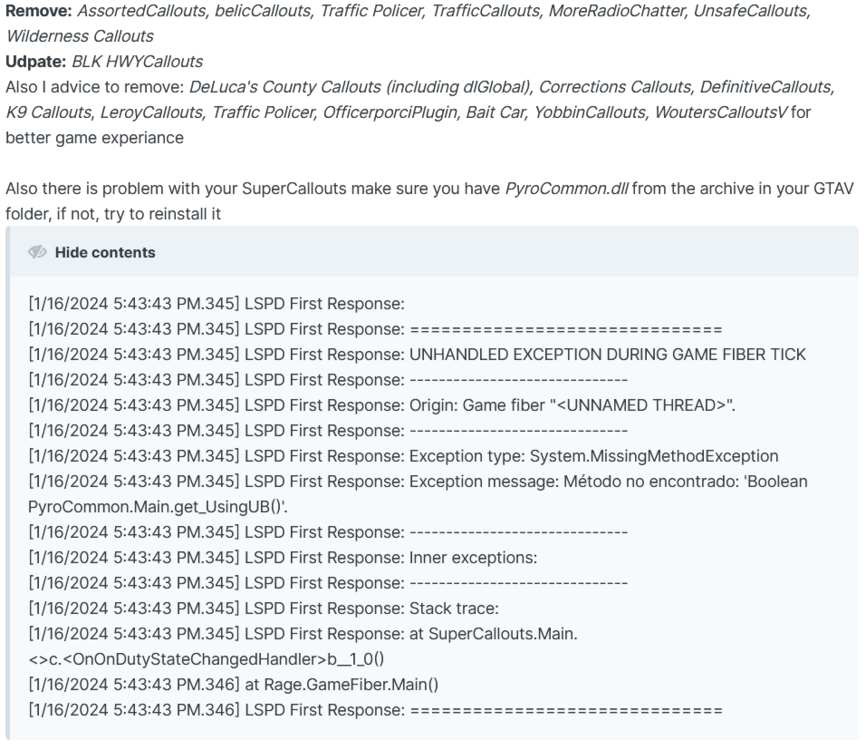
Reason of crashes according to log is SuperCallouts. I don't know what exectly wrong with it, but I think it's PyroCommon.dll. As a test you can temporary remove plugin and try it again. If it will work, I recommend to fully reinstall it, correctly, if not send new log. AssortedCallouts, belicCallouts, Traffic Policer (if was not downloaded from github), TrafficCallouts, is outdated and/or unstable so you need to remove it, because it may prevent from solving the problem.
-
Yeah, now I see LSPDFR is up to date, but reason of crash still the same, please update page and read my edited posts from beginning
-
It's from today's date [1/16/2024 5:59:50 PM.077] LSPD First Response: [TRACE] *** This version of LSPDFR is outdated. If the user is requesting support, request they update to the latest LSPDFR version. *** [1/16/2024 5:59:50 PM.077] LSPD First Response: [TRACE] This version: 0.4.8748.23994, Version available on server: 0.4.8757.33971 Still the same:
-
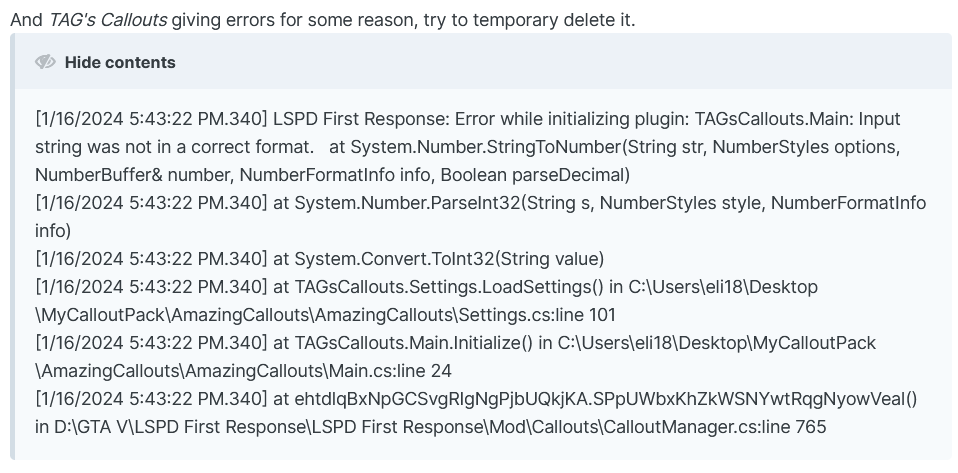
Remove: AssortedCallouts, belicCallouts, Traffic Policer, TrafficCallouts, MoreRadioChatter, UnsafeCallouts, Wilderness Callouts Udpate: BLK HWYCallouts Also I advice to remove: DeLuca's County Callouts (including dlGlobal), Corrections Callouts, DefinitiveCallouts, K9 Callouts, LeroyCallouts, Traffic Policer, OfficerporciPlugin, Bait Car, YobbinCallouts, WoutersCalloutsV for better game experiance Also there is problem with your SuperCallouts make sure you have PyroCommon.dll from the archive in your GTAV folder, if not, try to reinstall it And TAG's Callouts giving errors for some reason, try to temporary delete it. You still need to update LSPDFR
-
Move CalloutInterfaceAPI from Plugins/LSPDFR to Main GTAV Folder Update: LSPDFR
-
Try temporary delete Bait Car, if it will not help delete Combat Enhanced and try again. I think the culprit is Combat Enhanced, but it can conflict with Bait Car because of this:

-
Attach RagePluginHook.log, file located in GTAV main directory, not from the logs folder
-
Delete United Callouts and try again.
-
You are missing RageNativeUI, download it, install into GTAV main folder and try again.
-
Here is the answers about your issue:
-
You're welcome.
-
Make sure you have RageNativeUI installed in GTAV main folder
-
If after renaming mods folder to _mods your game works fine, it means some mod broke the game, as an attempt you can try revert changes deleting mods one-by-one, maybe you'll find the culprit, or if it's to hard to do so, you always can start new mods folder.
-
Enable mods folder again and make sure you have these installed: Gameconfig or Gameconfig (choose one) HeapAdjuster Packfile Limit Adjuster
-
That's the way it suppose to be, disabeling mods folder it's diagnostic measure, not the solution.
-
Yeah, sorry, was typing from the phone, here you go: Gameconfig or Gameconfig (choose one) HeapAdjuster Packfile Limit Adjuster
-
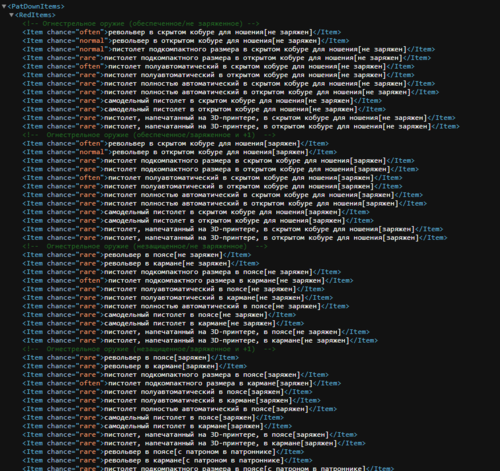 В том то и дело что без разницы где открыт код, хоть в Visual Studio Code. Просто как обычный пользователь, перед установкой я хочу видеть как оно будет выглядеть в игре. Это тот же уровень, если бы загружая Livery ты бы в скриншоты вставил не то как она выглядит в игре наложенная на машину, а скрин из фотошопа.
 -
-
Just to make sure, if you using addon cars you need to install Gameconfig, HeapAdjuster, Packfile Limit Adjuster as well.
-
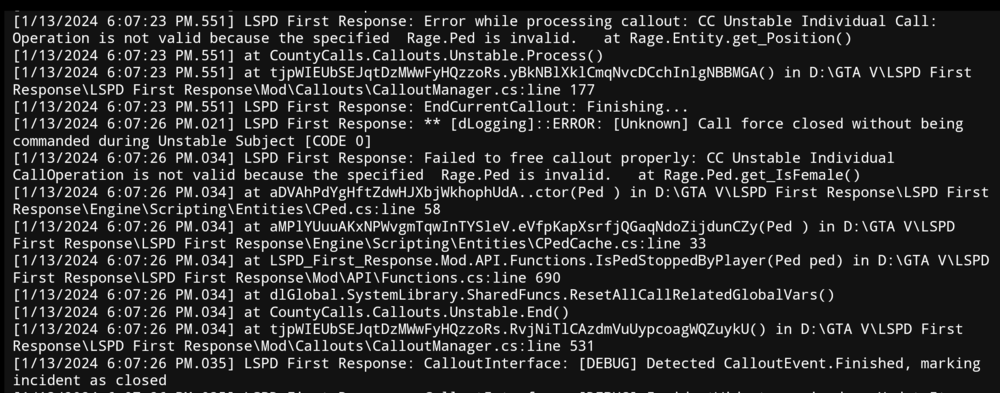
I think it was DeLuca's County Callouts, you can try delete it (including dlGlobal.dll) and test it out. Also update Super Callouts and Deadly Weapons. As well I'll suggest to remove: Keep Calm plugin (seems like cause fps drops and crashes sometimes), APIExample (I really not sure it should be there, but don't forget to make backup), MyCallouts 1.0.0 (I'll be honest, I don't even know what pack is that), tacco highway callouts, belicCallouts (seems unstable and requires update), for more stable game, but it's optional, for now ------------------------------------------------------
-
I think Stop The Ped was the reason. Or Ransom Ambience






