




Dozel
Members
-
Joined
-
Last visited
Everything posted by Dozel
-
Attach RagePluginHook.log, file in GTA v main directory, not from the logs folder
-
If you are using some graphics mods like VisualV, you can try to change these values in visualsettings.dat But be advised, then you'll gonna experiance too bright signs on taxi, buses, trains, you can find fix here. I'll repeat, that advise will be usefull only if you are using graphics mod.
-
Yap seems like it.
-
Glad it helps
-
Yap You need to update/install RageNativeUI
-
Nobody knows what mods you have in mods folder. You can try to reassemble the mods folder one-by-one if that's really the issue, but you have to figure it out by yourself.
-
Attach RagePluginHook.log, file located in GTAV main directory, not the logs folder
-
Uhm... Try this
-
The difference is that LSPDFR needs more time to load. If the LSPDFR does not load in the specified time, RPH will shut it down and you'll experience crash and infinite loading. As I said before: you need set Plugin Timeout Threshold set to 60000 And change translator, for example use DeepL instead
-
Did you try to verify game files?
-
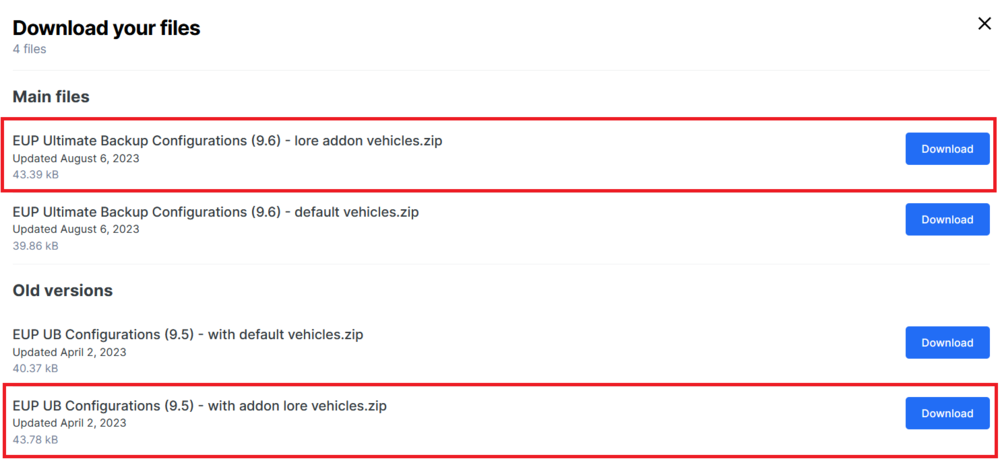
Well yeah, lol) But if you gonna delete those lore vehicles, install EUP UB config without addon cars, use default vehicles version (The same applies to EUPFR Base and EUPFR Ultimate, if you have one installed). Or you gonna experience crashes.
-
If you experiance crashes in airport, take a close look on thoose ones (I mark them bold in the list)
-
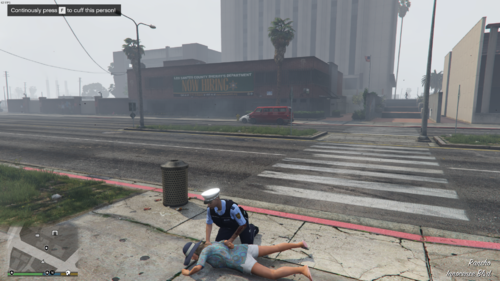 Sounds really nice, but if every suspect gonna resist while on ground it'll become to kind of frustration and non realistic behavior. Hope there will be chance of resisting value in .ini file which will make patrols more variable.
- 87 comments
- 10 reviews
-
-

- 2
-
-
If so vehicle list is REALLY LONG: and if one of them missing or damaged it really can cause a crash.
-
So you are using one of thoose versions?
-
Well.... MVC++ 2010 is not supported anymore, but I think you might be able to download it here
-
Ok so... While @UnknownBastionisn't here (he's more qualified for this kind of errors 😅), let's try one more thing. Do you have mods folder? Try to disable it by renaiming it to _mods. I know it could be irrelevant but try to play LSPDFR with STP and/or UB (you could try not using them together.) and mods folder disabled. If game will not crash, it could be some mod/car causing crash. Also I notice that a lot of people have problems related with NVE, if you have one installed try to play without it.
-
Still it's important and required to do to prevent issues/crashes in future: - Delete GTAV.exe and verify your game files to update GTA to the latest version. - Move CalloutInterfaceAPi.dll from .\Plugins\LSPDFR\ to your main directory. This one is IMPORTANT - Update 686Callouts, DynamicCallouts, IG Callouts, JM Remastered Callouts, Ransom Ambience, Riskier Traffic Stops, XScanner. This one is IMPORTANT Also my advise is refrain from using IG Callouts, I think it's a bit buggy, according to my experiance, but it's not necessary, decide from your personal preferences.
-
-
As far as I know there is somewhere compability patch/mode, not quite sure where, take a look on forum here, search for NVE topics.
-
As far as I know issue is caused by outdated memory patterns that no longer match. For someone it can cause due outdated game version, or outdated LSPDFR, according to your log seems everithing is up to date.
-
To verify game files, here is UnknownBastion guide:
-
1. Update required. 2. LSPDFR Update required. 3. You have so much callouts/ambient event installed at the same time, they can conflict with each other so it can cause game instability
-
Please attach fresh RagePluginHook.log from gtav main directory.
-
I think there is something wrong with your tag's Callout But seems it still loading successfully. Also take a look at your Plugins or Plugins/LSPDFR folder, if there is Newtonsoft.Json.dll, it doesnt belong there, put it in gtav main directory.


