



SuperStumpje
Friends of LSPDFR
-
Joined
Everything posted by SuperStumpje
-
No problem :)
-
Pretty sure he said 'he'.
-
Try repairing instead of removing. It will replace missing files but should leave everything else untouched. (it worked for me, anyway)
-
This wasn't that bad. Sam, I think you better start working on an even bigger mess for NB to clean up/hate.
-
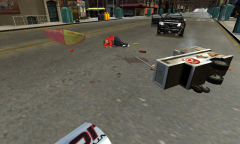 Seems like the police cruiser crashed into the hotdog cart, making the gas tank explode. The cart, the vendor and one of the cruiser doors went airborne and now it's everywhere.
 -
-
Just try running the patch. http://www.rockstargames.com/downloads#/?collection=9 Scroll down a bit to GTA IV, and click Title Update Version 1.0.7.0
-
Did you update to 1.0.7.0?
-
Legal copy of the game, what mods do you have installed, is GTA working without LCPDFR, are you running as administrator, did you do anything weird before this started happening?
-
I think the ELS brightness comes from the visualsettings.dat. I'm no expert, but I think if you keep that in and remove the rest it should keep the bright lights and stuff.
-
![[WIP] LC skin](//s3-gallery.int-cdn.lcpdfrusercontent.com/gallery/album_2472/sml_gallery_523_2472_2063717.png) Sweet! Fits great with the alderney skin too, although I don't really like the blue in the logo either.
Sweet! Fits great with the alderney skin too, although I don't really like the blue in the logo either. -
![[Wip] Slicktop + Marked](//s3-gallery.int-cdn.lcpdfrusercontent.com/gallery/album_2472/sml_gallery_523_2472_967698.png) Looks good! Will you be adding some LC skins too so we can use 'em outside Alderney aswell?
Looks good! Will you be adding some LC skins too so we can use 'em outside Alderney aswell? -
-
Well, I don't think it's that much of a problem. I used to be in the LCDPS clan, which unfortunately decomissioned last week, but it was started by a British guy, and when I joined he was doing his Royal Marine trainig so command staff existed of a Swedish guy (the leader), a Norwegian guy and 3 British guys. Makes perfect sense for an American style clan, doesn't it?
-
Fiddle around with the texture settings a bit (high, medium, low). GTA has it's weird moments when it comes to ENB's.
-
Miss the coffee. Back when the clans I was in were still there (one disbanded, went to another one but about a weeks ago they fell apart too) I used to "drink" some coffee at the briefing, which was what I became know for.
-
H? Don't you mean J?
-
Have you tried shooting the suspect? Never had this myself (yet), so I can't be sure, but headshots solve most AI problems :)
-
I'm not an expert, but did you save while on duty or park a modded vehicle in the save spot at your safehouse?
-
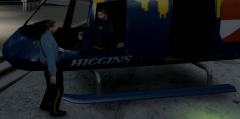 Ground patrols are too mainstream.
 -
I'm not sure, but I don't think Steam and LCPDFR go well together, so you'll have to launch it trough LaunchGTAIV.exe @ineseri He said it was working with the .exe thingy, he just wanted to know if there's a way to do it trough steam.
-
Last weekend they had some snow in the northern parts of Holland, but not over here :( Could someone put some snow in a box and send it to me? That way I'll at least get a bit of a winter feeling.
-
I think we're getting pretty close to a solution! Also, since modders know eachother's work pretty well, getting one or more modders (Cj perhaps?) into the community team isn't such a bad idea. That way they can check mods for ripped parts and stuff, while the rest of the CT focuses on the other things going on.
-
What if we start off with a list of things we, the users and the staff, think need to be changed/improved? That way we've got something to build on and we won't have people changing subjects everytime. And when we've got a list we can work together, find solutions and solve this mess once and for all.
-
What if we create some kind of comission, with members from both the community team and some modders, that checks if mods and stuff are ripped/stolen or not? That way, you'll get to know and understand eachother and eachother's "jobs" a bit more, and you'll solve the issue with who made a model(parts) too.


![[WIP] LC skin](http://s3-gallery.int-cdn.lcpdfrusercontent.com/gallery/album_2472/sml_gallery_523_2472_2063717.png)
![[Wip] Slicktop + Marked](http://s3-gallery.int-cdn.lcpdfrusercontent.com/gallery/album_2472/sml_gallery_523_2472_967698.png)
