


SuperPyroManiac
Community Team
-
Joined
-
Last visited
Everything posted by SuperPyroManiac
-
-
-
 Funny you guys mention that, I am getting a similar bug with my EMS system I'm trying to add to this 😛
- 625 comments
- 55 reviews
-
When I had it so it checked every ped, it caused you to loose about 10 - 15 FPS. I had to make it player only to prevent lag.
- 625 comments
- 55 reviews
-
-
Sorry for not naming it better, the ped damage is included with the ai, so in the ini disable the "EnableBetterAI" option and it will no longer touch other peds.
- 625 comments
- 55 reviews
-
-

- 1
-
-
 Rename your mods folder to _mods and see if it works, if so there is an issue with those.
- 215 comments
- 22 reviews
-
-
-
 No need, you can use his version. I have no clue if he has made changes or anything to the version in his pack. My plugins will work with either version. I just include the version Alexguirre uploads on his GitHub for it. (He's the author of it.) https://github.com/alexguirre/RAGENativeUI/releases Moral of the story, use whatever version you want, because I personally believe there is no difference. This plugin will work regardless.
- 1,010 comments
- 63 reviews
-
-
-
Yeah I plan on it. Just have been busy with my other plugins I am working on. I got a bit more than I can chew for my free time 😛
- 1,010 comments
- 63 reviews
-
-
- 2
-
-
I had some similar issues while working on my new swat callout pack, what I did was add the bad guys to a new relationship group, then made both the cop and new one (mafia) hate each other, then they are relentless and will fight to the death. Game.SetRelationshipBetweenRelationshipGroups("MAFIA", "COP", Relationship.Hate); Game.SetRelationshipBetweenRelationshipGroups("COP", "MAFIA", Relationship.Hate); Now I have it as soon as the callout ends or the bad guys die, the relationship group is just made to dislike. Then the cops will insult them, but not try to kill them non stop after the shootout and you have EMS on scene. Game.SetRelationshipBetweenRelationshipGroups("COP", "MAFIA", Relationship.Dislike);
-
It depends on what plugins you use, I had a similar issue and found alternatives to the ones that caused lag. For me Albo's mods ate up about 15 FPS so I removed those and found some newer ones that are up to date.
-
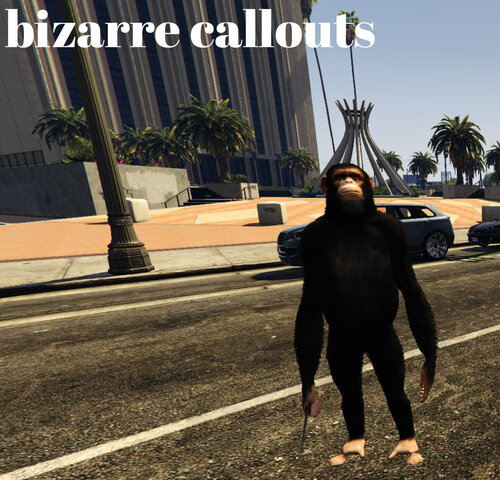 Monkey with a knife That is bizarre lmao. I once made a mistake with my events and had a seagull with a pistol that would shoot you if the player scared it. Can't wait to see what you come up with regardless. Edit: Wasn't a pistol..
 -
-
-
-
 This is a damn good pack, good job man. I have not changed my vehicles in a year but this is definitely going to be an addon in my game.
- 73 comments
- 22 reviews
-
-
- 1
-
-
This specifically checks for gun damage, it shouldn't touch you otherwise. Here is a list of the weapons I have it check currently: So you may have something else effecting you in game, since when I fall out of a vehicle or something the damage is normal. Check your trainer settings. Update to the newest version please, I fixed that bug today.
- 625 comments
- 55 reviews
-
Yeah it was related to Ultimate Backup, I can't do anything about that. The new version does not use UB so the animation is gone if you upgrade 🙂
- 625 comments
- 55 reviews
-
-
- 1
-
-
New version has been posted, once the mods approve it your problem will be fixed. Sorry for the issues.
- 625 comments
- 55 reviews
-
You can disable these two settings, that will make the plugin only use the shots fired feature 🙂 EnableDamageSystem = false EnableBetterAI = false
- 625 comments
- 55 reviews
-
-
- 1
-
-
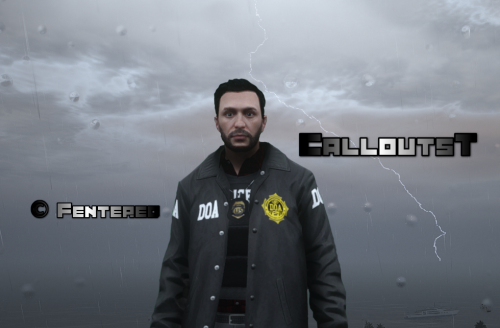 Good job, welcome to the community. I would just recommend adding more locations to the FIB call 🙂
- 117 comments
- 6 reviews
-
-
- 1
-


