c13
Friends of LSPDFR
-
Joined
Everything posted by c13
-
Military for 5-10 years then pursuing other activities for a year, but this thread isn't about me.
-
As my last Christmas on this site for a while, Merry Christmas everyone!
-
This section is for help with creating mods to the game. MODERATOR NOTICE Moved to LCPDFR Support Requests
-
Were two topics really necessary?
-
Not really, since no matter what is done, the AI's driving is hard coded into the game. It can be improved, which the devs have done in the past, but there is a limit to that.
-
That's a problem with your ELS.ini file, which is setup by default to flash red.
-
From the album: Random Stuff
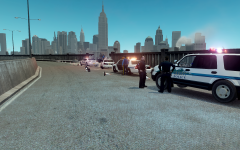
After a multi-agency pursuit including Alderney State Troopers and Liberty Police this afternoon, two suspects are in custody. While traveling at 70 mph on the Seawarden Highway, the suspects, not yet identified, lost control and came close to flying off a ledge. However, the vehicle got stuck and was left hanging. Immediately rescued at gunpoint, the suspects were ushered out of the vehicles and into awaiting squad cars. Liberty Police Officers are now assisting Troopers with wrapping the crime scene up and reopening the lane of traffic. Expedition soon to be released by Gfxle. Other vehicles by Gfxle and Deco. Higher resolution/more -
Yes, but the models are accurate. Just open up an image editing program and edit the skins.
-
-
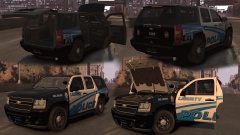 I think a valor would look nice. Maybe a setup like the tahoe in this video: http://www.youtube.com/watch?v=e_FUMKe02D8
 -
First, this is the general section, meant for off topic discussion. A mod for GTA 4 isn't off topic. Next, you aren't going to get any feedback if you simply say you are making something. MODERATOR NOTICE Moved to GTA IV Discussion
-
MODERATOR NOTICE Moved to GTA IV Support Requests
-
Charger:http://gtapolicemods.com/downloads.php?do=file&id=811 4 Expeditions (remove spotlight on slicktop for undercover one):http://gtapolicemods.com/downloads.php?do=file&id=2288 Ford Super Duty:http://gtapolicemods.com/downloads.php?do=file&id=1770 Tahoe:http://gtapolicemods.com/downloads.php?do=file&id=1653 CVPI's (undercover causes RC20 though):'?do=embed' frameborder='0' data-embedContent>> UC CVPI that works:
-
We're trying to foster a learning environment where people have to critically think here.
-
What recently released download can be given to the AI officers and is Christmas themed? HINT: You have to hit the download button
-
As there are 3 police agencies that use the acronym AST and another one that could be called AST, you're going to need to be more specific.
-
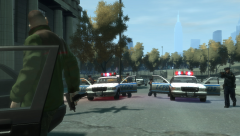 "Somebody's about to get shot in the face!"
 -
Of course it does. If the countdown existed, it would be to Mongolian Independence Day because it's the only thing December 29 is.
-
Because 1) it's a lot easier said than done, 2) most of the animations for LCPDFR are already in GTA 4. It's easier to script a police chase than it is to script a fire and have actual hoses, firefighters wielding them and putting out the fire and 3) most people in GTA like the shootouts and car chases, which aren't a part of firefighting.
-
 People can make one then with the API
 -
I have a Stag 2t I bought for $800 2 years ago. Currently running a vortex strikefire with a 3x magnifier on it.
-
Hoping to sell some spare optics and buy one of these for my rifle: http://www.amazon.com/EOTech-553-A65TAN-Military-HOLOgraphic-Weapon/dp/B002IWVKPC/ref=sr_1_4?ie=UTF8&qid=1387511286&sr=8-4&keywords=eotech+tan
-
Moved to GTA 4 suggestions and requests.
-
Of course. Those people get away when there is only 1 cop behind them though. One neighborhood in Kansas City is notorious for losing suspects after they go 60 or 70 down a straightaway street (neighborhood speed limit is 25, and cops won't risk speeds like that due to pedestrians). But then there is the issue of the police noting the make and model of the car and the license plate, which lets them track suspects down to their home.
-
Kentucky State Police Chevy Caprice in this video: http://www.youtube.com/watch?v=rojnwEl08QY